TRADING KEYS: GUIDE

















The Free Demo does not work in the strategy tester, CLICK HERE to download a fully functional Demo
Buy the full version HERE
Introduction
- TRADING KEYS is a trading app designed for manual trading on MT5
- Although it fits all styles of trading, day traders will find it most useful
- It allows user to manage positions efficiently without the need to open any other window other than the chart
It supports all assets (forex, indices, stocks and cryptocurrencies), account types (spread or commission) and account currencies provided by MT5
| This guide provides information on how to get started with TRADING KEYS app, the trading and risk management tools and how to use them, the app’s interface and its additional functionality |
Features
- Choice of dynamic or fixed Position Size: the method of dynamic size calculation is unique, it take into consideration the volatility of the market you are trading and your risk tolerance
Risk is controlled by the user in the form of the amount of leverage (e.g. 10, 50 or 100) - Calculate and display required margin for the specified position size
- Calculate and display expected commission and swap for the specified position size before opening the position
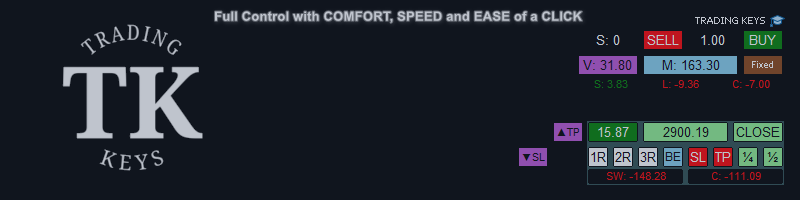
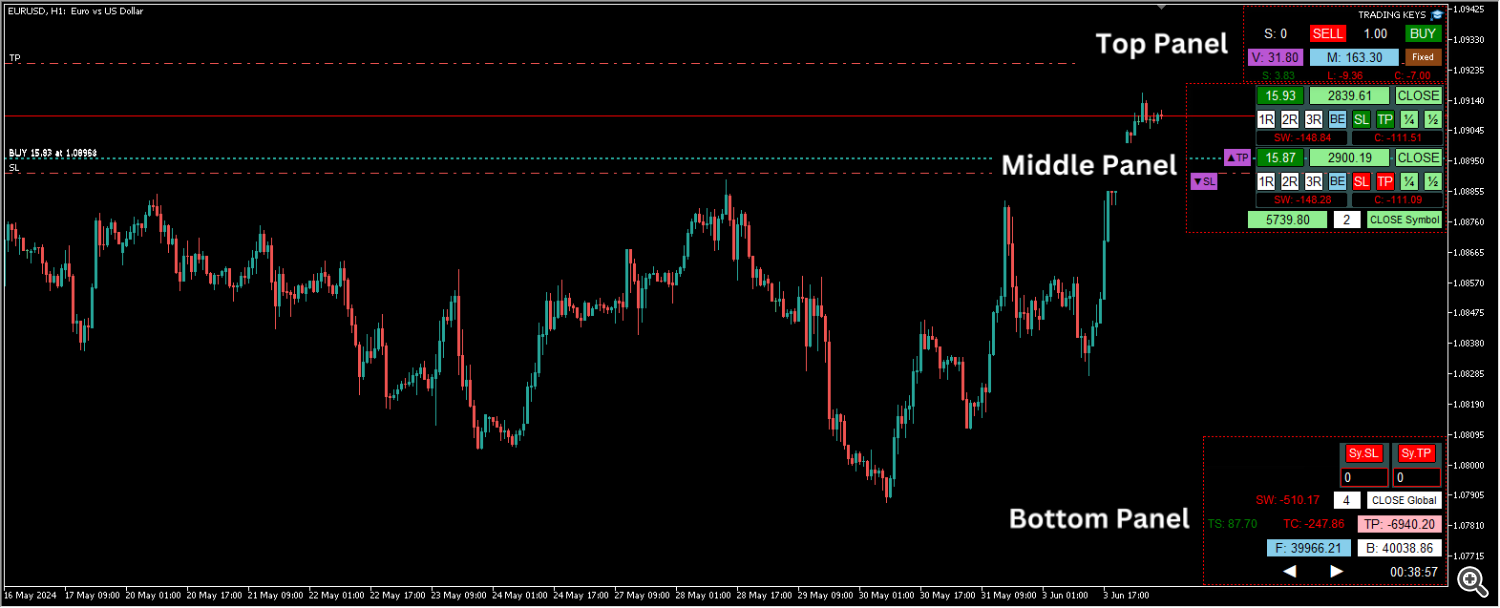
- Each position will be displayed as a separate panel (see screenshots) with the ability to manage the position with one click:
- Move TP to multiple levels of R:R ratios (1:1, 2:1 or 3:1)
- Move SL to breakeven
- Copy the highest or the lowest SL or TP, depending on the direction of the trade
- Close 1/2 or 1/4 of the the position
- Display the breakeven price line on the chart considering commission and swap
- Display PnL (including commission and swap in the calculation)
- Display the value of the commission and swap for each position, whether its charged or credited
- Remove SL or TP, or close the full position
- Display total positions count and symbol positions count with the ability to close all positions or symbol positions
- Additional SL and TP method using PnL
- Display today’s PnL, today’s commissions and today’s swaps
- Display balance, free margin and open positions swaps
- Display the current candle countdown timer
- Easy chart shift to the right or to the left to avoid overlap with panel incase of using a small screen
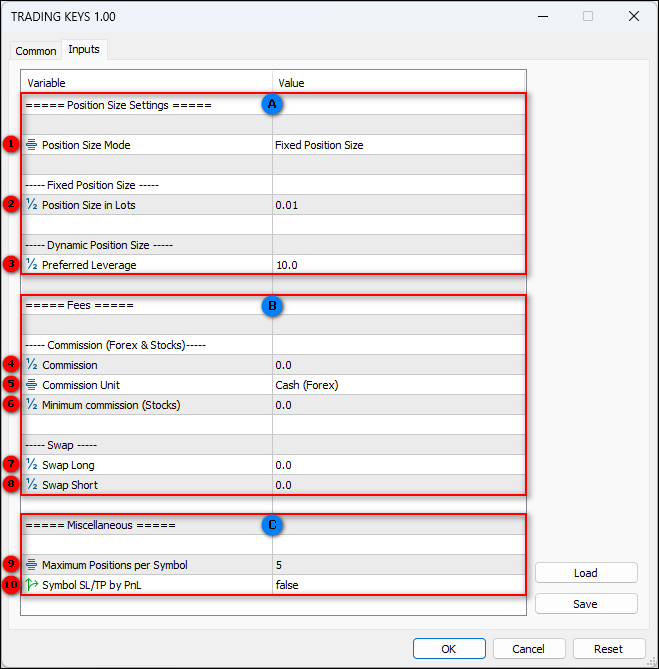
Only 10 inputs. user does not need to input all 10
Section A: Position size settings
(1) Position size mode: by default is set to: Fixed position size
There are 2 options for position size:
- Fixed Position Size: where user inputs the preferred position size in lots
- Dynamic Position Size: a unique formula that calculates position size according to market volatility and risk tolerance
(2) User Inputs position size in lots if first option in position size mode is selected
By default is set to the minimum 0.01
(3) User Inputs preferred leverage if second option in position size mode is selected
By default is set to 10
Section B: Fees (Commission & Swap)
(4) Commission: by default is set to 0
if the user’s trading account is a commission account, this value should be copied from the specification tab of the traded symbol
Only the numerical value to be copied as it is, next step the commission unit will be selected from a dropdown menu, no need to input the currency as currency conversion calculation will be handled efficiently by the TRADING KEYS app
examples:
- copied as: 3.5
- copied as: 0.02
- copied as: 0.1
(5) Commission unit:
options are:
- Cash (Forex)
example: - Cash (Stocks)
example: - Percentage (Stocks)
example:
(6) Minimum commission: by default is set to 0
example: copied as: 0.02
(7) & (8) Swap: by default is set to 0
Only the numerical value to be copied as it is with the negative sign (-) if there is, no need to input the swap type as swap calculation will be handled efficiently by the TRADING KEYS app
example: copied as: 16.8 for Swap long & -35.8 for Swap short
Section C:
(9) Maximum positions per symbol: options: 1-10, by default is set to: 5
User selects from 1-10 according to his screen size, since each position will open a separate panel on the right side of the chart window. for example: max of 5 for a 13″ screen and max of 10 for a 27″ screen
(10) Symbol SL/TP by PnL: by default is set to false (disabled)
User can set stop-loss or take-profit in cash. it applies to the total PnL of the chart symbol, regardless of individual trades SL or TP
example: if you have 3 open positions in EURUSD, and each position has its own SL and TP, one of them is in loss and the other two are in profit, and the total PnL for all 3 positions is +50 USD. Using this feature you can set stop-loss to 30 USD and take-profit to 60 USD for the total PnL of all 3 positions. now if the total PnL for all 3 positions dropped to 30 USD or rose to 60 USD, all 3 positions will close
Moreover, if you kept SL/TP by PnL value at 0, it will act as breakeven, so if the total PnL for all 3 positions dropped to 0, all 3 positions will close

| |
|
| |
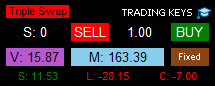
| This label will be displayed only if the next overnight swap is triple the regular rate. for forex, usually its Wednesday and for other assets usually its Friday (variable) example: |
| |
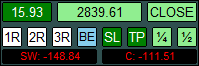
| Single position full control panel |
| |
| 1R, 2R & 3R* Click to set/move take-profit to 1:1, 2:1 or 3:1 R:R Ratio |
| |
|
| |
|
| |
|
The Free Demo does not work in the strategy tester, CLICK HERE to download a fully functional Demo
Buy the full version HERE
Source link