How to find an Indicator or an Expert After purchase
How to find an Indicator or an Expert After purchase?
There are two ways to do this:
- From the MQL5 website.
- From MT4 and MT5.
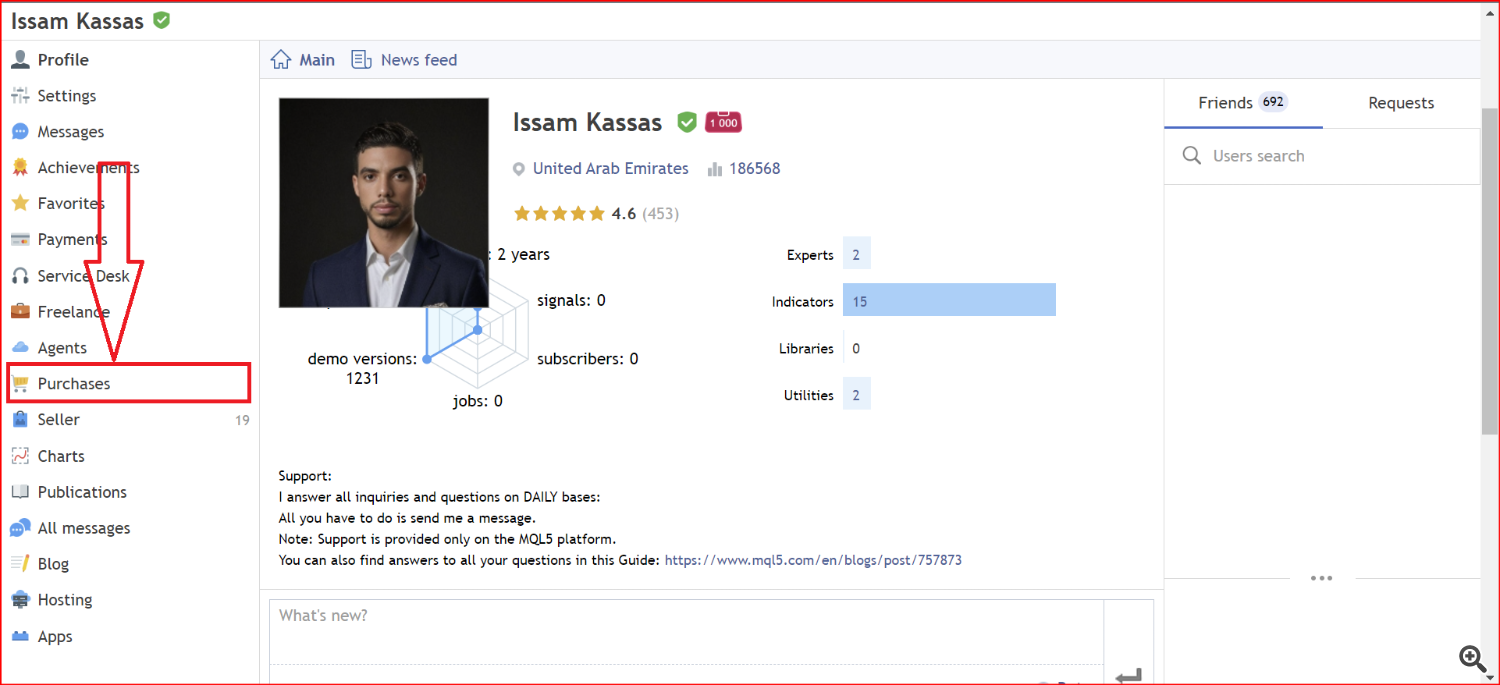
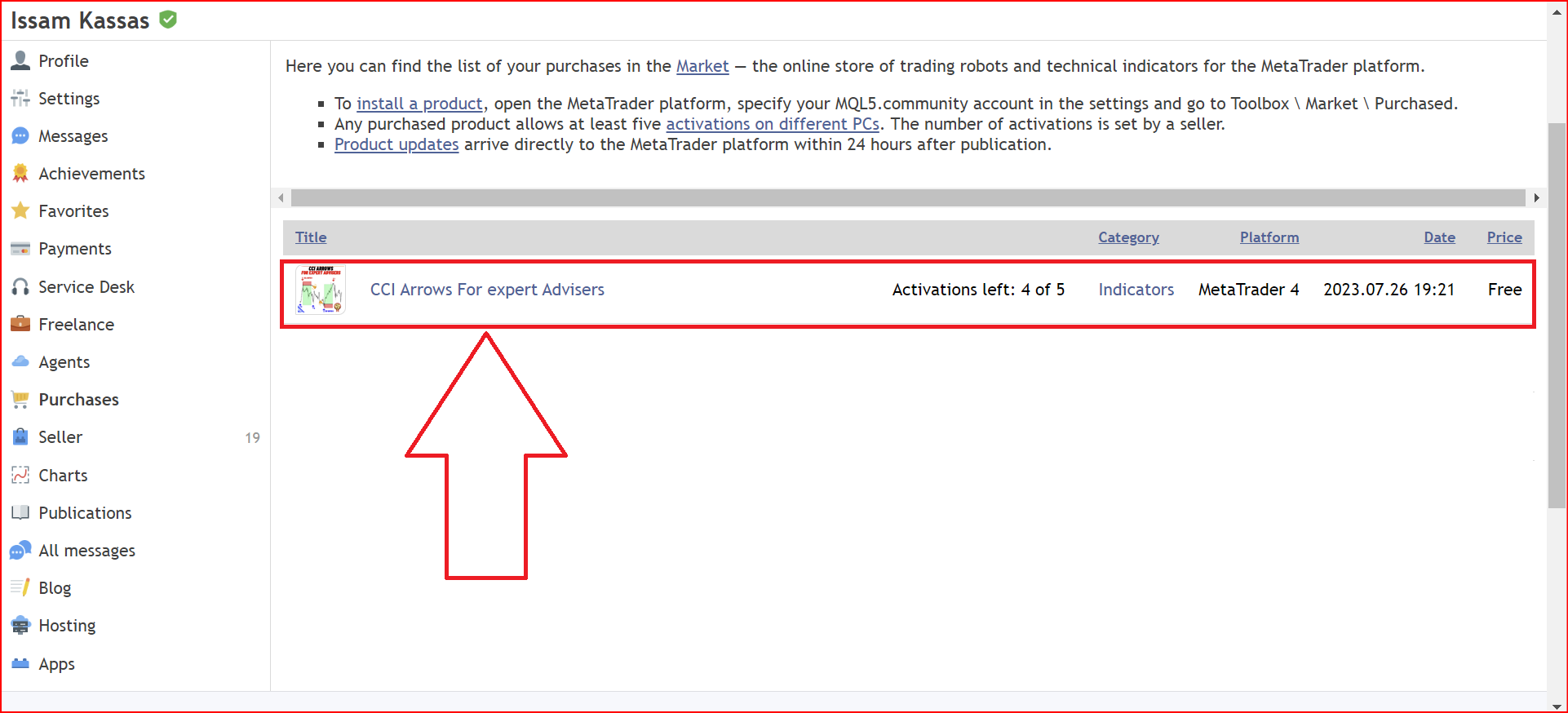
- Step1: Go to your Profile on mql5 and clock on purchases as show in the below picture.
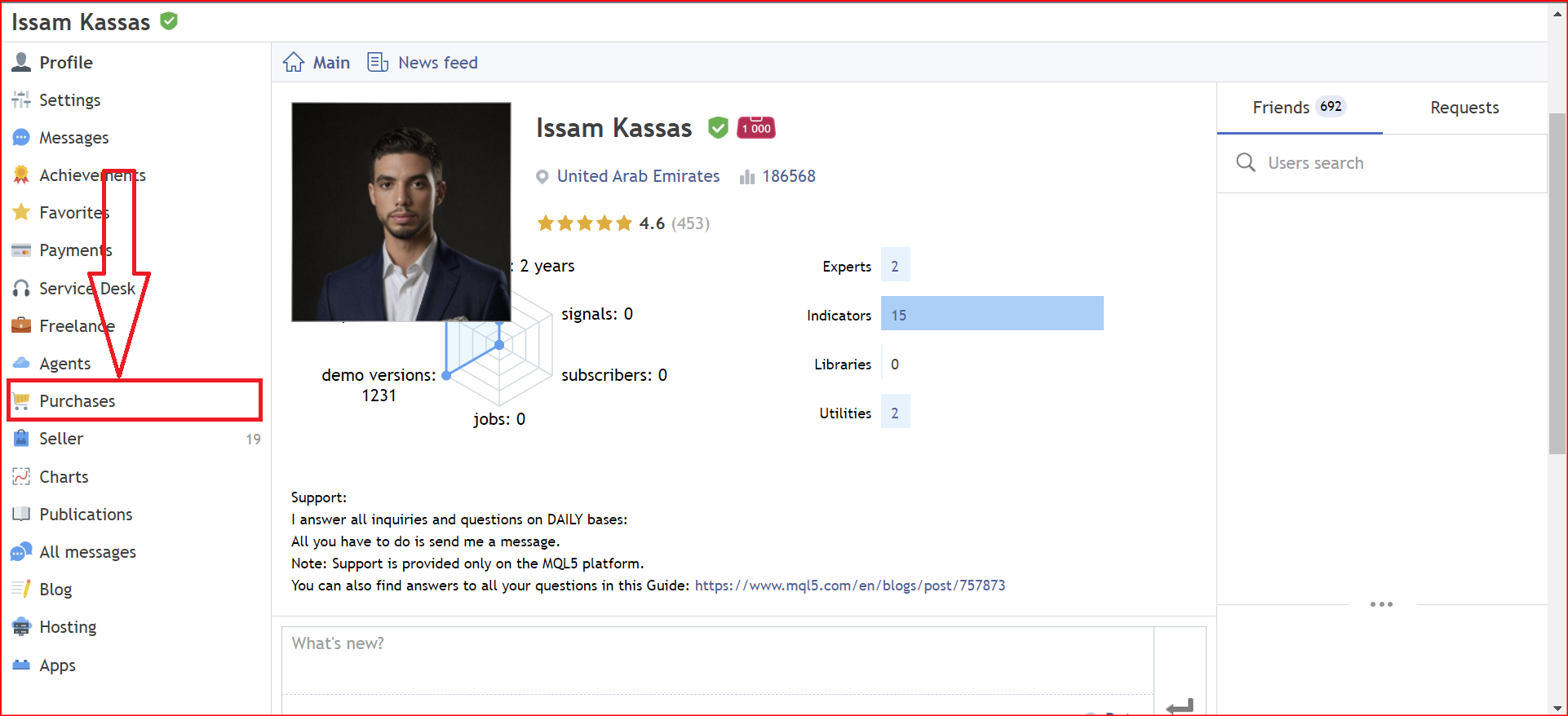
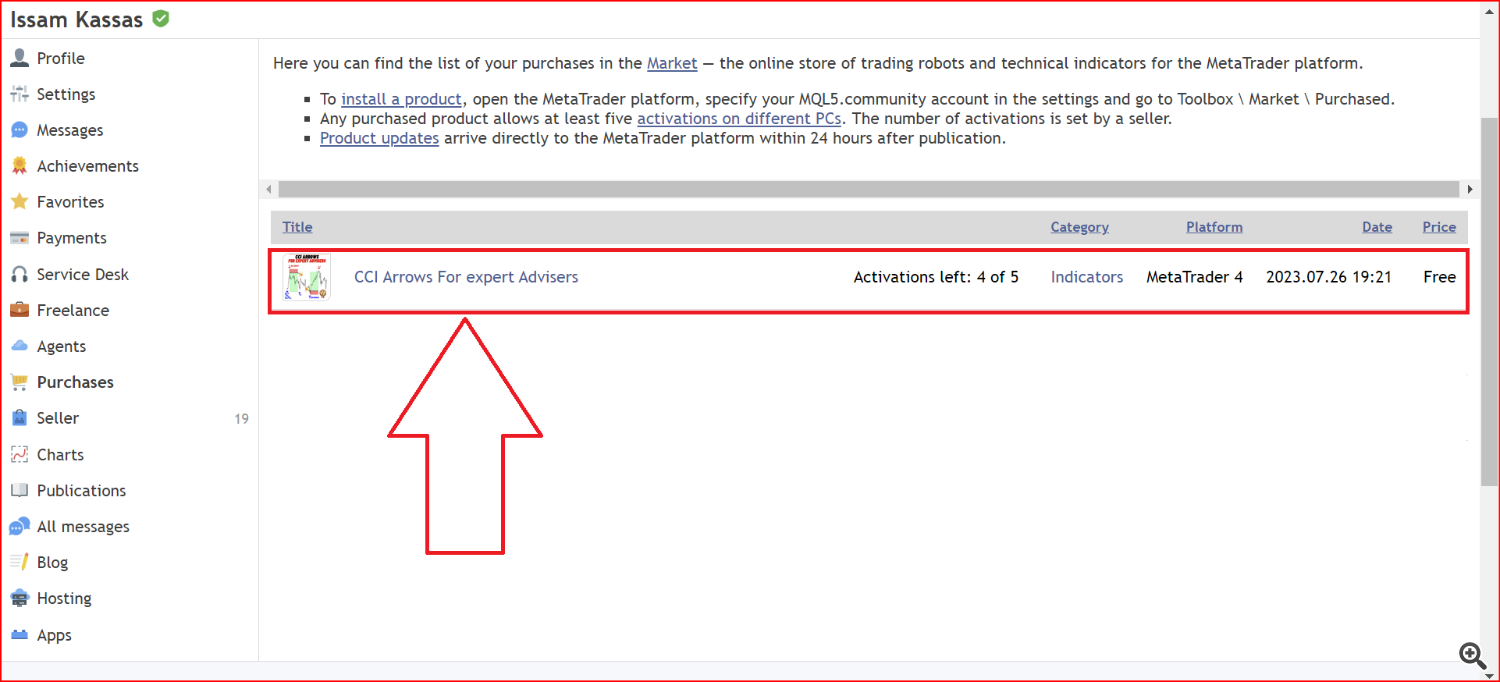
- Step 2: You will find the Products that you bought listed here, Click on the product that you want to install, and follow the Installation process.
From MT4/MT5 terminal:
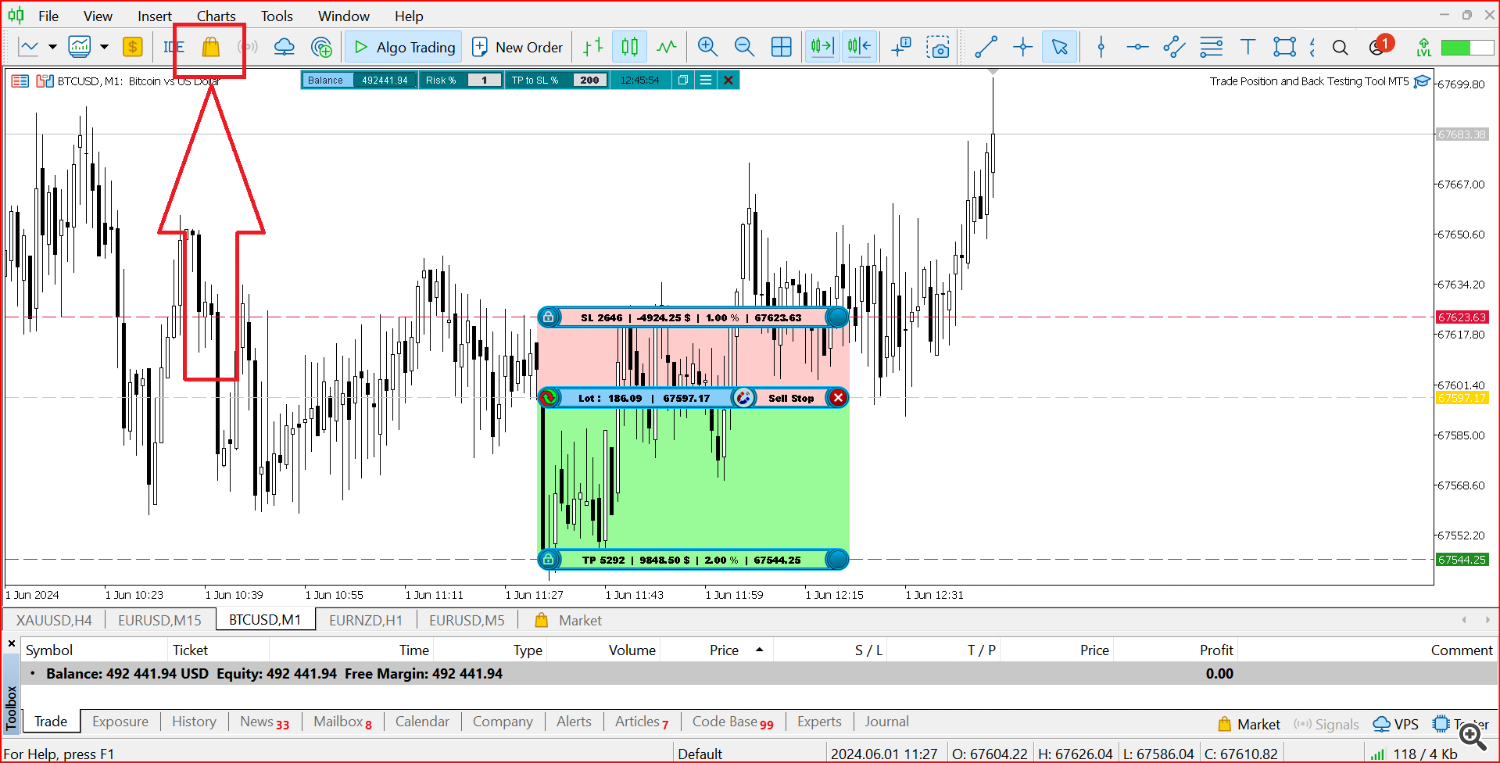
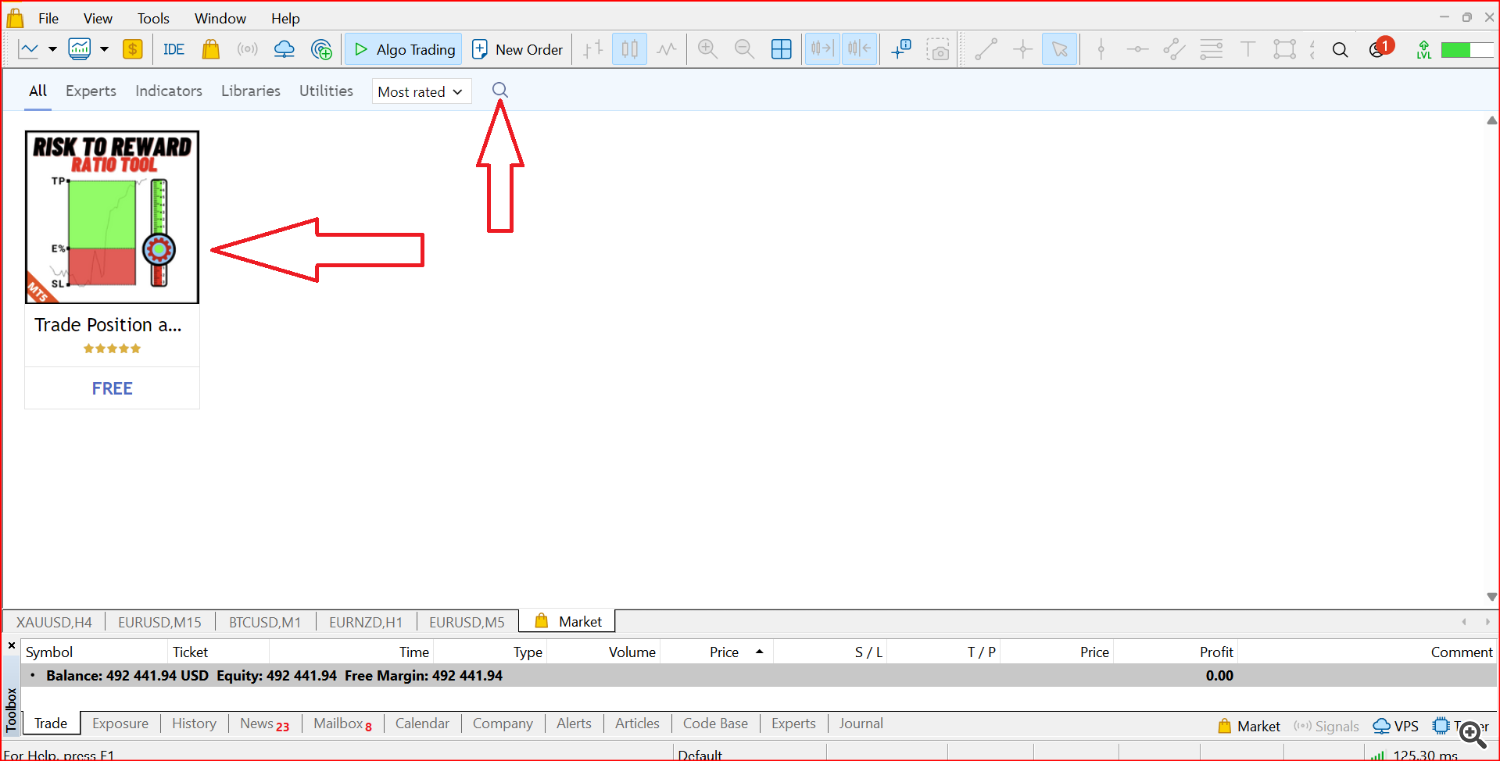
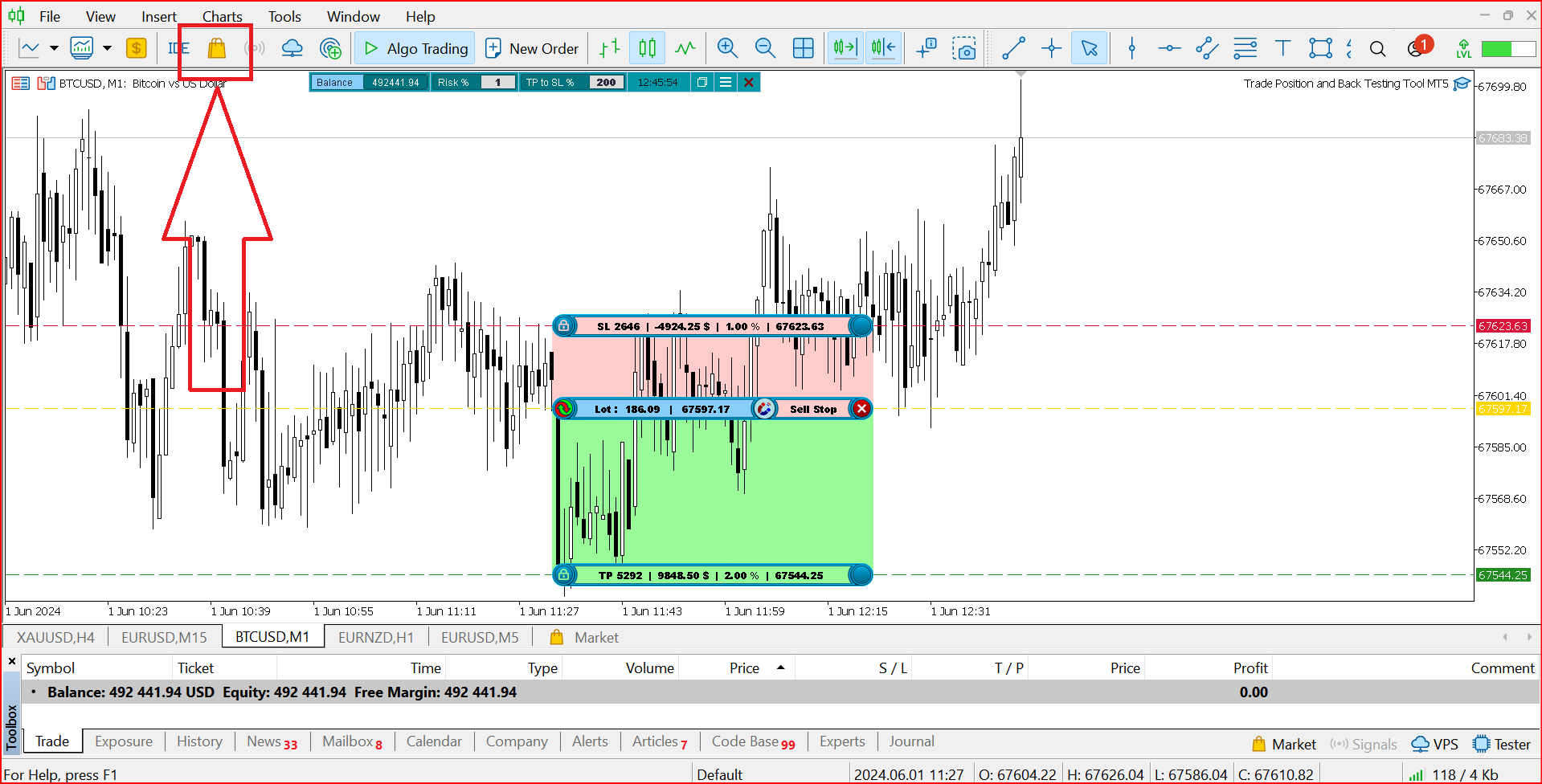
- Step1: Go to the MT4/MT5 and click on the market Icon as shown in the picture below.
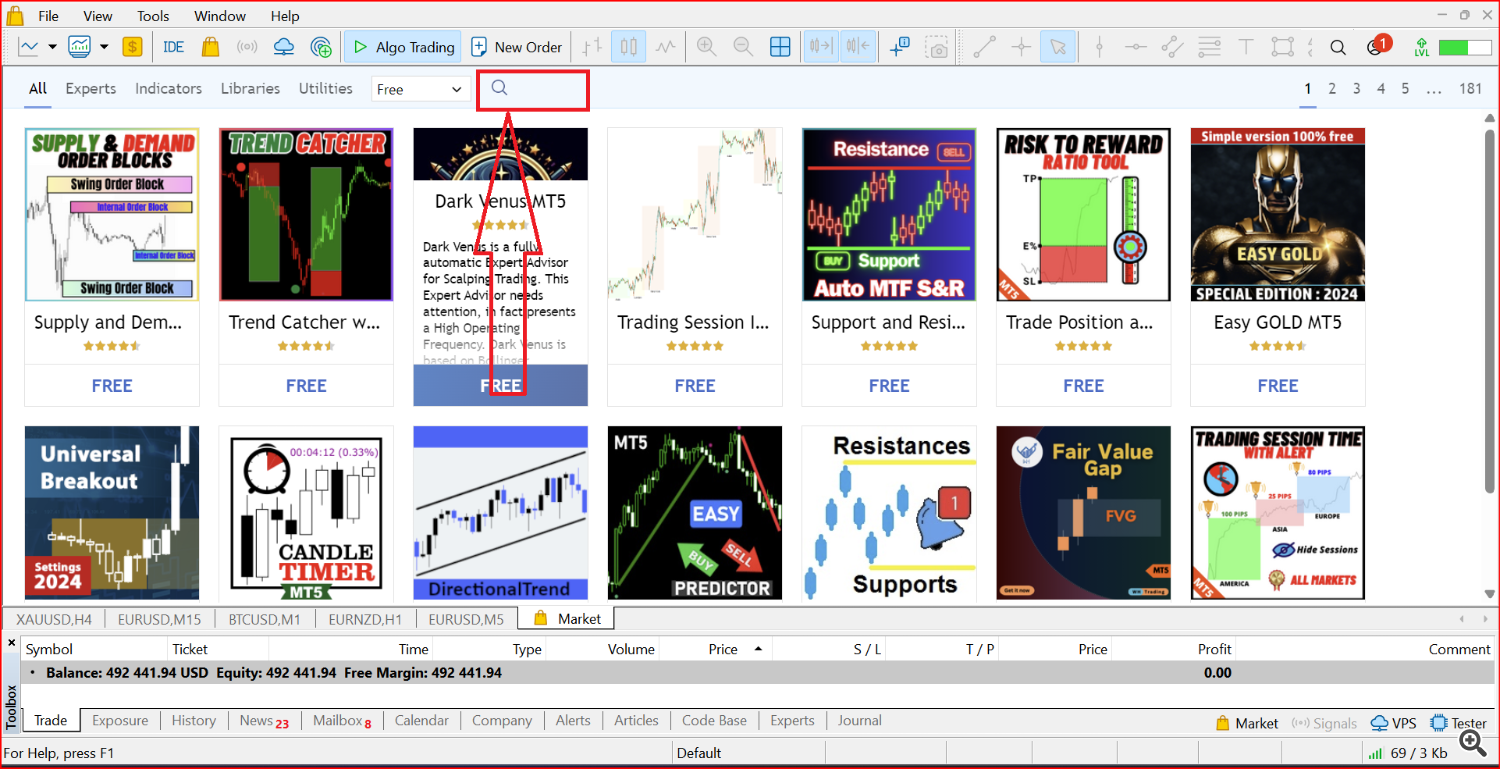
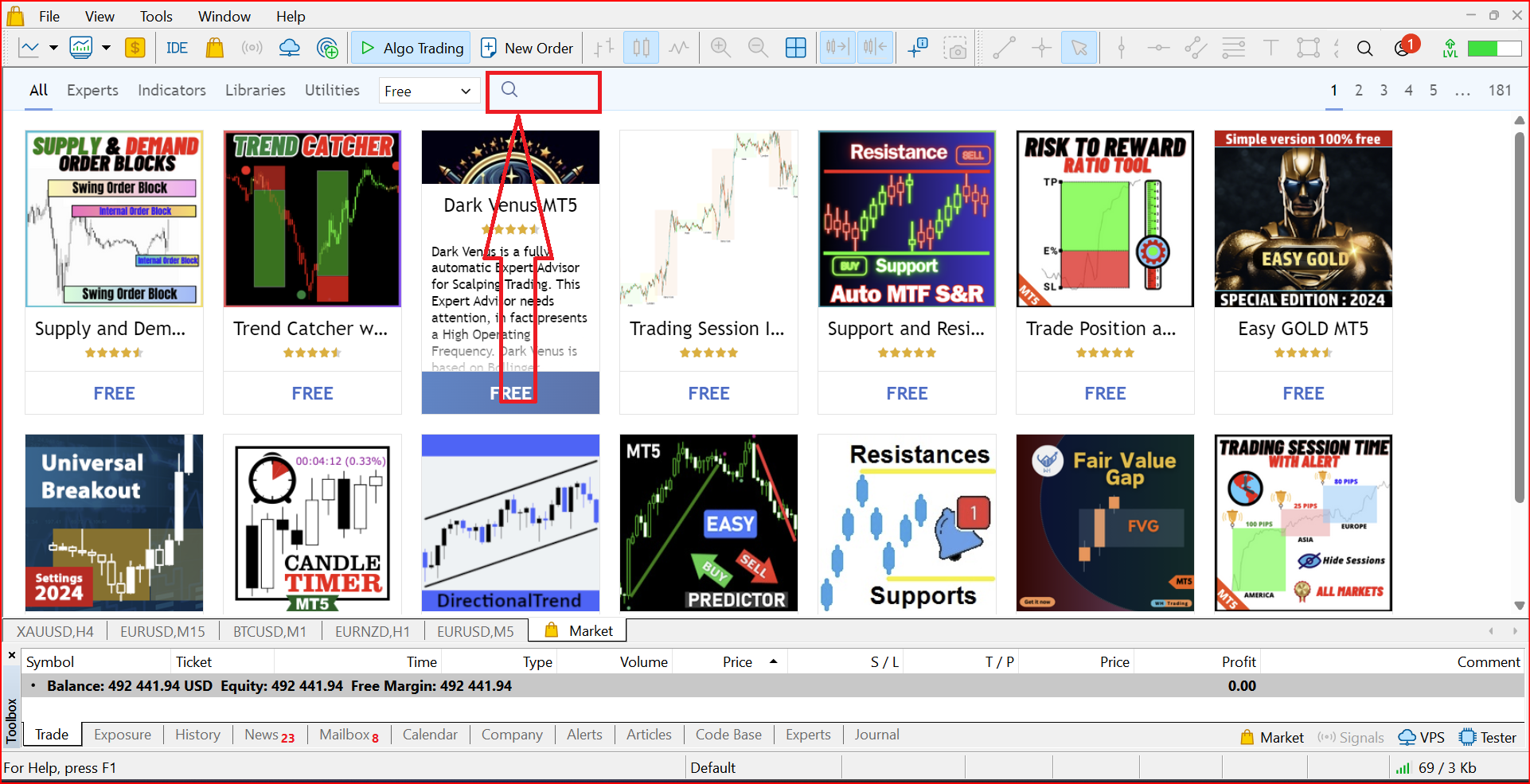
- Step 2: Click on the search Icon this will allow you to search the name of the product.
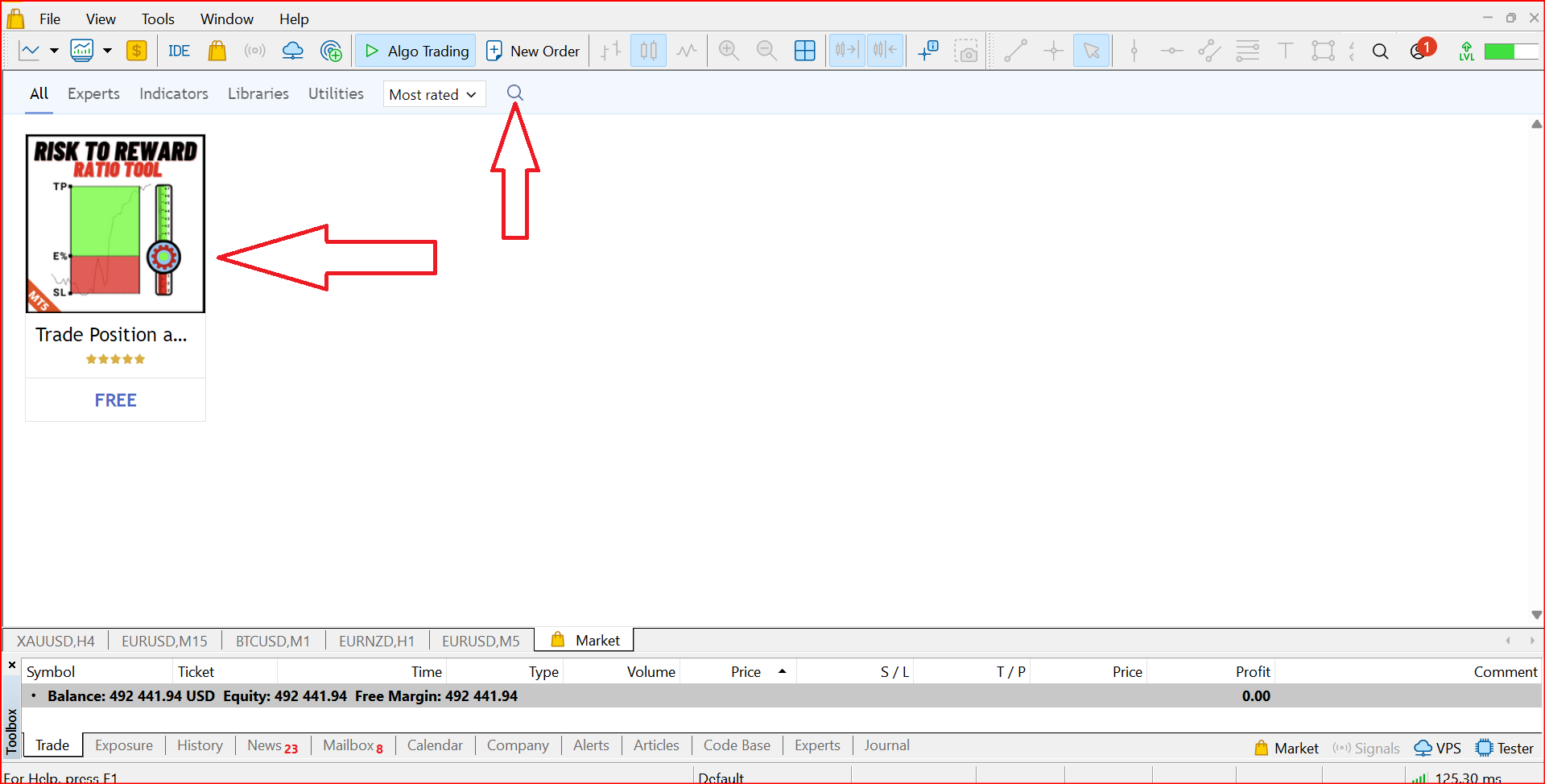
- Step 3: Search the exact complete name of the product.
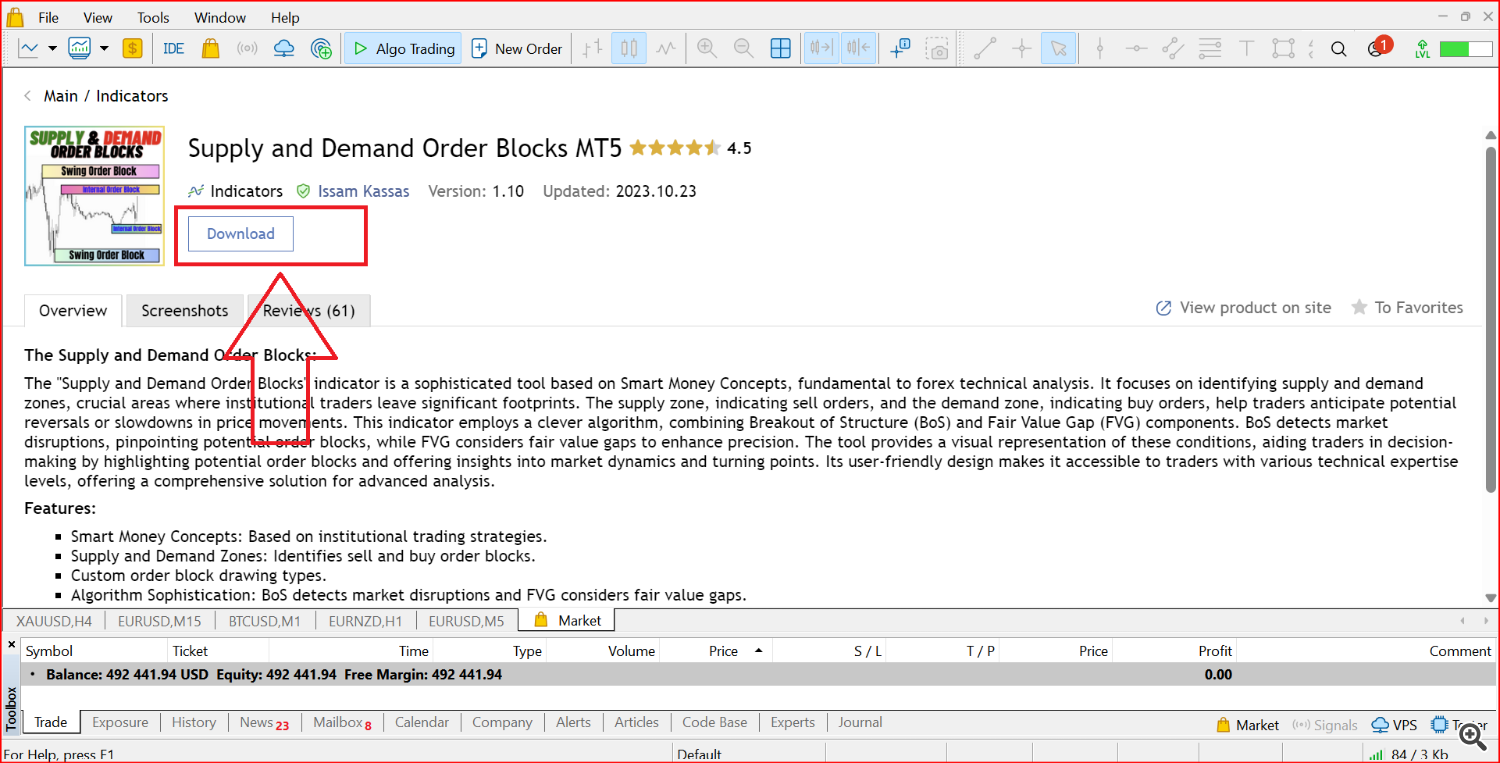
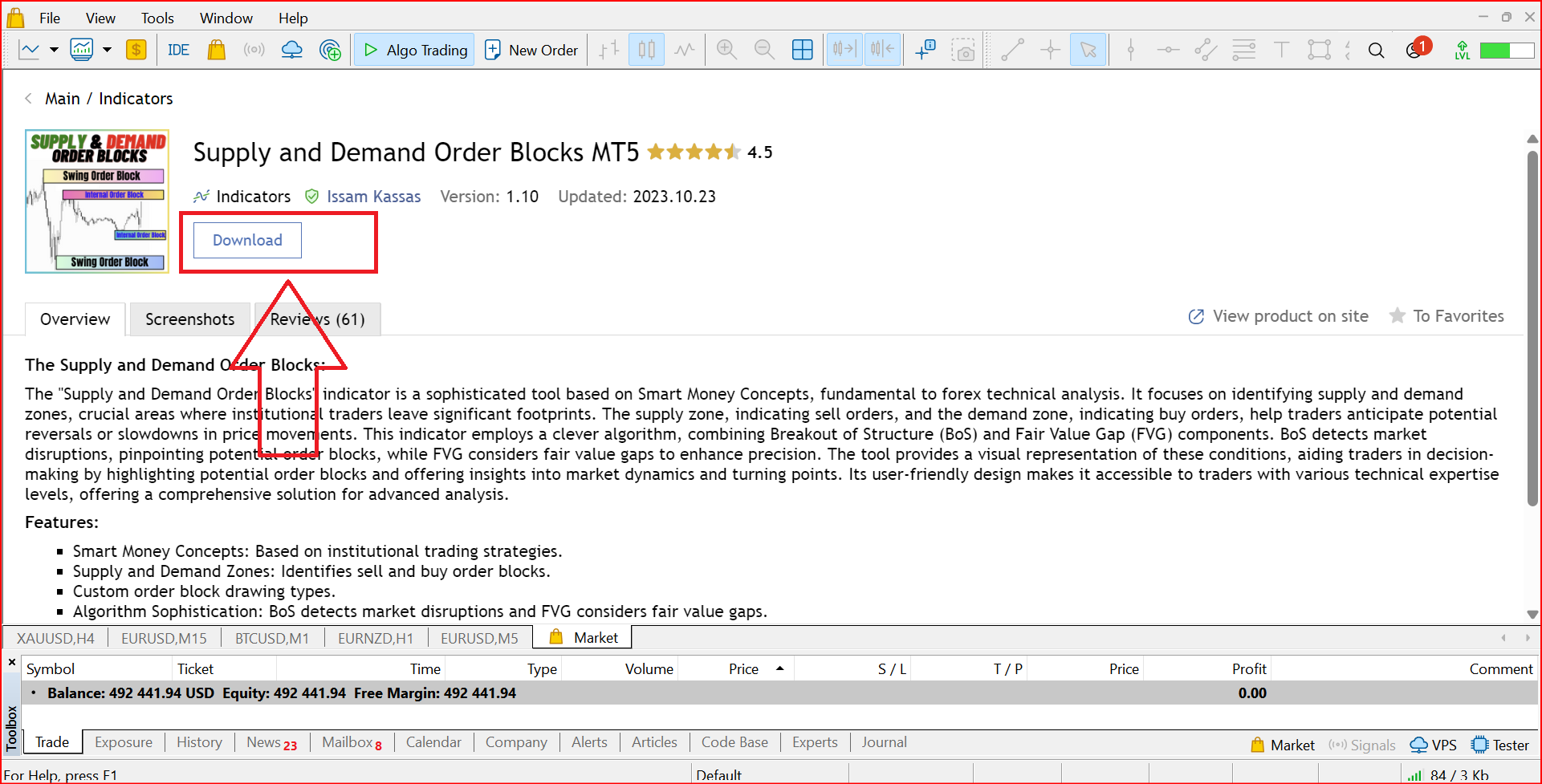
- Step 4: Click the Download button, This will download the product to your mt4/mt5.
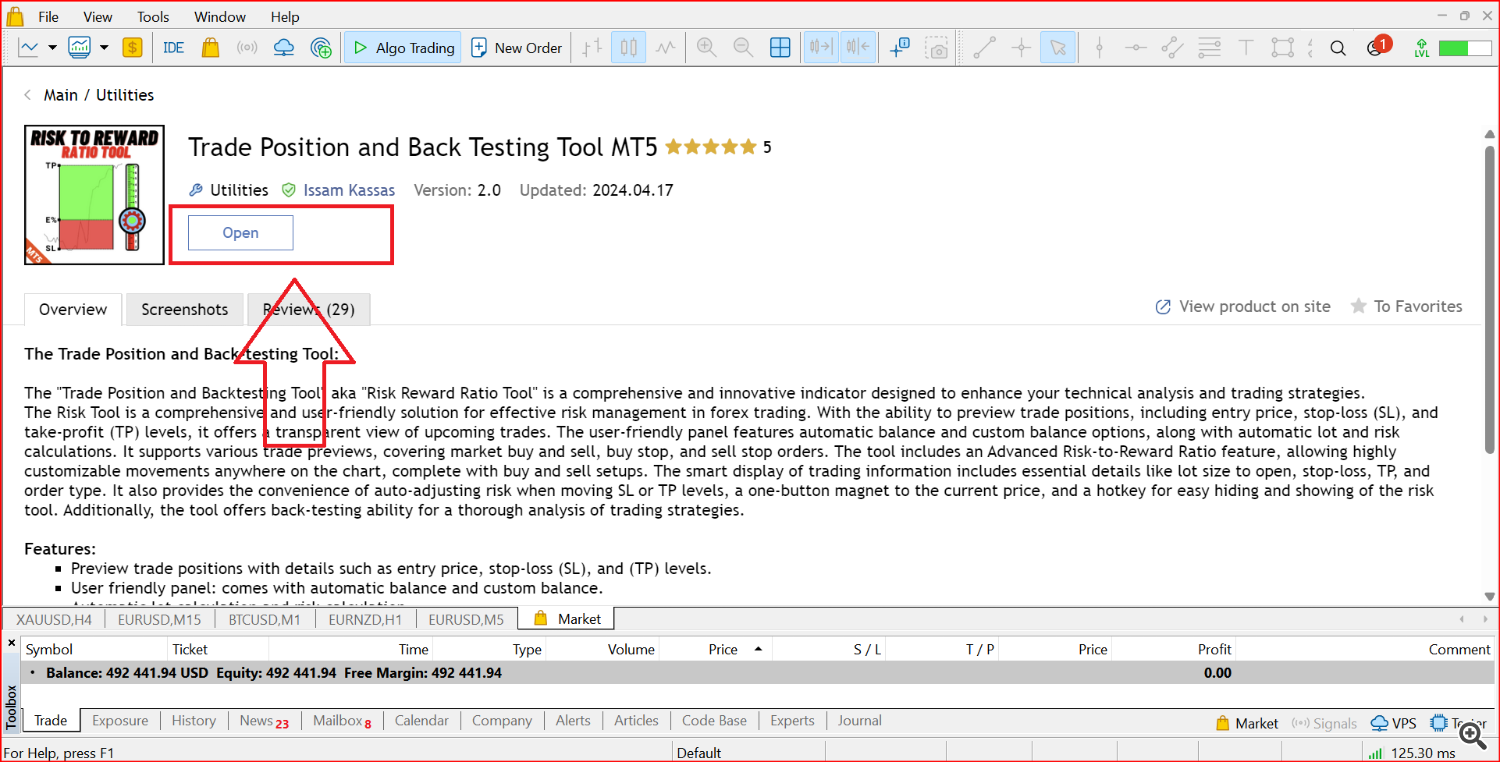
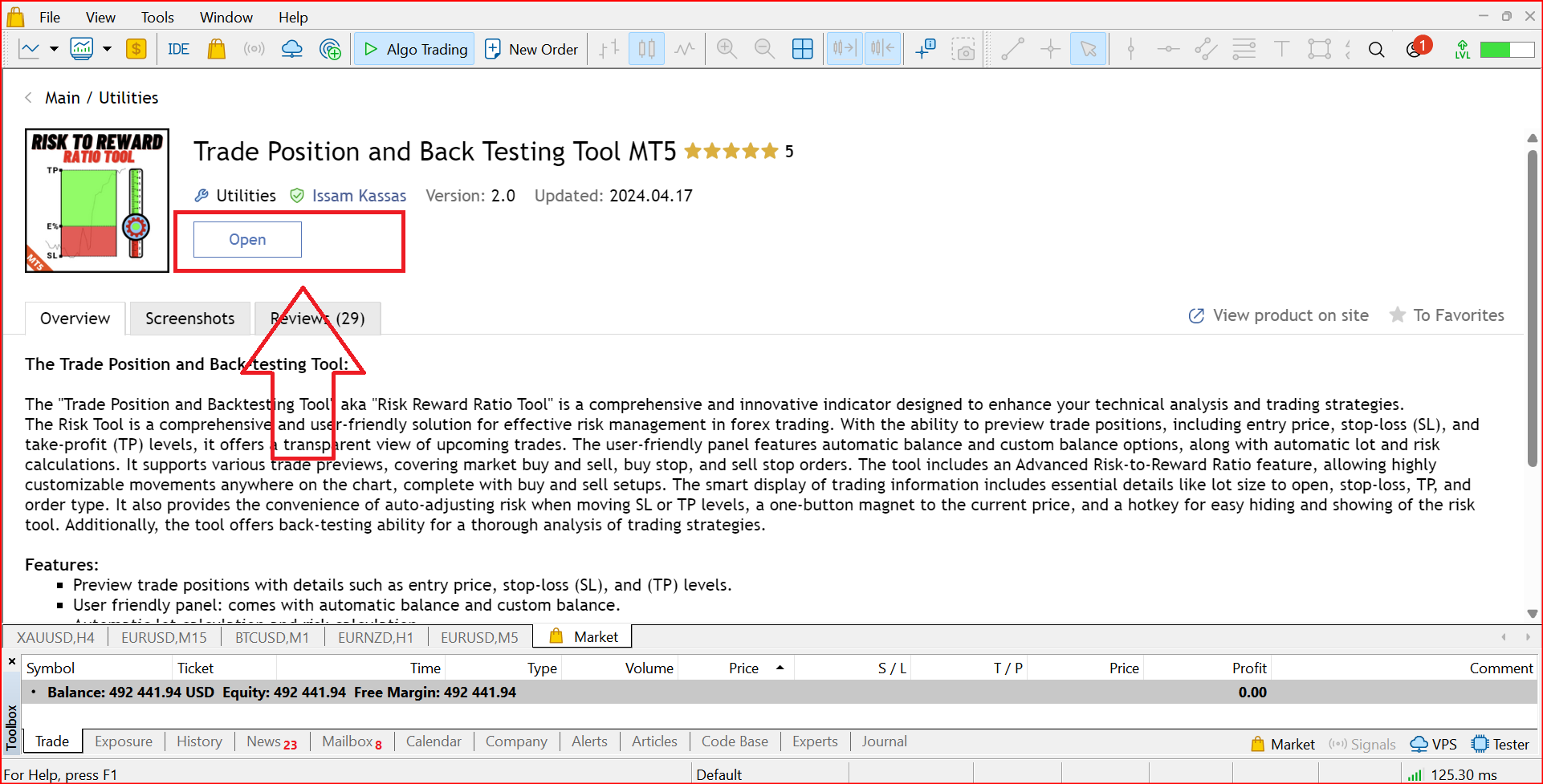
- Step 5: Click the open button, this will open the product in your mt4/mt5
- Step 6: Click and drag the product to the chart.
Source link