
Chat Ai Guide
Chat Ai Guide
MT4: mql5.com/en/market/product/136347
MT5: mql5.com/en/market/product/136348
In this section, we will teach you how to use this tool.
It is very simple and fast and all professionals and beginners can use it easily.
After you have purchased, downloaded, installed, and then added the tool to your chart: Now you need to check its initial settings.
Setting up this tool is very simple and we have included a separate guide for the settings: https://www.mql5.com/en/blogs/post/761824
Now that the tool has been added to your chart, we need to get familiar with the different parts of the tool.
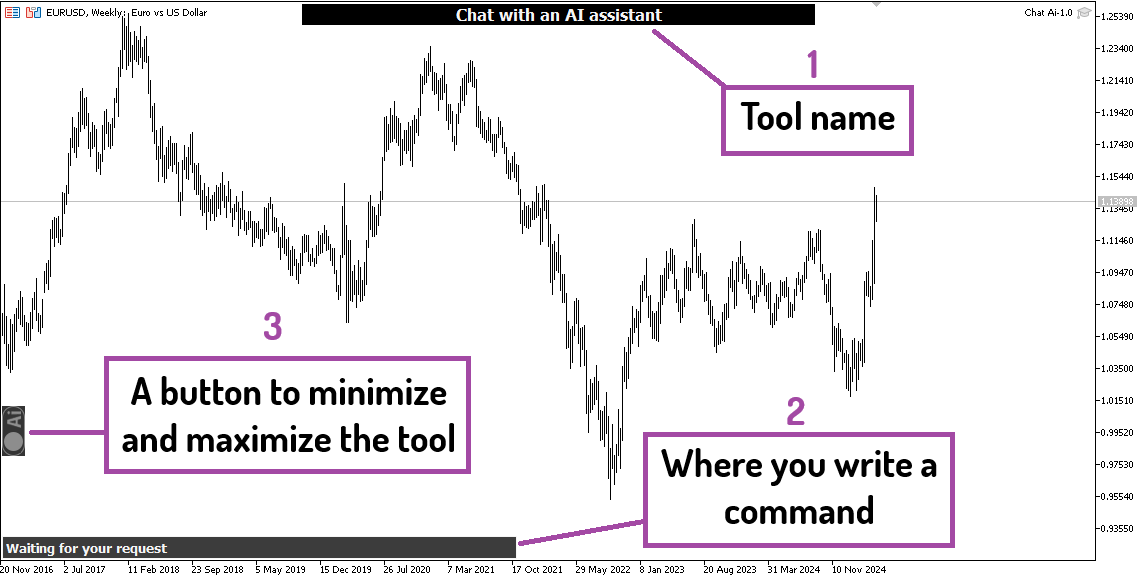
Initially, you will see the tool like this:
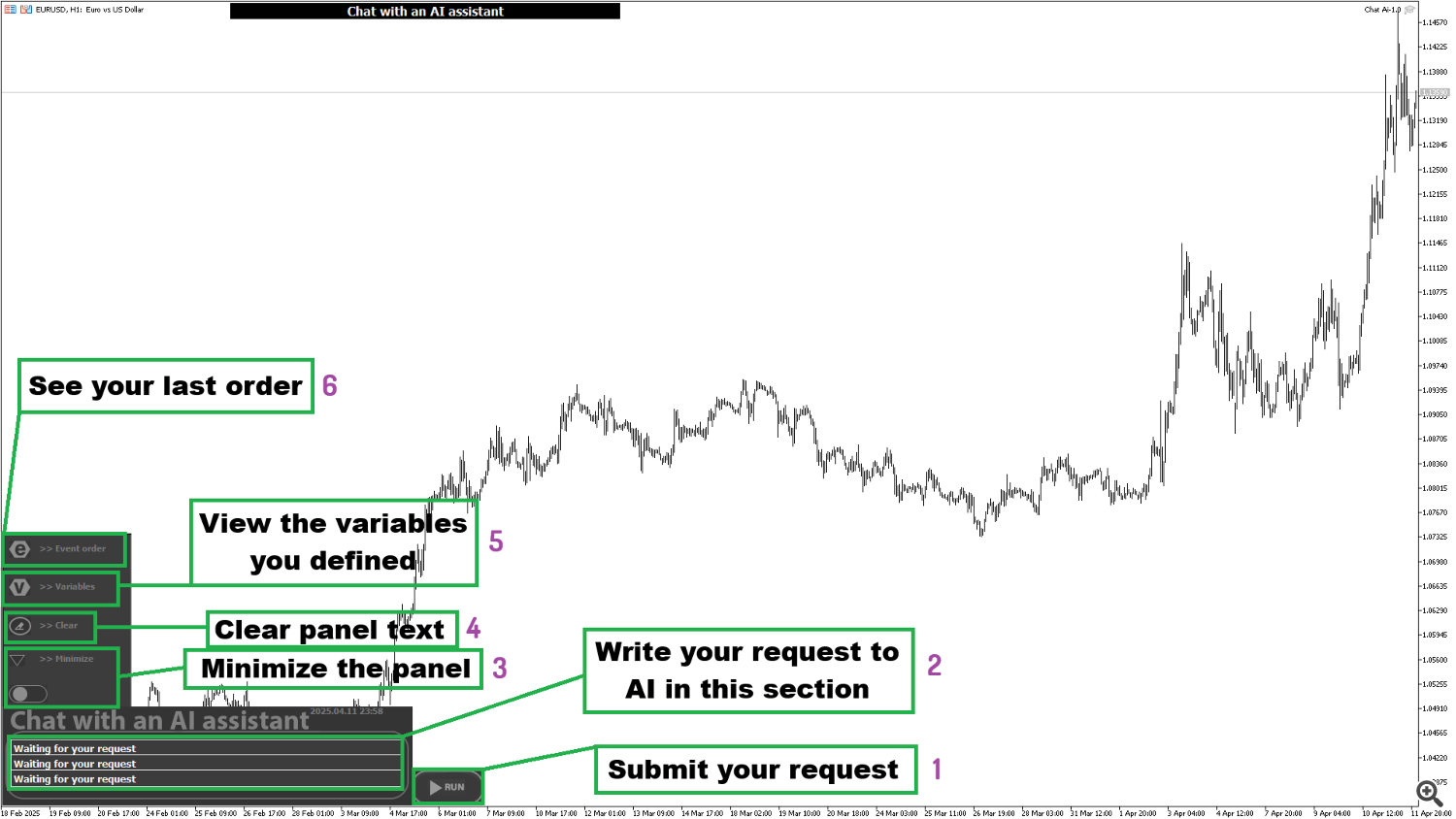
To make the tool larger and have access to all sections, you need to enlarge the tool using section number 3.
Then you will see the tool like this:
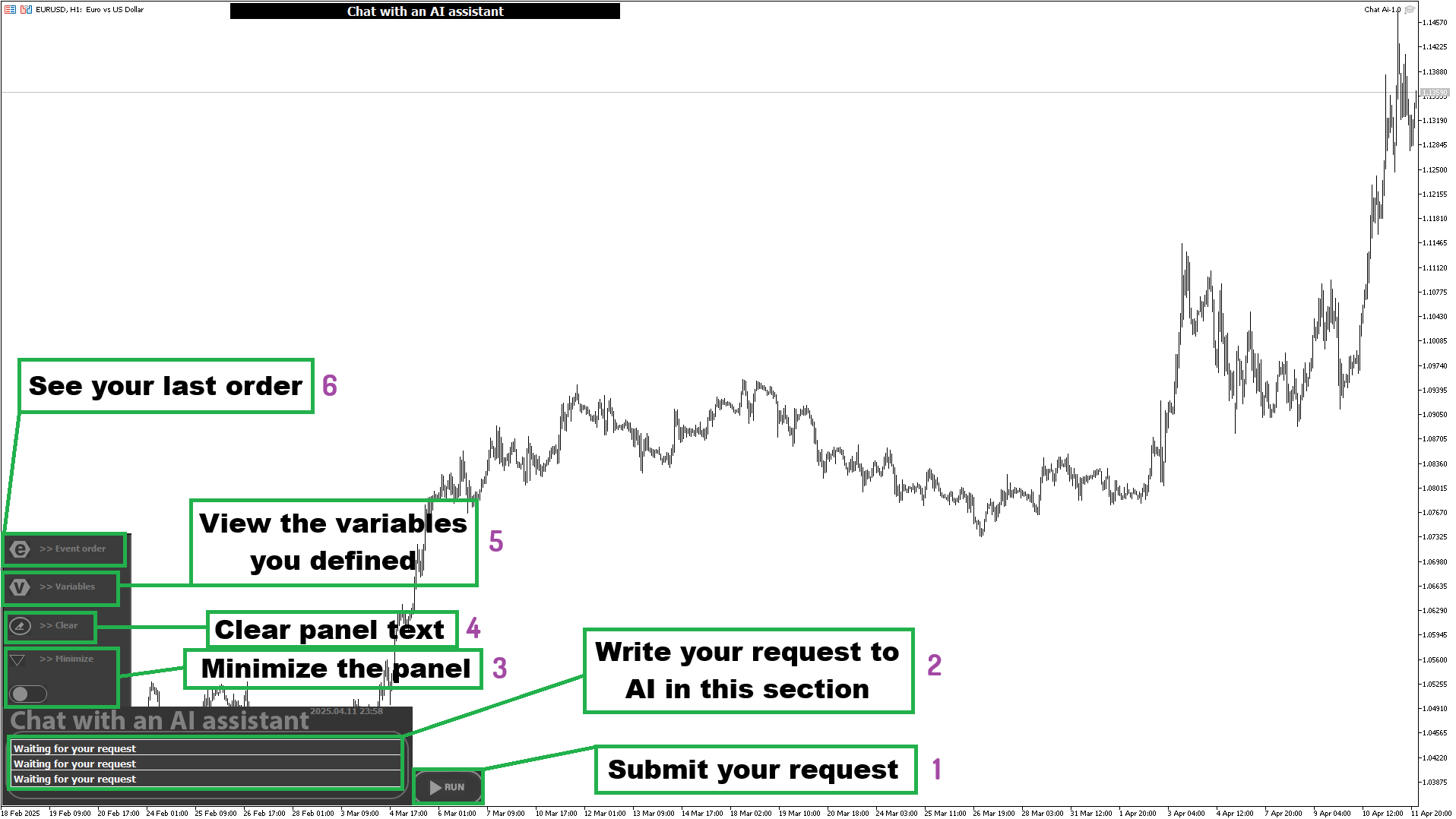
Very simple and fast: you need to write the commands you need in section 2, then execute that command by clicking on button number 1.
If you want to know what commands to write, how to write them, or become familiar with common commands, read this section: https://www.mql5.com/en/blogs/post/761825
We will teach the rest of the sections here soon.
Source link