Configure Telegram to receive notifications from Daily PnL Notifier on MT5
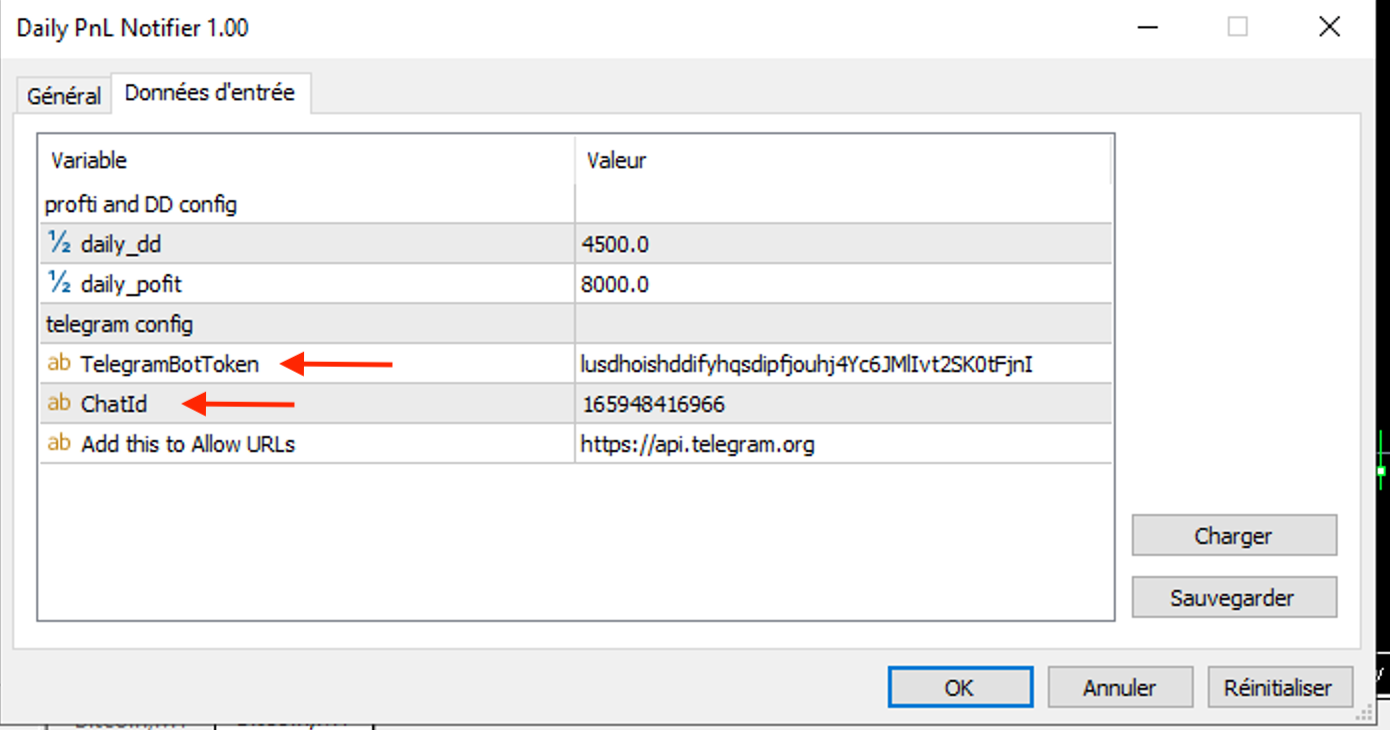
How to Set Up Telegram Alerts for Daily PnL Notifier on MT5
🛠️ Step-by-Step Setup Guide
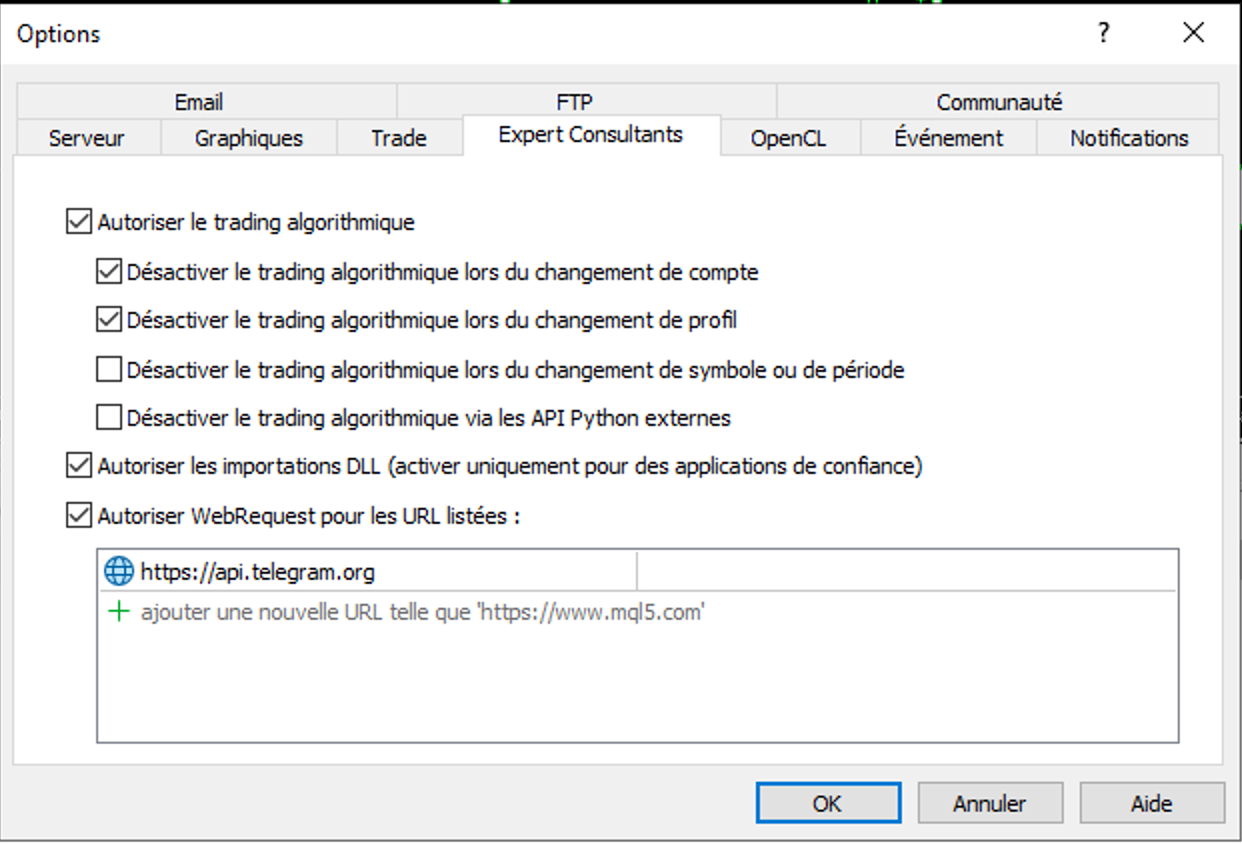
🔗 Step 1 – Allow Telegram access in MetaTrader 5
-
Open your MT5 terminal.
-
Go to Tools > Options > “Expert Advisors” tab.
-
Check the box “Allow WebRequest for listed URL”.
-
Add the following URL to the list:
🤖 Step 2 – Create your Telegram bot
-
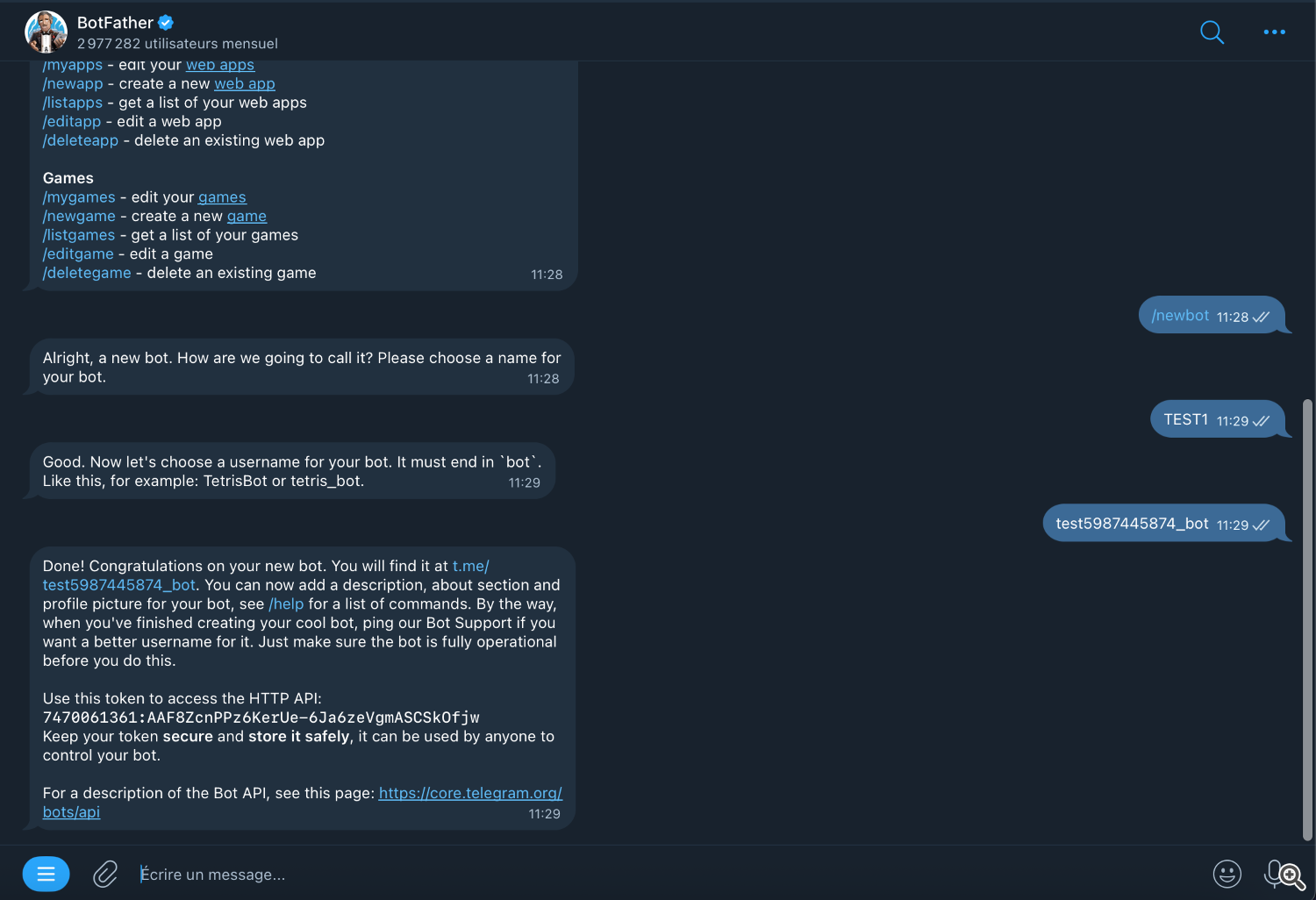
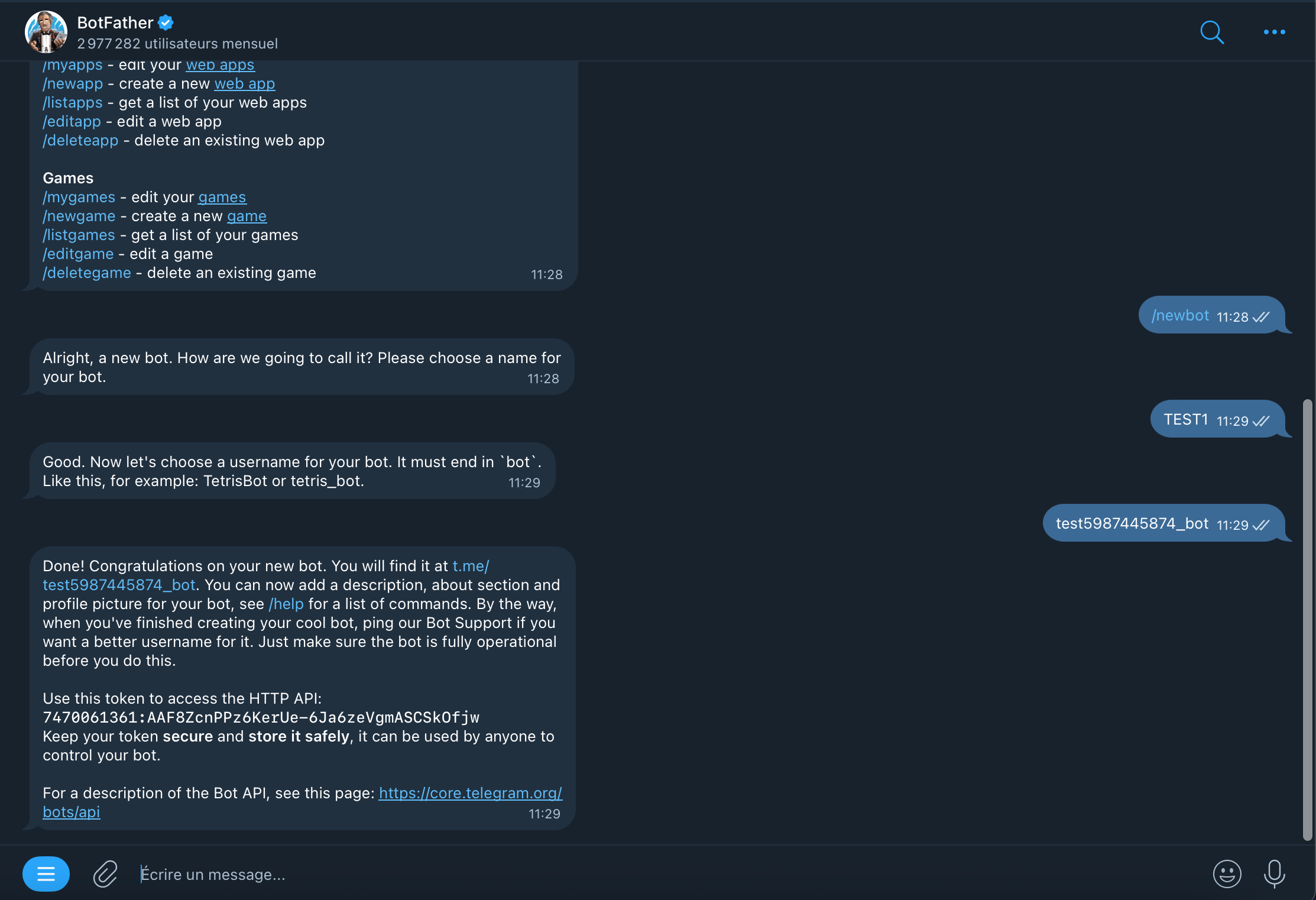
Open Telegram and search for @BotFather, or click here: https://t.me/BotFather
-
Click Start, then type /newbot .
-
Follow the instructions:
-
Give your bot a name (e.g., MyPnLNotifierBot)
-
Choose a username ending with “bot” (e.g., DailyPnlNotifier_bot)
-
-
BotFather will generate and send you a Telegram API token.
💬 Step 3 – Send a message & get your Chat ID
-
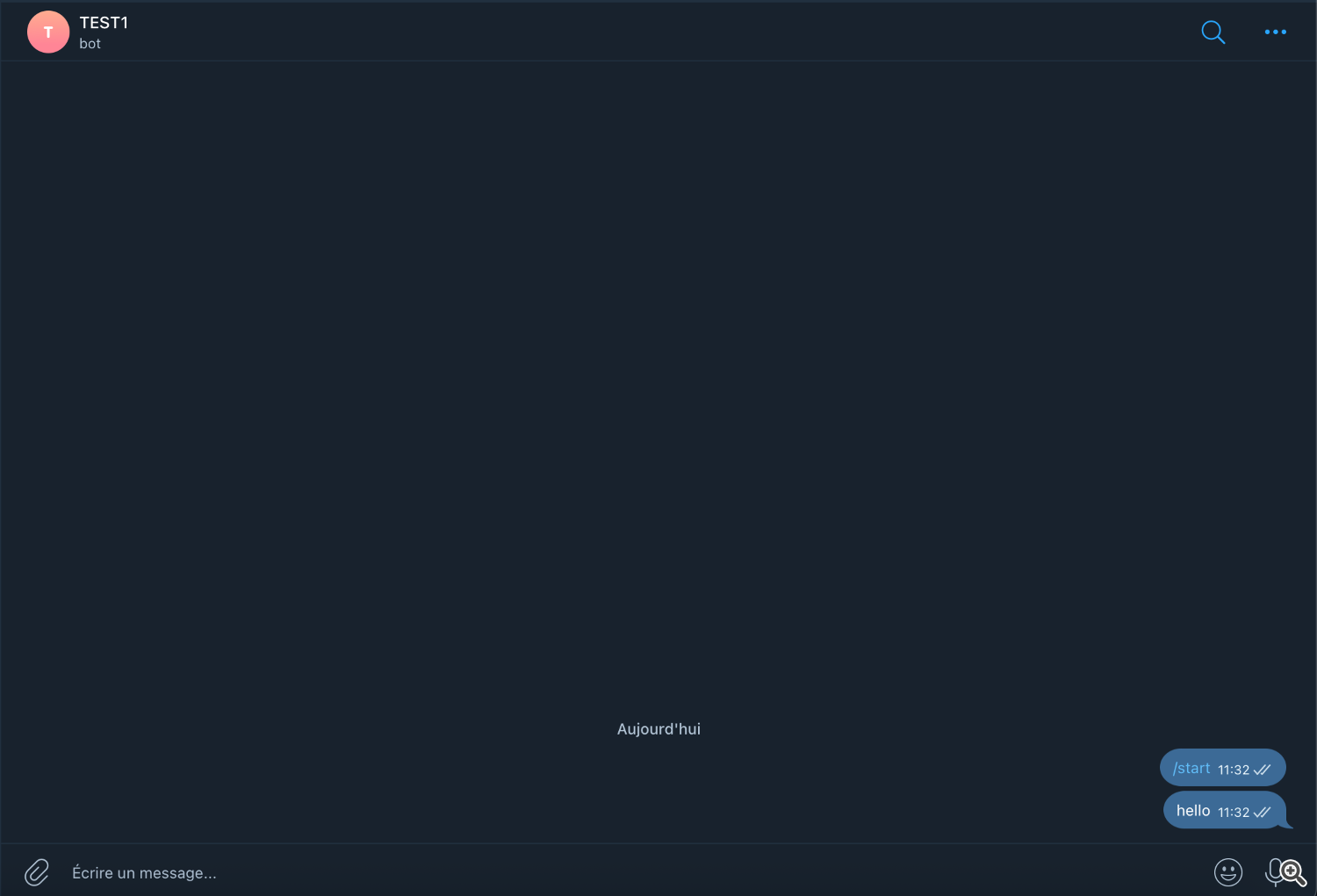
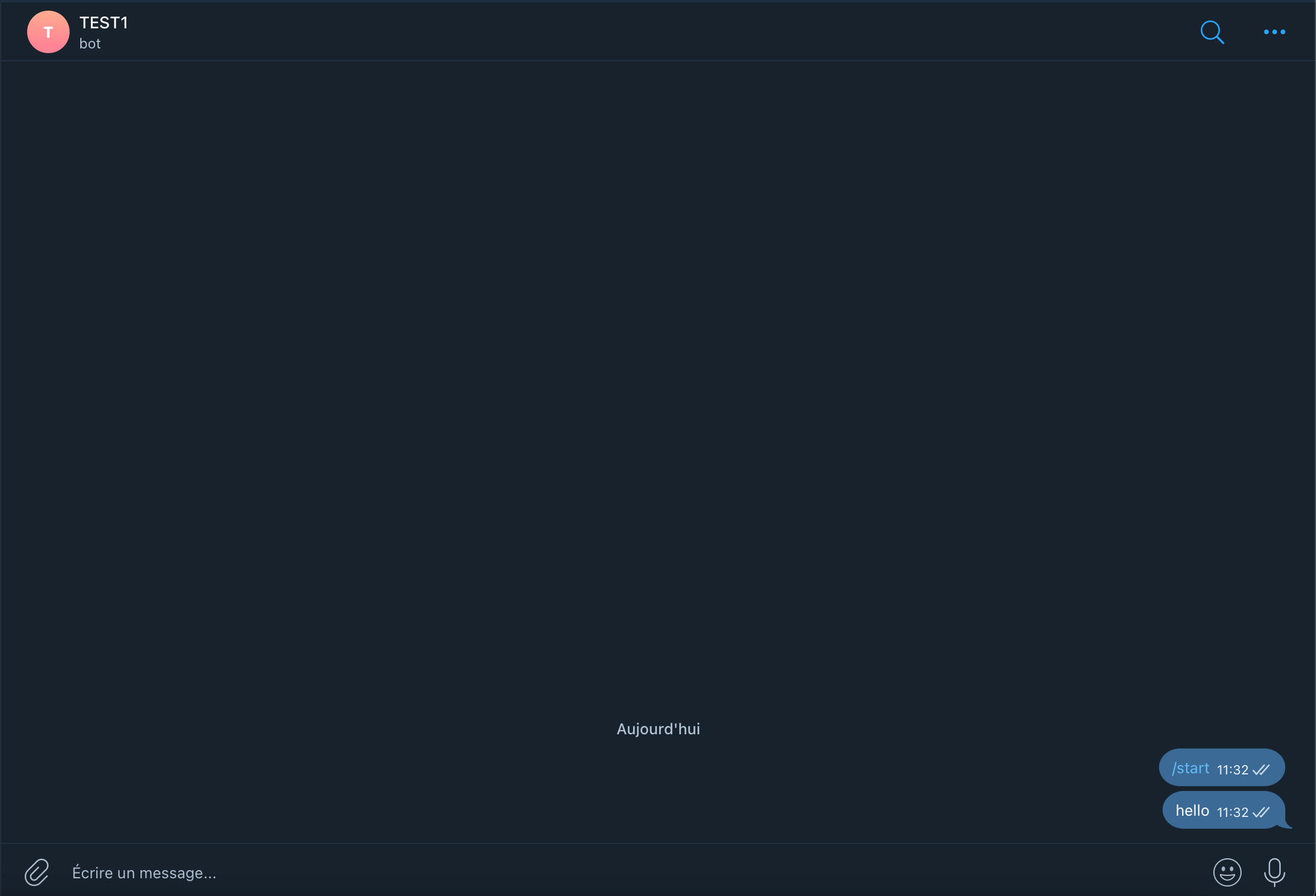
Send any message to your new bot via Telegram.
-
Go to this website: https://ungineer.github.io/chatid.html
-
Paste your API token into the input field.
-
The site will return your chat ID.
🧩 Step 4 – Connect everything in MT5
-
Go back to MT5 and attach Daily PnL Notifier to a chart.
-
In the EA settings, paste:
-
Your Telegram token
-
Your Chat ID
-
-
Run the EA – you’re all set to receive alerts!
🎉 That’s it!
Daily PnL Notifier is now fully configured. You will receive instant Telegram alerts whenever your daily profit or loss threshold is reached. Simple, fast, and reliable.
Source link