Patterns + Trend Filter + Momentum Filter Signal (No Repaint)
Candle Fusion Pro — Pattern Recognition + Trend Filter + Momentum Filter (No Repaint)
Detect powerful candlestick formations and confirm their strength with live trend and momentum analysis. Candle Fusion Pro is the ultimate visual tool for traders who rely on price action precision, trend structure, and multi-layered confirmation.
Core Features
-
Pattern-Based Entry: Detects over 10+ advanced Japanese patterns, including:
-
Shooting Stars (levels 2, 3, 4)
-
Bullish/Bearish Engulfings
-
Morning/Evening Stars
-
Doji and Doji Stars
-
Hammer (levels 2, 3, 4)
-
Piercing Line & Dark Cloud Cover
-
- No Repaint, No Lag: Arrows and pattern tags are fixed on closed candles only. What you see is what you get.
-
Real-Time Confirmation:
-
Trend Filter (auto-adjusts per timeframe)
-
RSI Strength Label: Colored indication (green 70)
-
ADX Power Filter: Highlights trend continuation or range (threshold at 25): Strong Trend => Actual Trend Continuation or Weak Trend => Sideways Market
-
-
Visual Power:
-
Adaptive arrow offsets & text labels per timeframe
-
Clean UI with trend direction, RSI, and ADX overlays
-
Optional chart recoloring for better focus
-
- Smart Alerts:
How to Use It
-
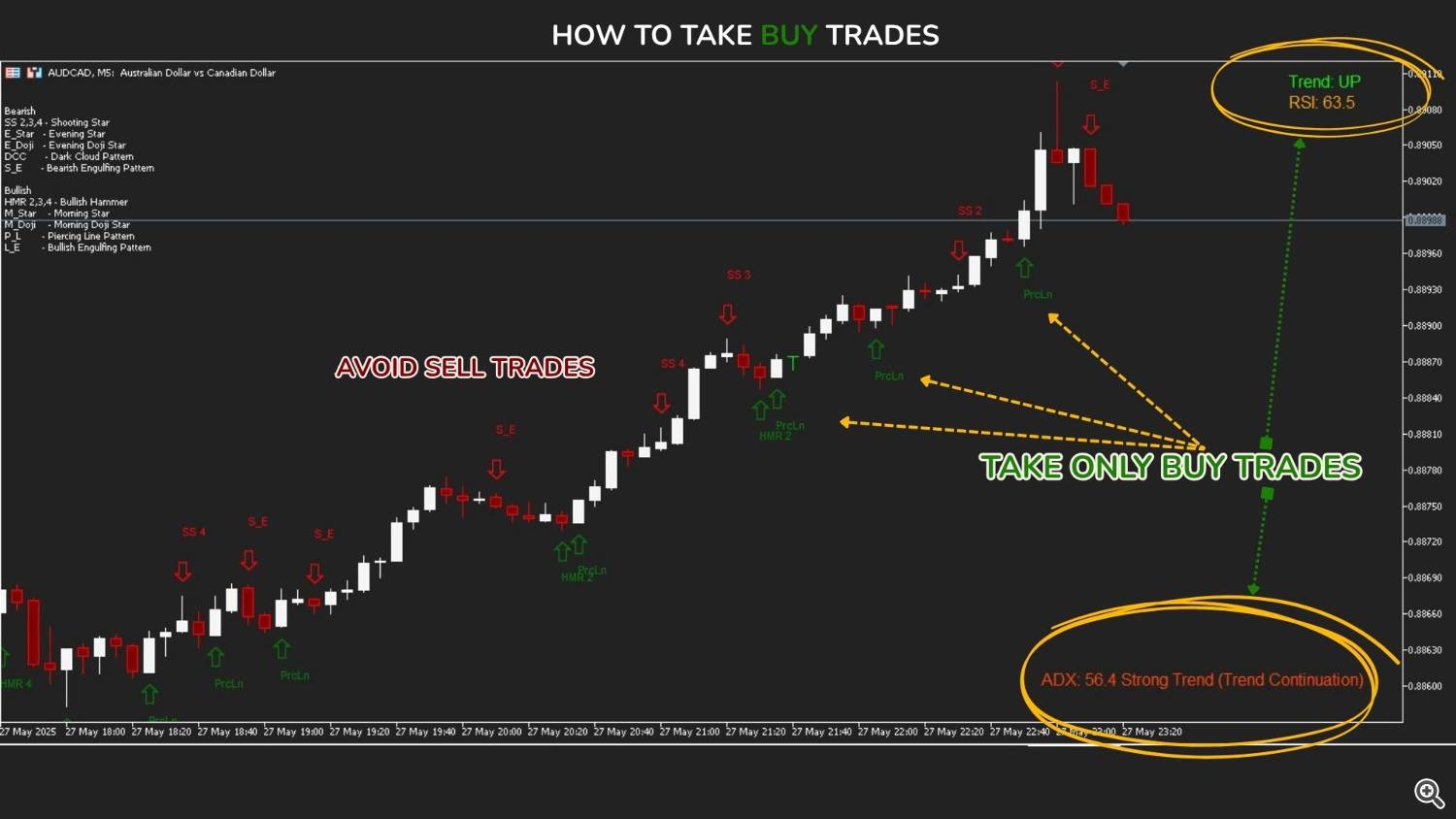
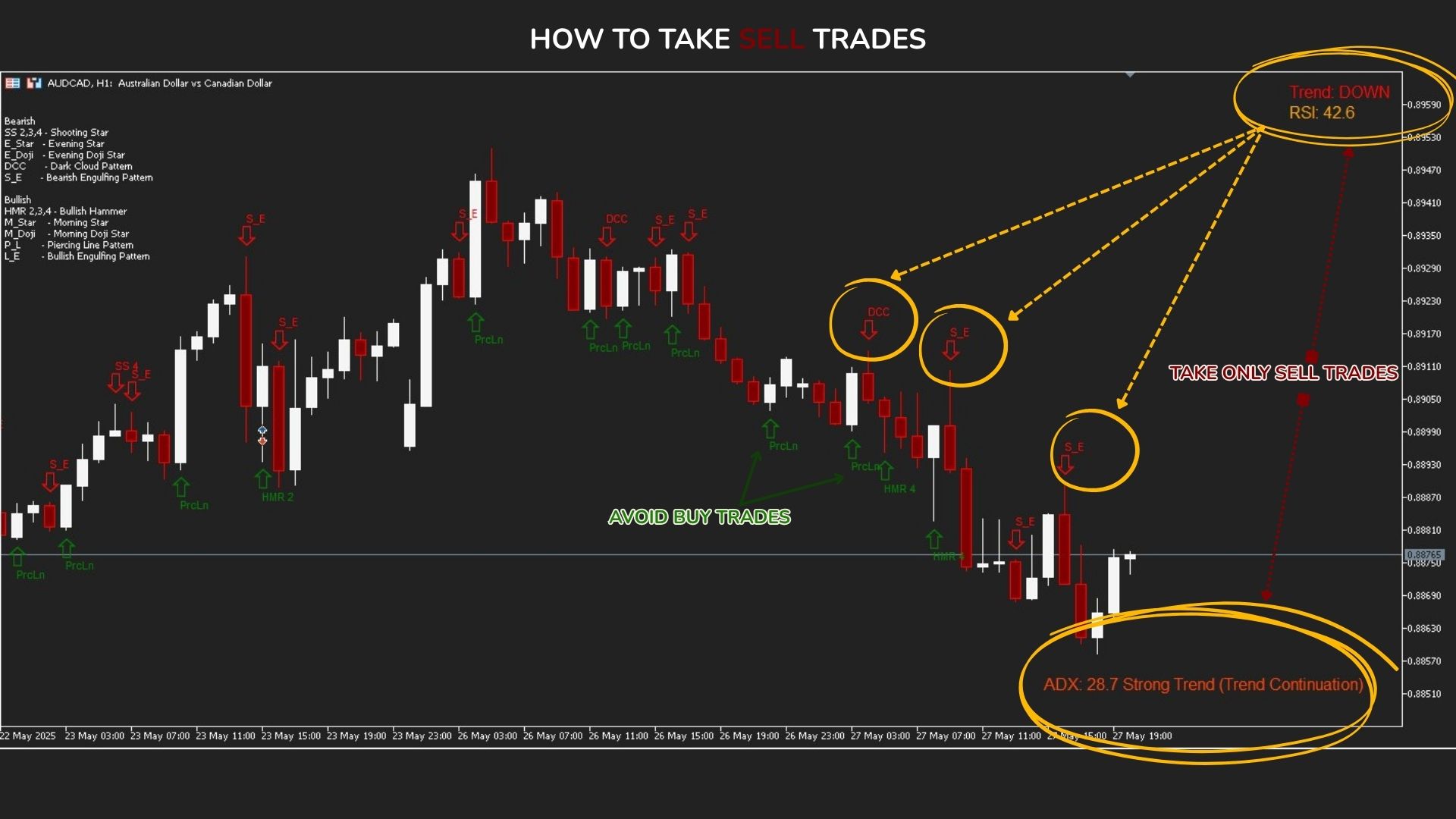
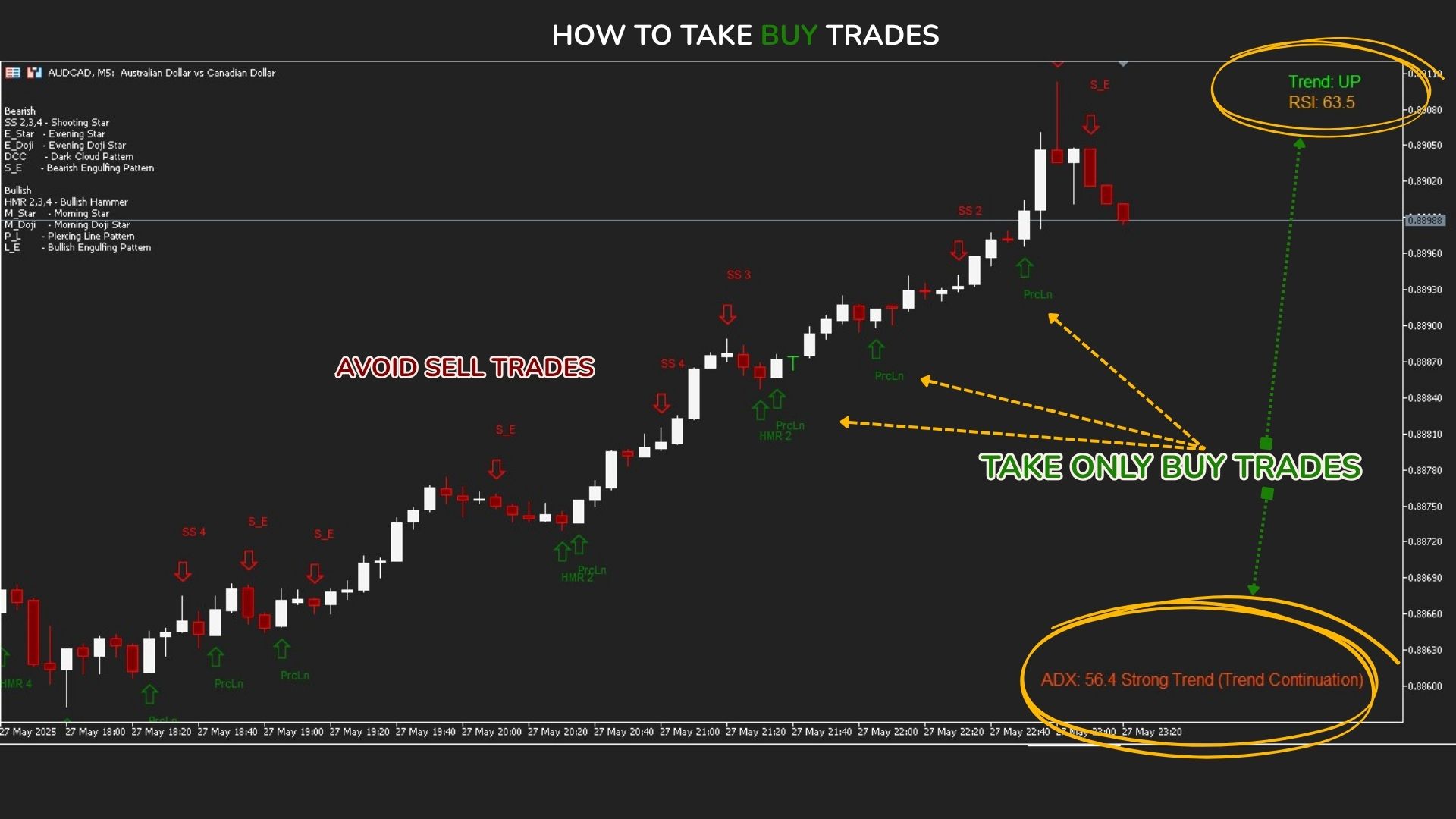
Wait for a signal: A pattern arrow and label will appear when a valid formation is detected.
-
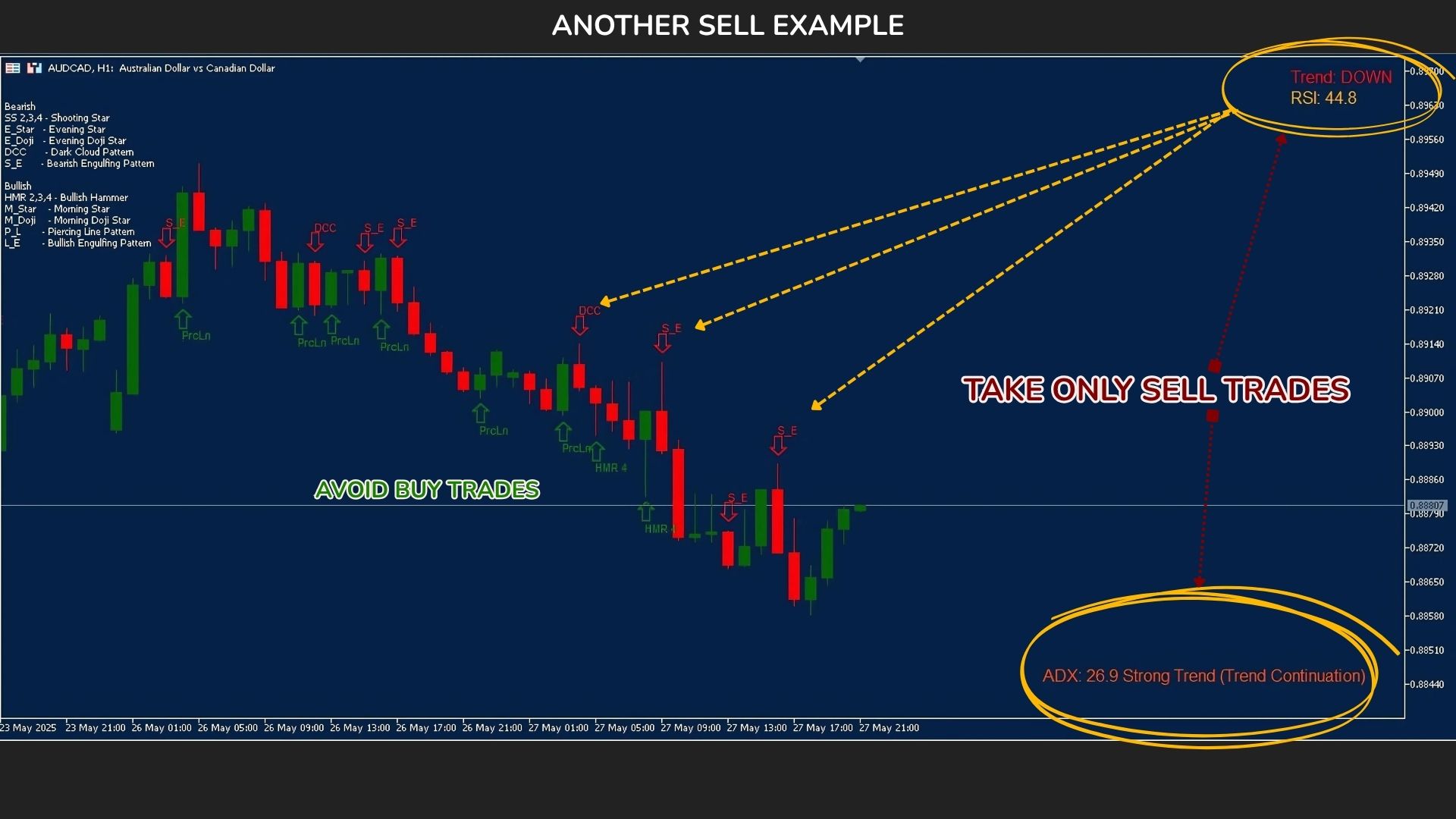
Check trend filter: Confirm if the Trend label is UP or DOWN.
-
Evaluate momentum:
-
If a buy signal appears (e.g. green arrow + bullish pattern), confirm that the trend is UP and the ADX shows a strong trend (above 25). This increases the probability of a successful long trade.
-
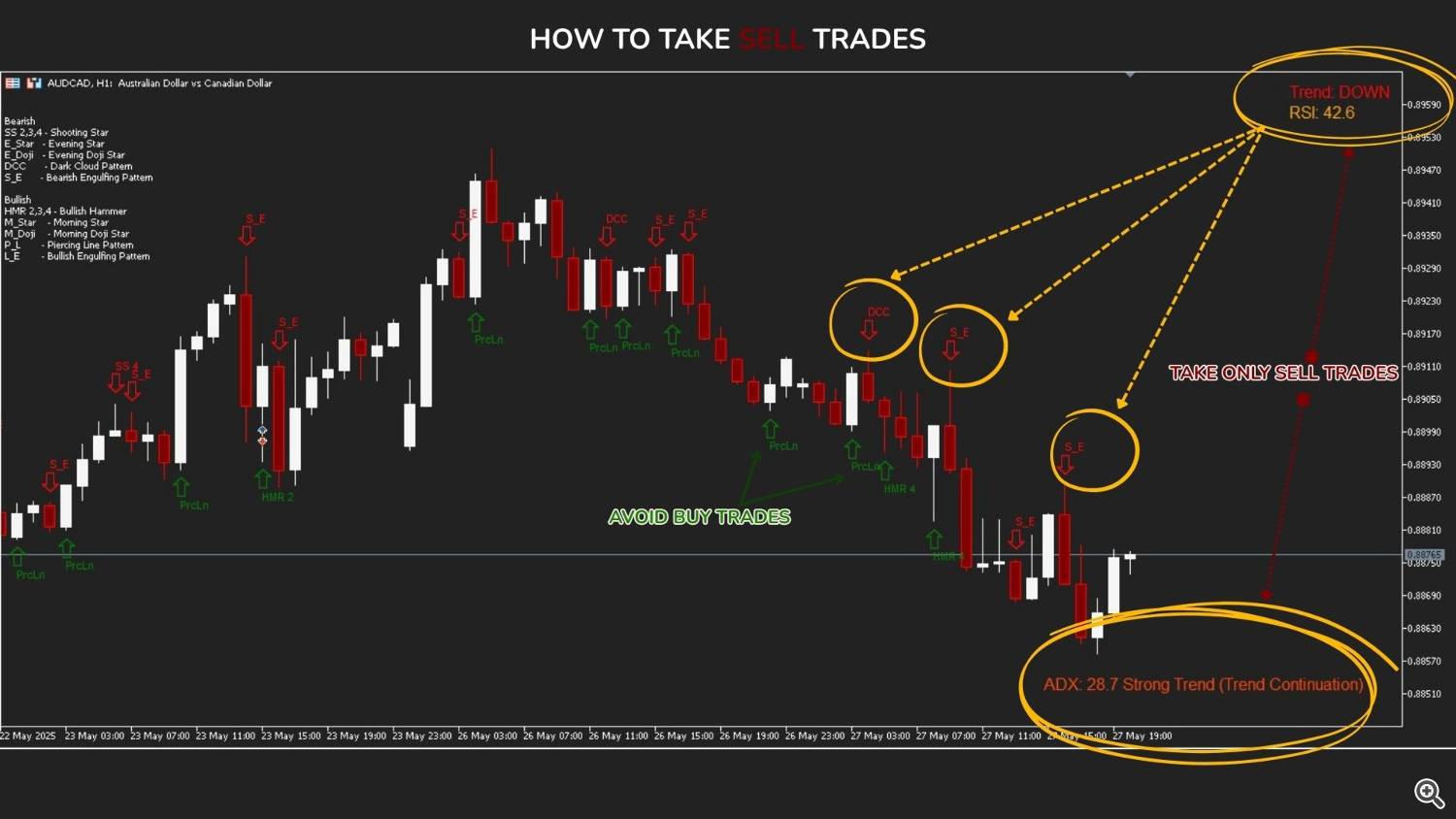
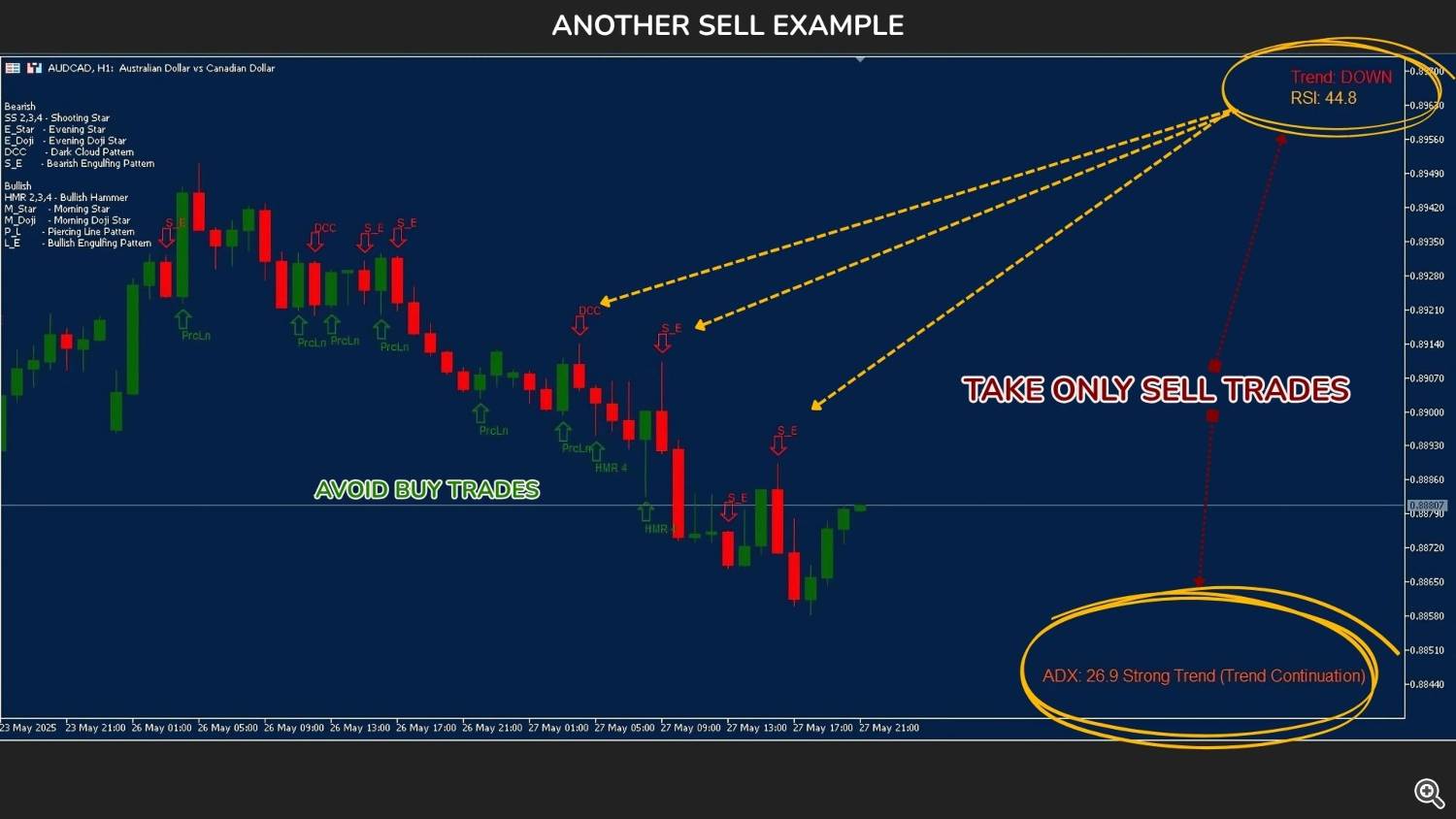
If a sell signal appears (e.g. red arrow + bearish pattern), confirm that the trend is DOWN and ADX also indicates strong trend.
-
Additional confirmation:
-
Avoid trades if the ADX is below 25 (suggests sideways market).
-
-
Optional: Use it as a filter for other systems (breakouts, scalping, swing trades)
Inputs Explained (Key Parameters)
-
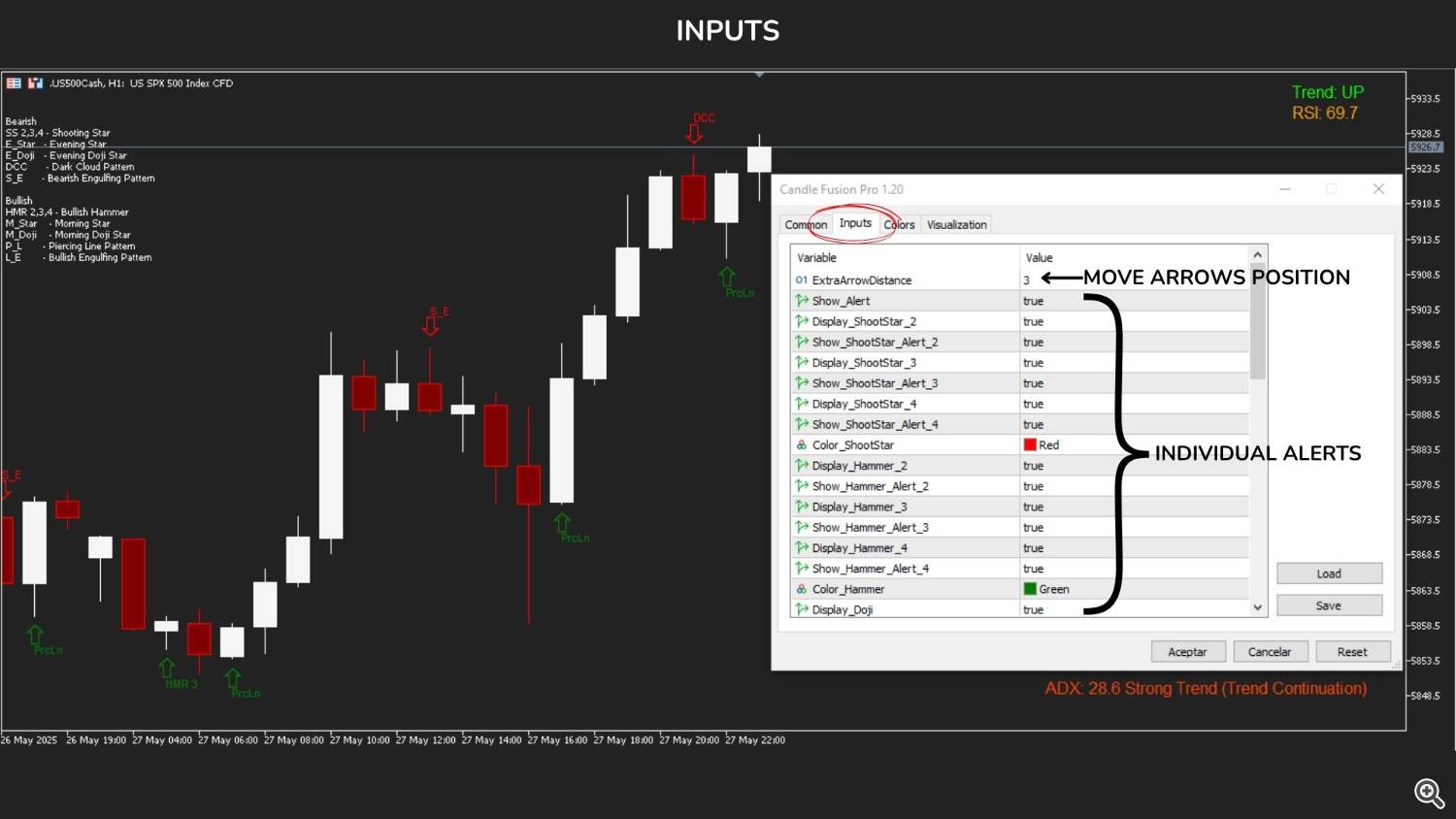
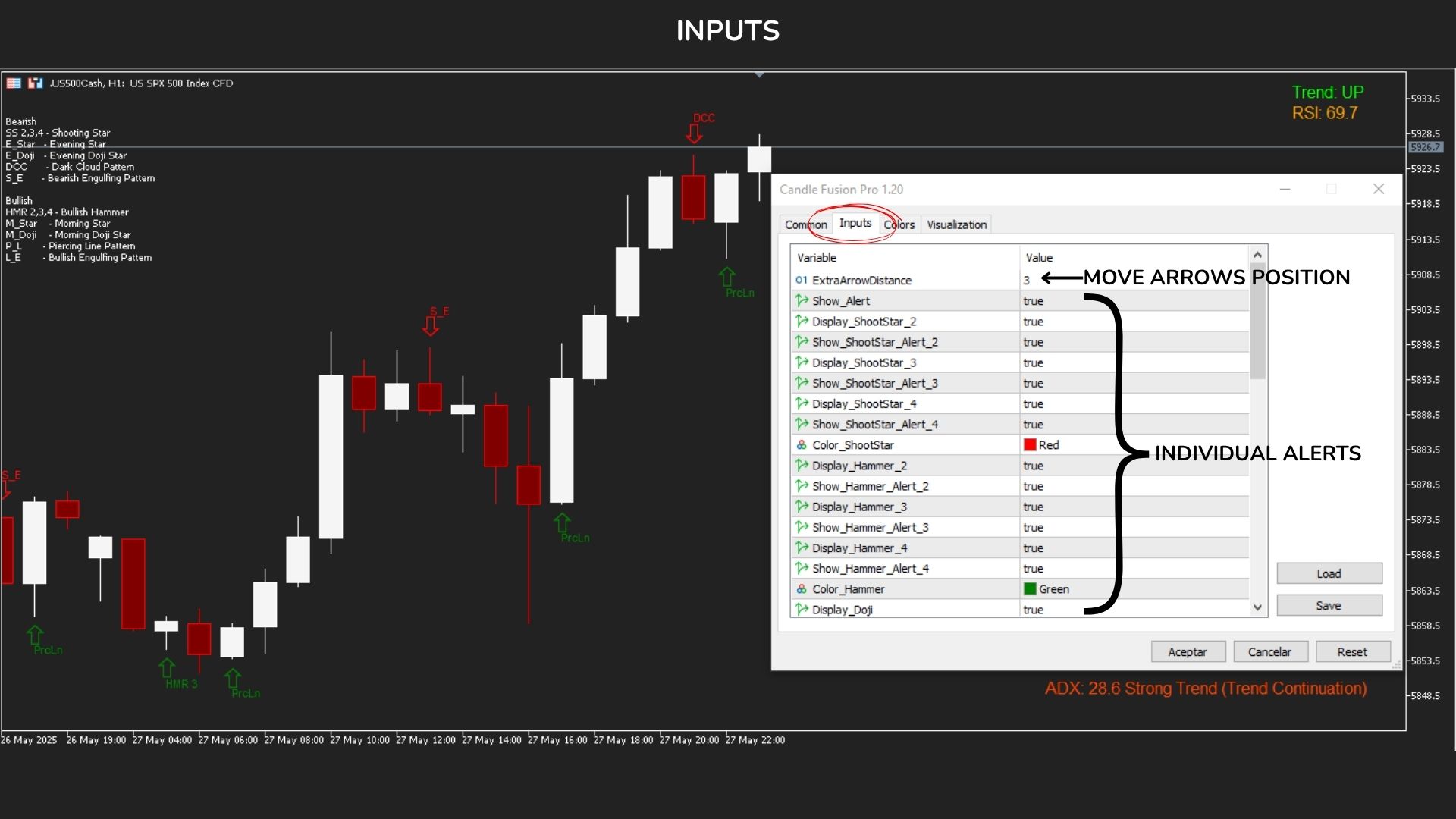
ExtraArrowDistance: Distance (in points) to shift the arrows and labels away from candle highs/lows, for visual clarity.
-
Show_Alert: Master switch to enable or disable all alerts.
-
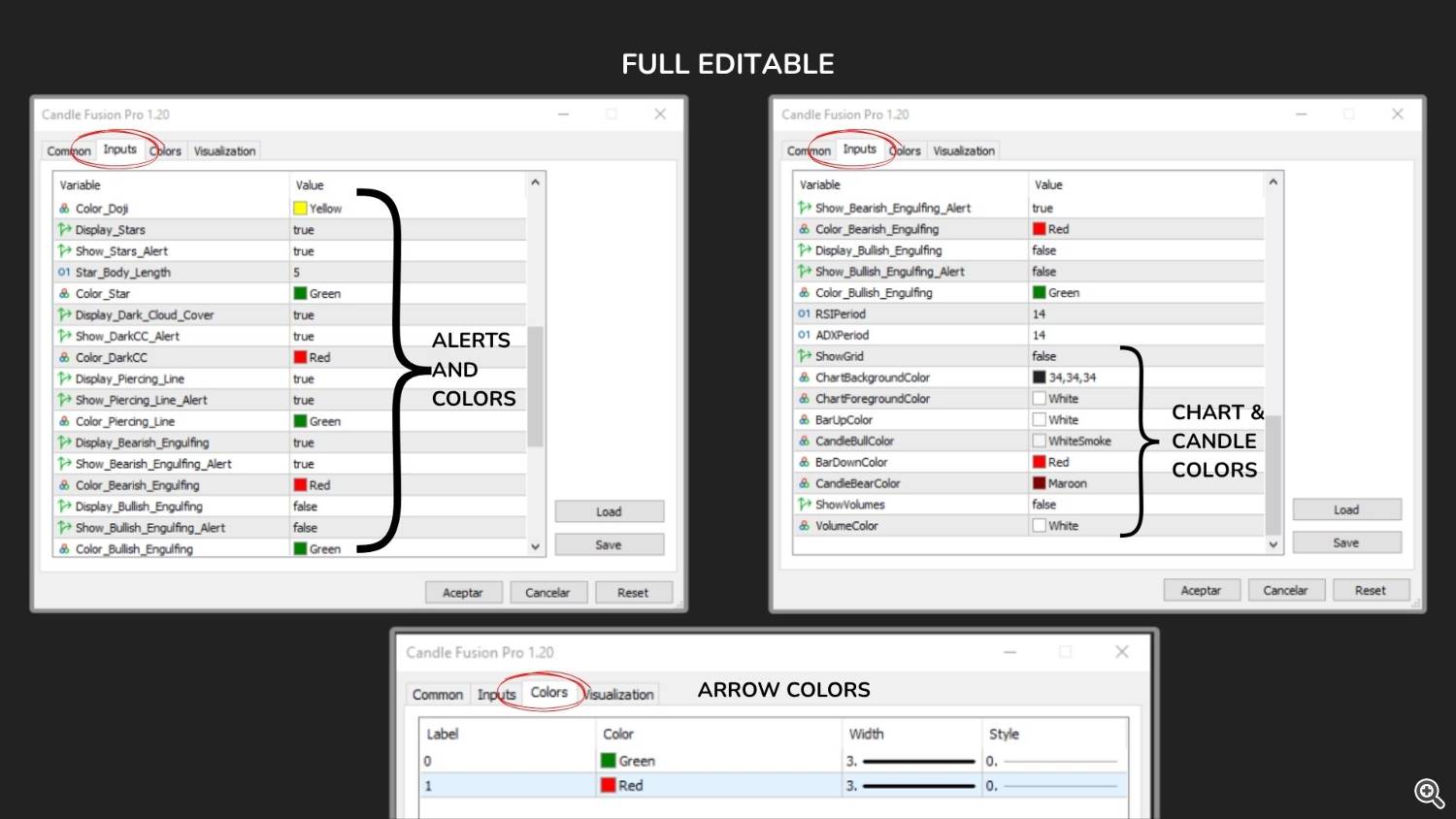
Display_ and Show__Alert: These toggle the visibility and alerts for each specific pattern. For example:
-
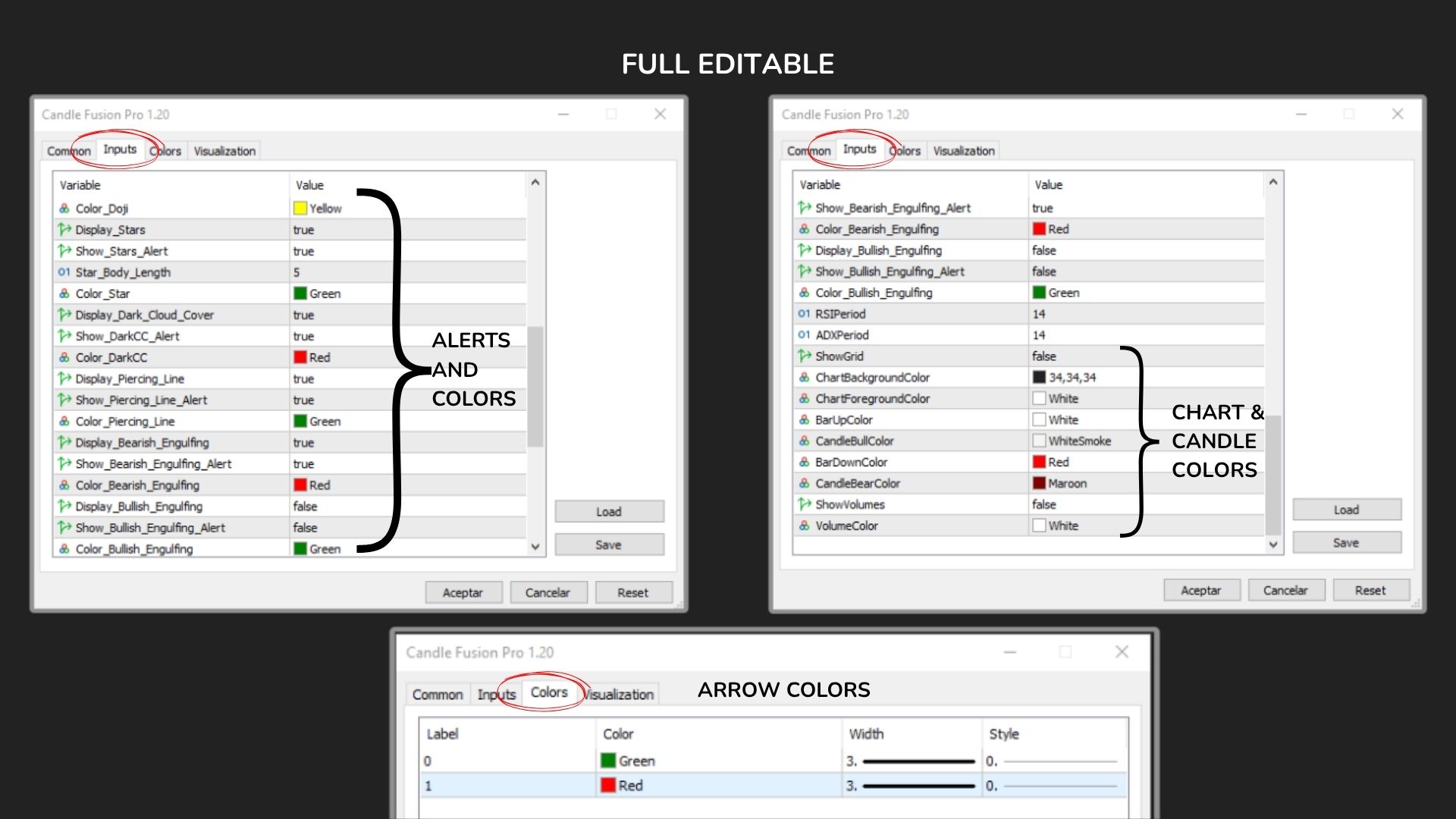
Color_ and Text_ (per pattern):
-
RSIPeriod: Number of periods for calculating the RSI (default: 14). Lower values make it more sensitive.
-
ADXPeriod: Number of periods for calculating the ADX (default: 14). Adjust if you want faster or smoother trend strength filtering.
-
Chart Visual Settings:
-
ShowGrid: Toggle chart grid lines.
-
ChartBackgroundColor, ChartForegroundColor: Set background and axis/text colors.
-
CandleBullColor, CandleBearColor: Customize bullish/bearish candle colors.
-
ShowVolumes: Show/hide volume histogram.
-
VolumeColor: Set the color of the volume bars.
-
All parameters are fully customizable and can be adapted to your trading style or visual preferences.
FAQ
Does it repaint?
No. Signals appear on candle close only and do not repaint.
Is it delayed?
No lag. All buffers and conditions are evaluated on closed candles only.
Can I use it on any timeframe?
Yes. Logic adapts to the selected timeframe (from M1 to MN).
Can it be used standalone?
Yes, but works best with basic trend context (PATTERNS + TREND + RSI + ADX).
Recommended Use
• Scalpers: Confirm quick reversals with Doji/Star + trend labels
• Swing traders: Validate momentum with Engulfing + RSI + ADX
• Price Action traders: Visualize confirmation without clutter
Fully compatible with: Forex, Commodities, Indices, Crypto
Supports all brokers and accounts (4/5-digit pricing)
One-time setup. Fully customizable to your strategy style.
Send me a private message if you have any questions or need help!
Source link