
How to Set Up and Test the AOT Bot MT5
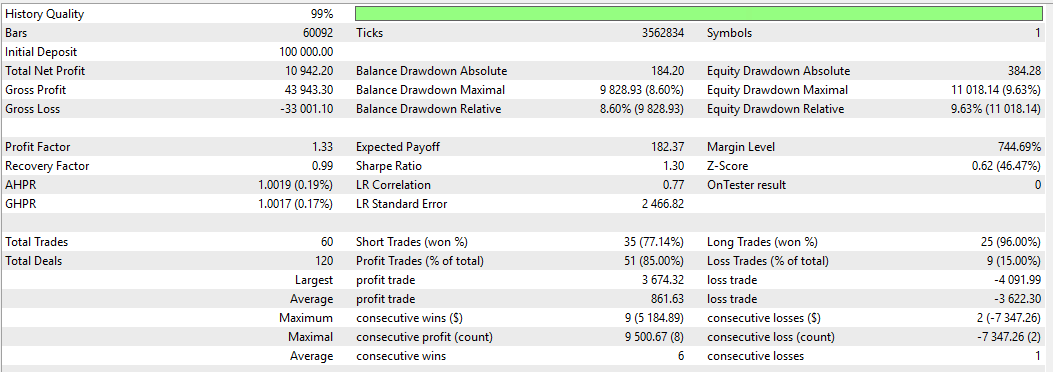
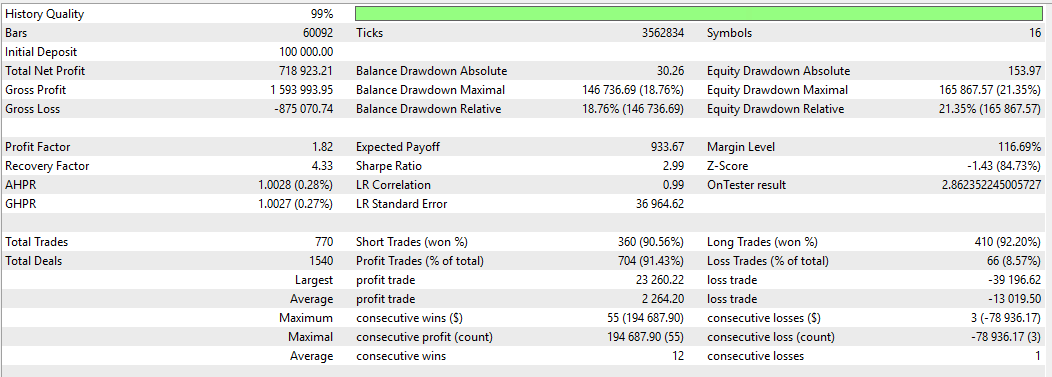
A quick and easy guide to help you set up and backtest the AOT Bot on MetaTrader 5— suitable for testing the strategy or preparing for prop firm challenges.
Step 1: Prepare Symbol Data
-
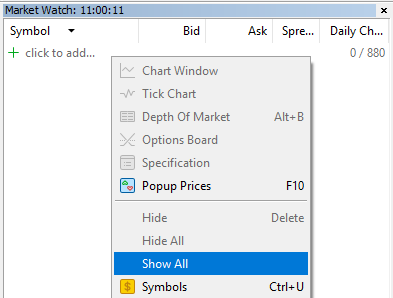
Open MT5 Market Watch.
-
Right-click anywhere in the Market Watch window and select “Show All”.
-
This will download candle data for all symbols required by the bot.
✅ Tip: Make sure all relevant symbols are visible to avoid missing data during backtesting.
Step 2: Set Up the Strategy Tester
-
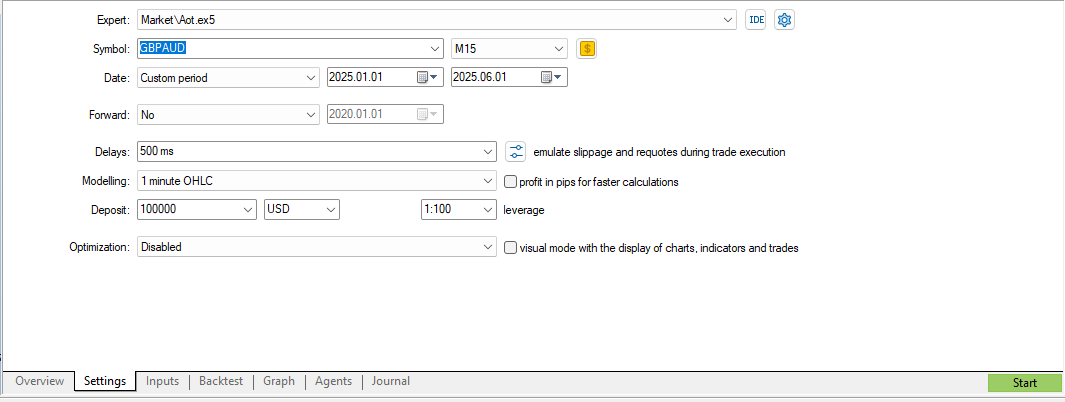
Press Ctrl+R or click the Strategy Tester icon in the MT5 toolbar.
-
In the Strategy Tester panel, configure the following:
-
Expert: Select AOT Bot.
-
Symbol: Choose a currency pair (e.g., GBPAUD).
-
Model:
-
Date Range: Set a period of 3–4 years for more reliable results.
-
Deposit: Set your starting capital (e.g., $100,000 to simulate prop firm conditions).
Step 3: Configure Trading Parameters
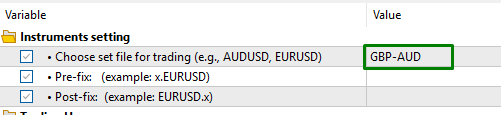
The AOT Bot can operate in two modes. This step is crucial depending on your test scenario:
Option 1: Single Instrument Test
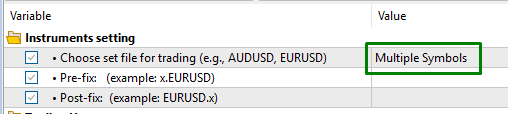
Option 2: Multiple Instrument Test
Position Sizing Options
⚙️ Choose the sizing that best reflects your trading style or challenge requirements.
Source link