Step-by-step guide to getting a Claude AI API Key
🔑 How to Get and Set the Claude API Key for the AOT Bot
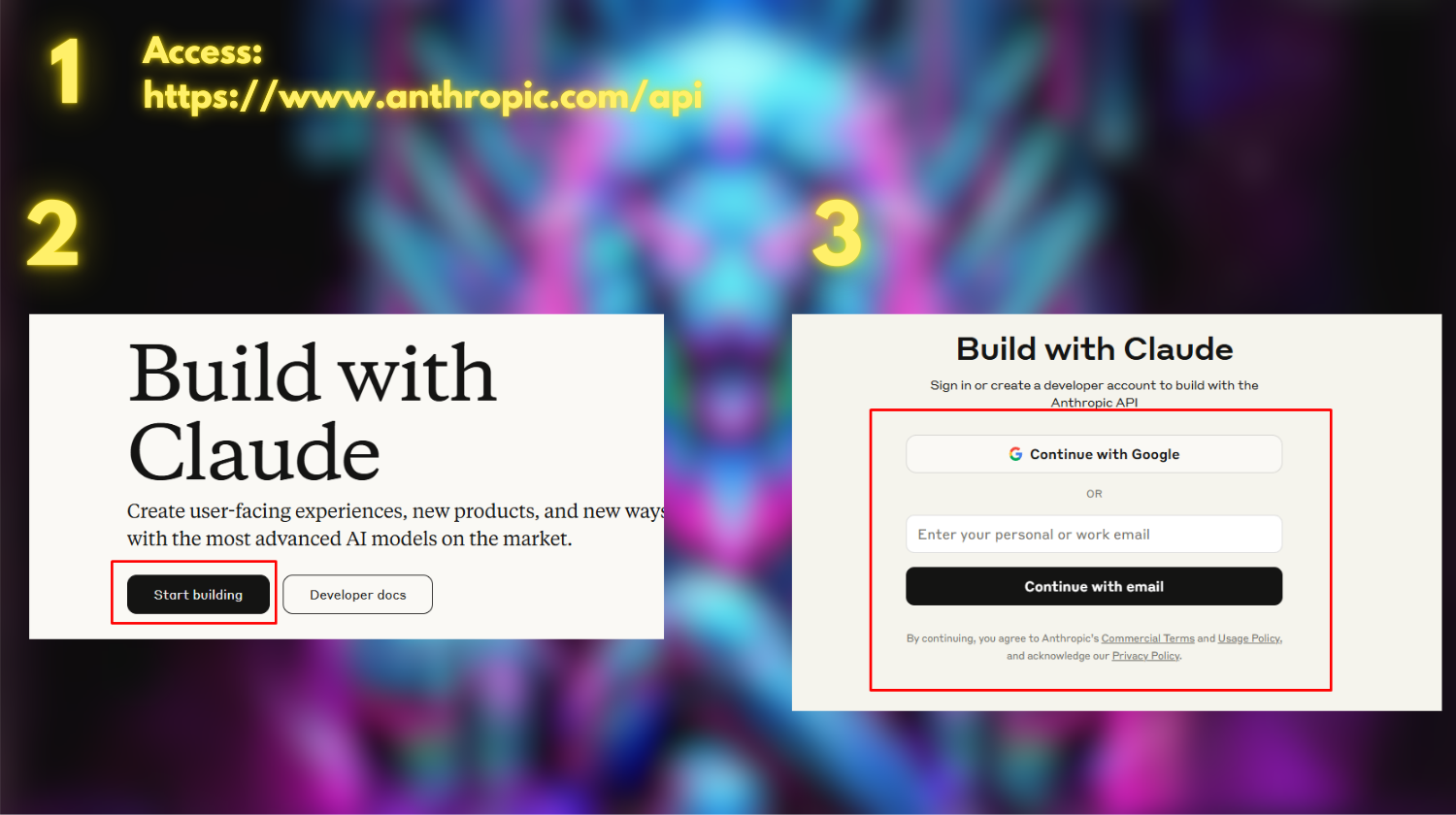
Step 1: Access the Claude API Page
Go to https://www.anthropic.com/api
Step 2: Click Start Building
Step 3: Create an Account or Log In
If you don’t have an account, register one. If you already have an account, simply log in.
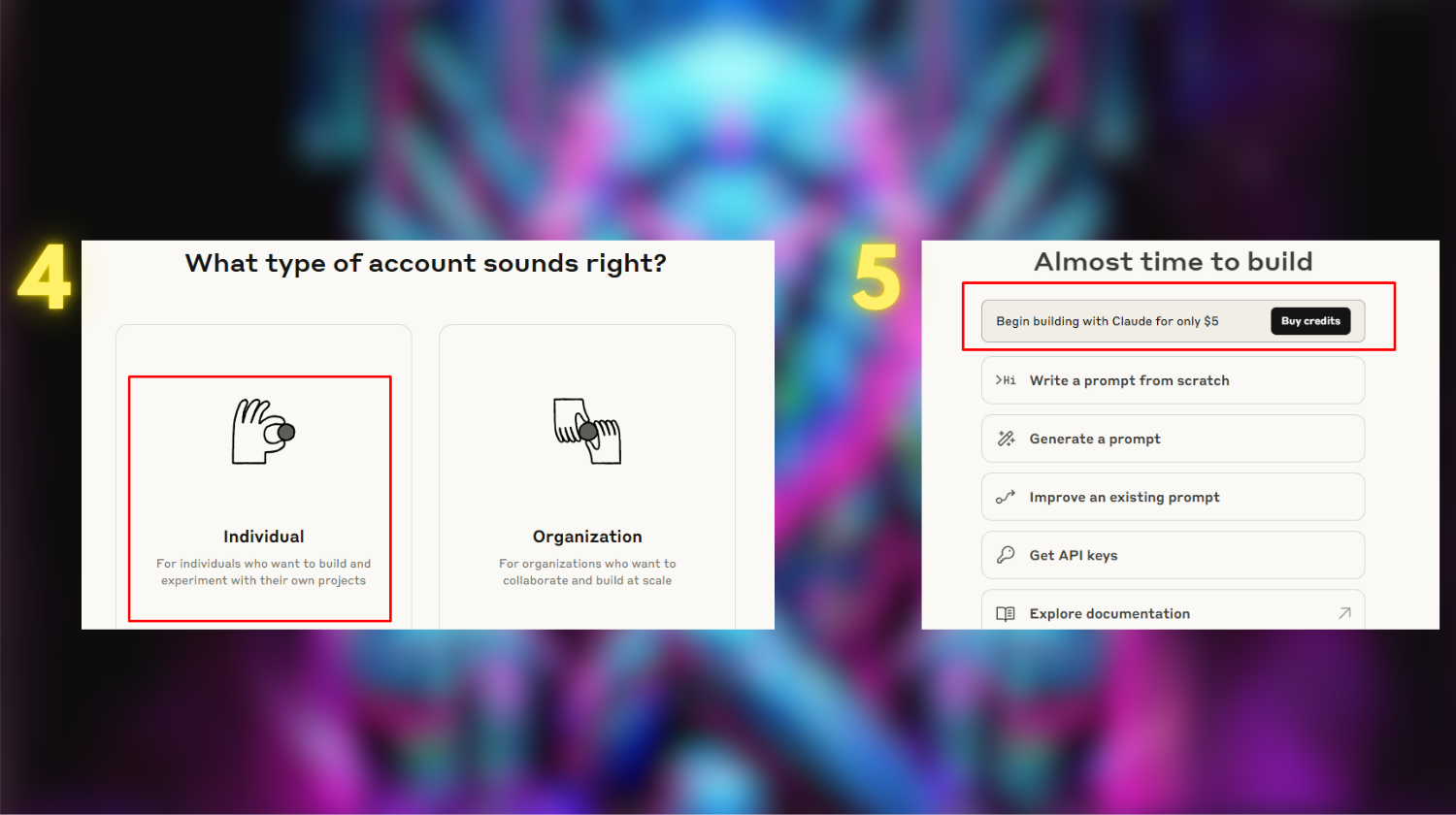
Step 4: Select Individual Account Type
Step 5: Click Buy Credits
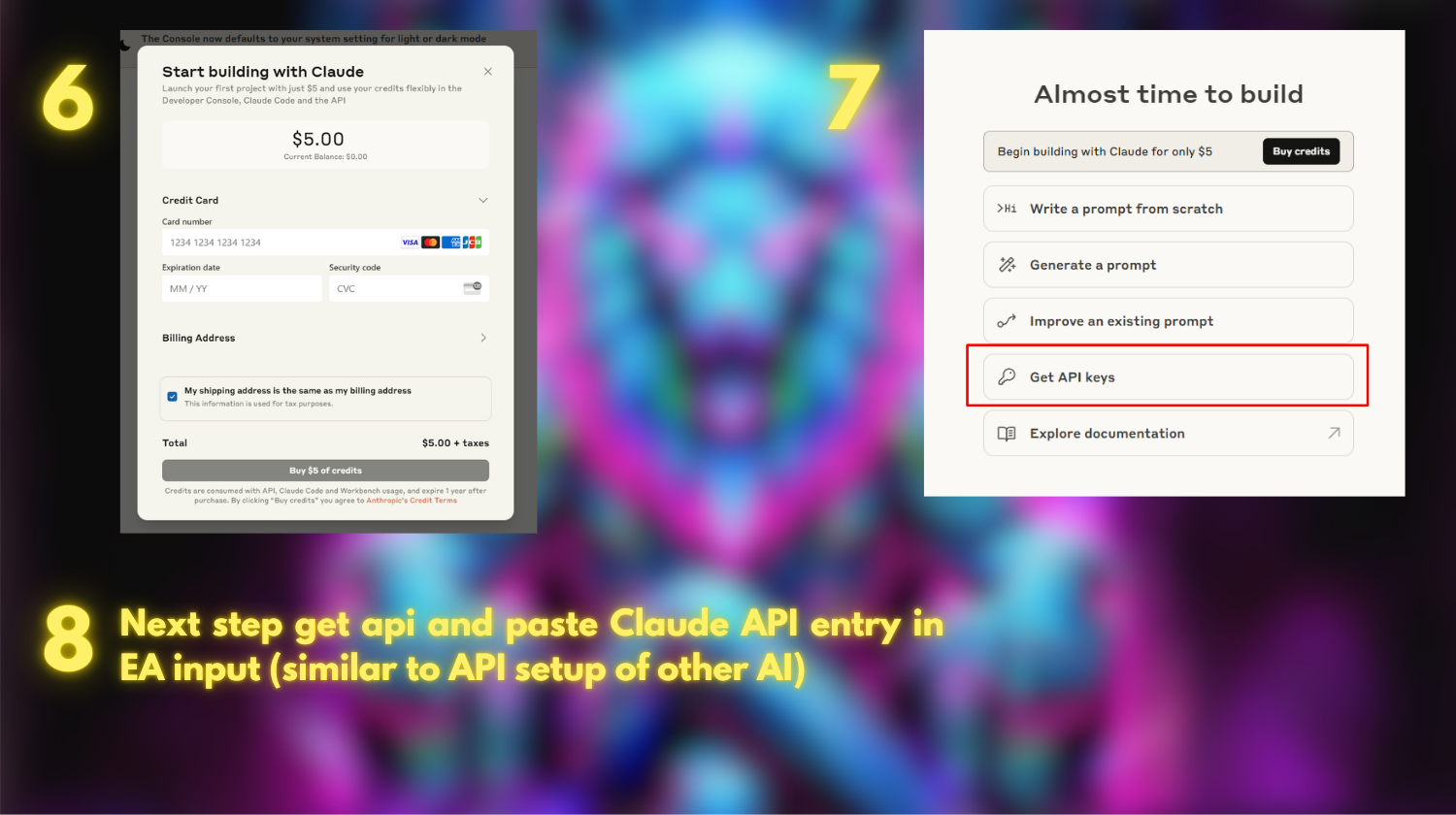
Step 6: Add a Payment Method and Complete Your Purchase
Step 7: Click Get API Keys
Step 8: Copy the API Key and Paste It into the AOT EA
Paste the API key into the Claude API Key field in the EA’s input settings.
⚠️ Important: Keep your API key private. Do not share it with anyone or post it publicly.
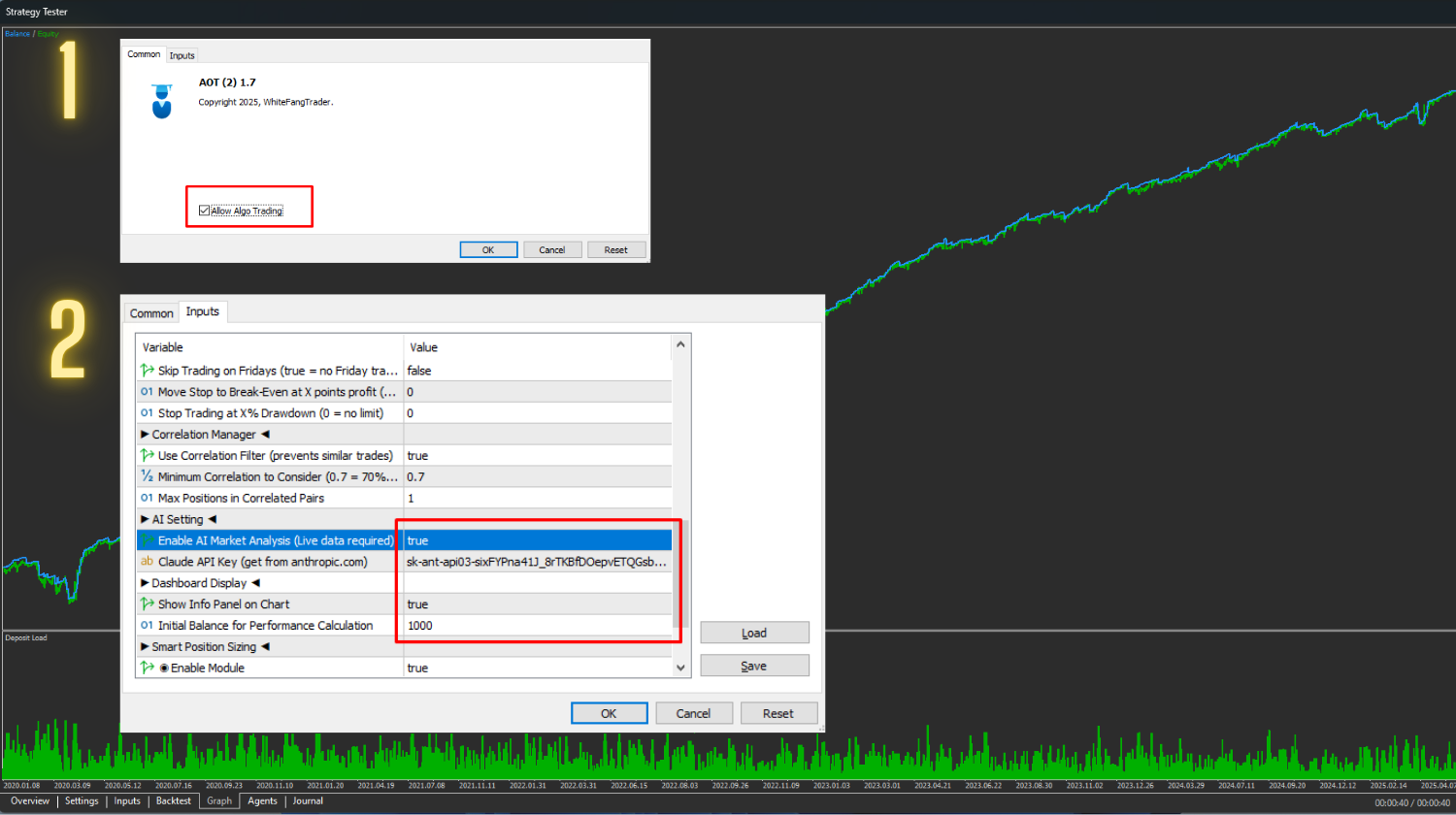
🤖 How to Enable AI Model Analysis in the AOT Bot
Step 1: Attach the EA to a Chart
Open your MT5 terminal, and drag the EA onto the chart.
Step 2: In the Common Tab
Make sure to enable Allow Algo Trading.
Step 3: In the Inputs Tab
-
Scroll down to the Claude AI settings.
-
Set Use Claude AI Model to True .
-
Paste your Claude API key in the corresponding field.
Step 4: Set Show Info Panel on Chart to True
Then click OK to apply all settings.
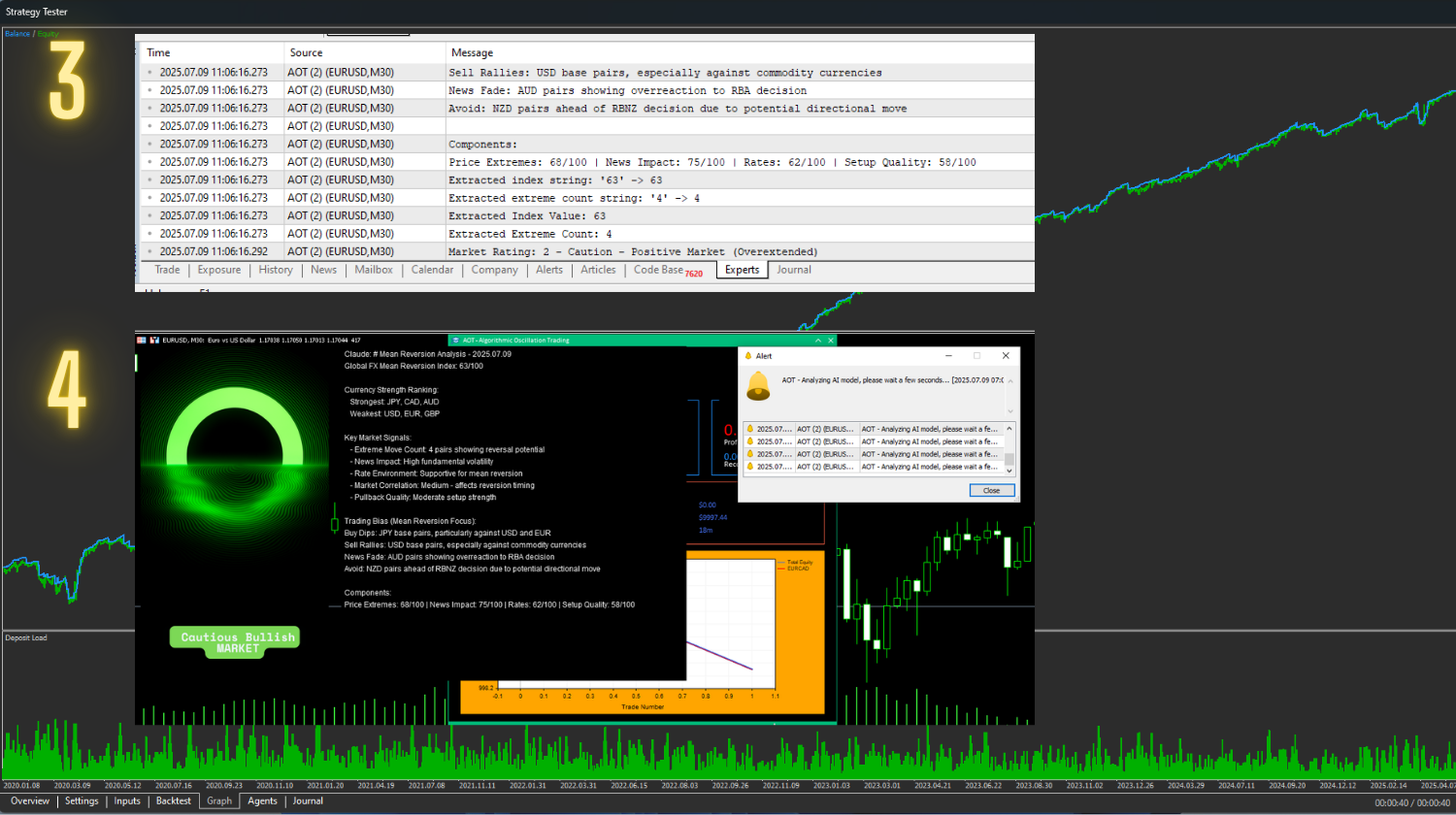
✅ After Setup
-
You will see a black info box on the chart with AI-powered analysis.
-
To hide the AI box: click the circular icon.
-
To show it again: click the circular icon once more and wait a few seconds for the AI to reload and display the latest analysis.
Source link