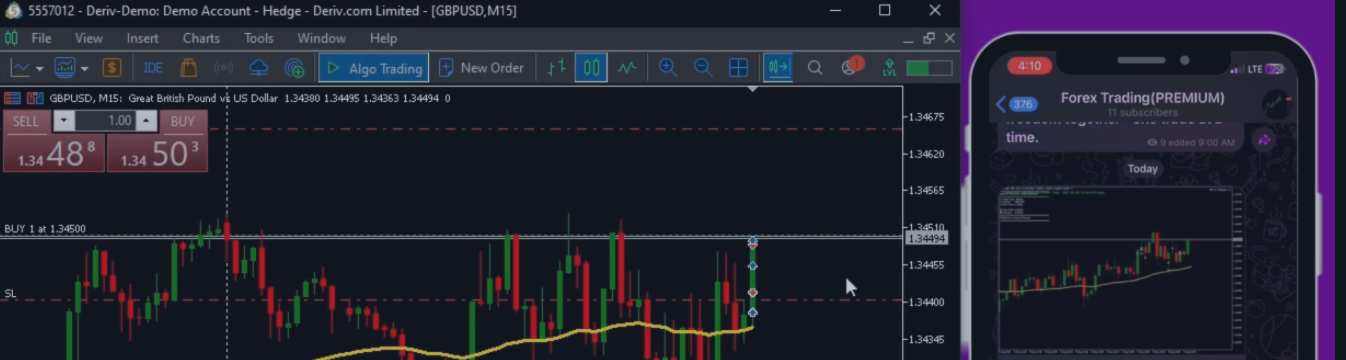
How to Configure Inputs for the MT5 TO Telegram Copier EA
📖 How to Set Each Input
Make Sure you have downloaded the Copier FROM HERE
Now let’s proceed:
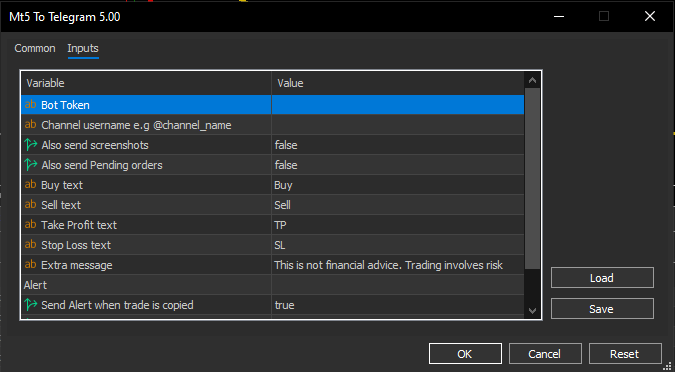
Telegram Settings
-
BotToken – Your Telegram bot’s unique token from @BotFather. Example: 123456789:ABCdefGHIjklMNOpqrSTUvwxYZ .
-
channel username – Your Telegram channel username (with @), e.g., @MyTradingChannel .
Extra Features
Custom Alert Texts
-
buy Text – Text to display for Buy trades (default: Buy ).
-
sell Text – Text to display for Sell trades (default: Sell ).
-
tp Text Text for Take Profit hits/modifications (default: TP ).
-
sl Text – Text for Stop Loss hits/modifications (default: SL ).
-
extra message – Extra message shown in each alert (default: This is not financial advice. Trading involves risk ).
Alert Settings (Group: “Alert”)
-
Send Alert when trade is copied–
-
Send Alert when trade is closed –
-
true → Send alerts when a trade is closed (TP, SL, or manual).
-
false → No close alerts.
-
-
enableModificationAlert –
💡 Tip: Always test with a demo account first to make sure alerts and screenshots are working before using on live trades.
#MT5 #TelegramBot #TradeCopier #ForexTrading #MQL5 #TradingAutomation #ForexSignals #AlgoTrading #EASettings #StopLoss #TakeProfit #ForexBots #TradingAlerts