Advanced Order Blocks with Volume (MT4 & MT5)
Indicators Available here:
MT4 Version:
https://www.mql5.com/en/market/product/160816/
MT5 Version:
https://www.mql5.com/en/market/product/160817/

Introduction
Order blocks show you where big institutions bought or sold in size before a major price move.
And here’s the important part:
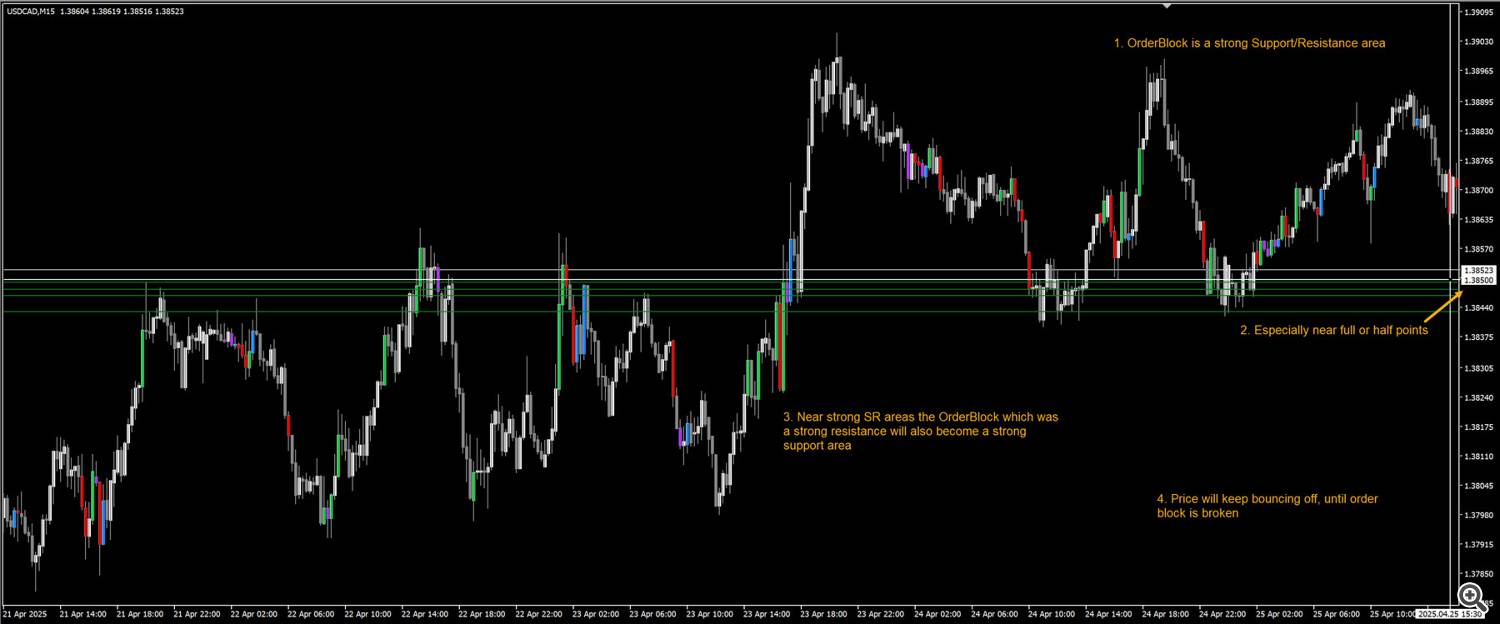
When price comes back to those same areas later, it often reacts again — because that’s where smart money is willing to step in.
This guide will show you:
-
What order blocks really are
-
How to spot them correctly
-
How to avoid bad signals
-
And how to actually trade them with confidence
What Are Order Blocks?
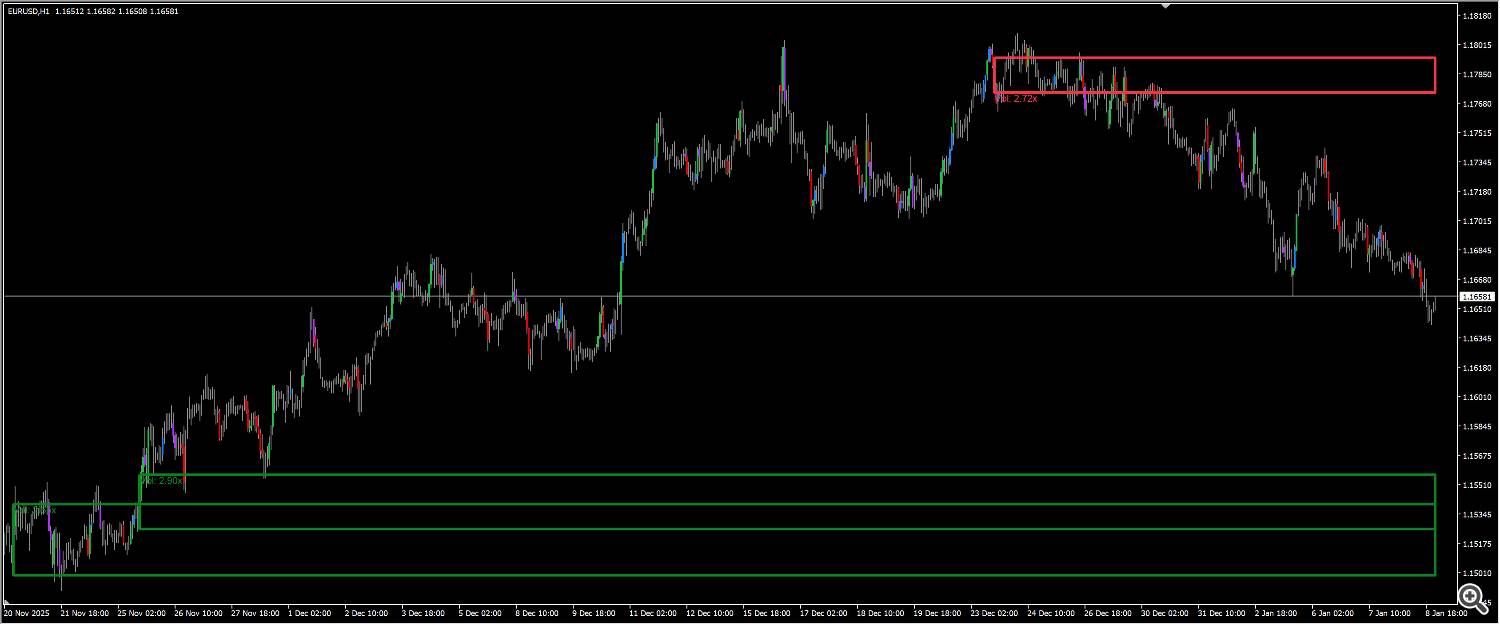
An order block forms when price moves sideways in a very tight range (usually 0.1% to 1%) while volume quietly builds up.
This is institutions accumulating or distributing positions without moving the market too much.
Then — boom — price breaks out.
That quiet zone before the explosion is your order block.
Think of it like this:
Big players can’t just buy or sell all at once. That would move price against them.
So instead, they:
When you spot that combination, you’re probably looking at institutional activity.
There are two types:
Bullish Order Blocks
Bearish Order Blocks
The key idea:
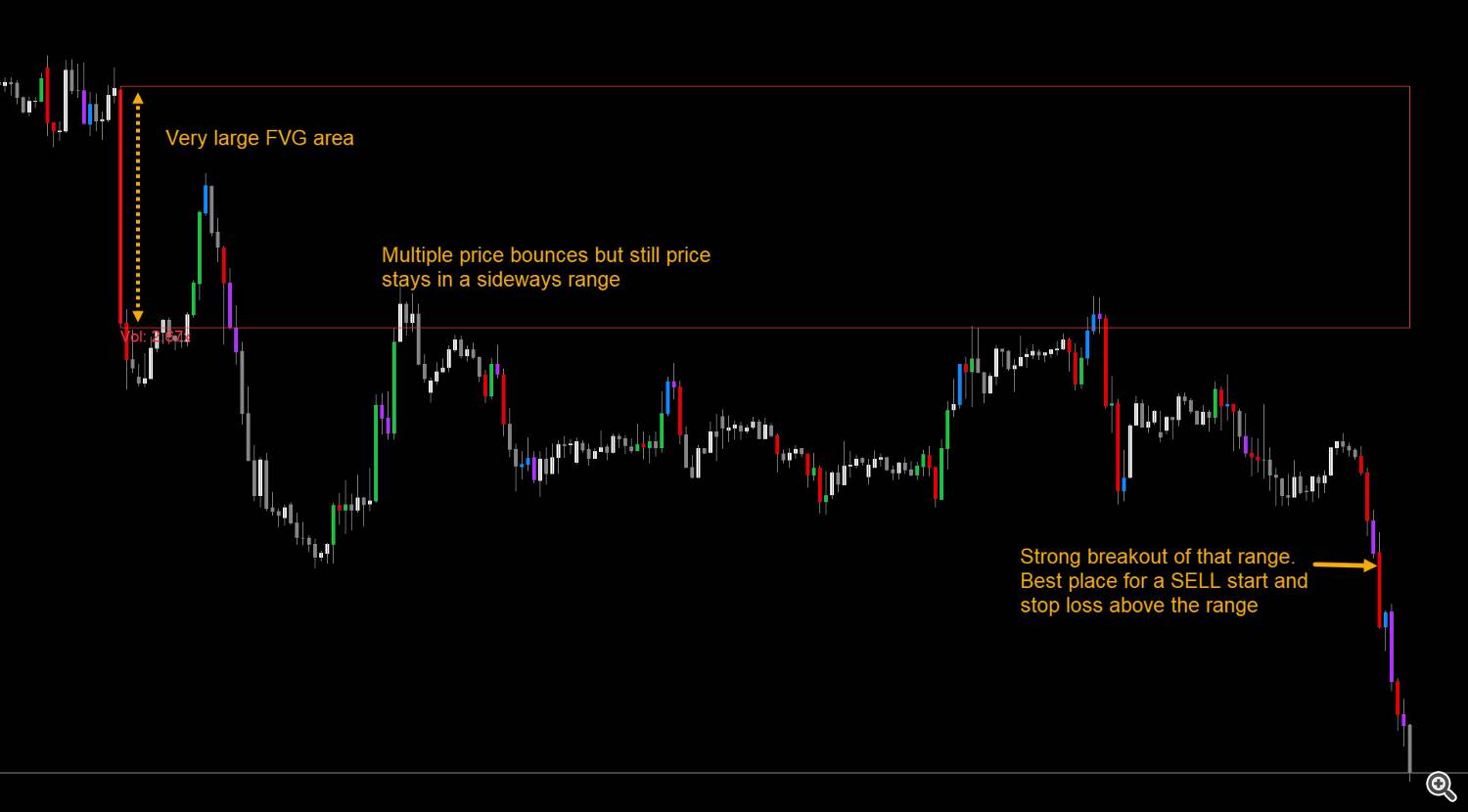
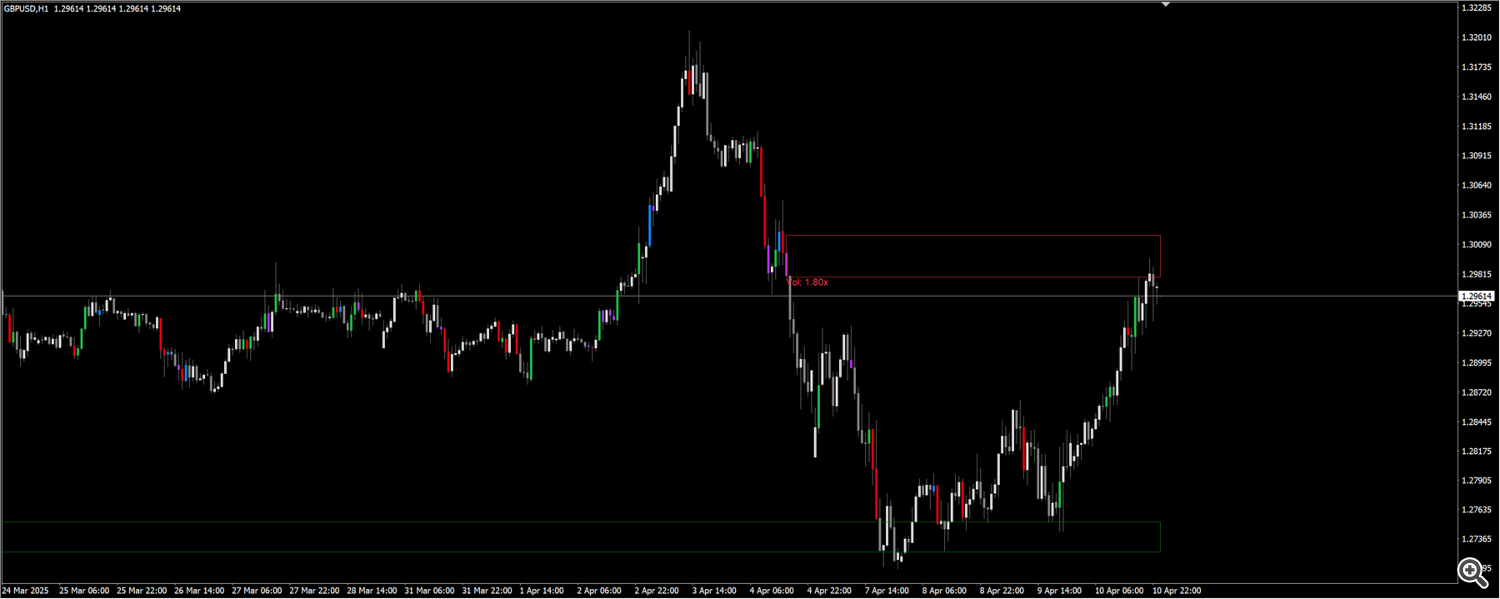
It is difficult to spot fake or true breakouts right after an OB forms. Trick is to wait and watch for bounce back.
Price might not bounce back, but instead go through the block, in which case it was not a strong SR area and will thus be deleted.
But if price does bounce, it will start forming a range near it. Best trades are to wait for this range and then a strong price reversal candle:

Core Features (Quick Overview)
This indicator gives you:
-
Automatic detection of consolidation zones
-
Volume filtering to remove noise
-
Multiple volume calculation methods
-
Automatic removal of invalidated blocks
-
Forward projection of blocks
-
Entry and exit Orderblock alerts
Confluence Is King 👑
Order blocks work best when combined with:
More confirmations = stronger trade
Volume Matters

Best Settings by Timeframe
Scalping (15M+)
Note that this indicator is more reliable over H1+ for longer trades. But if you need it for lower timeframes, only use for scalping very quick trades.
Day Trading (H1)
Swing Trading (4H/Daily)
-
Consolidation: 4–5 bars
-
Volume lookback: 20–30
-
Threshold: 3x – 0 (remove upper threshold by setting to 0)
-
Enable Extend Till Current Bar
Trend Following (4H)
How the Indicator Works (In Simple Terms)
Consolidation Detection
Tight ranges = controlled, professional accumulation
Volume Calculation Methods
Volume Strength Filtering
You can choose to only show blocks between:
This helps:
-
Avoid weak signals
-
Avoid suspicious spikes
-
Focus on the sweet spot
Block Extension
If Extend Till Current Bar is enabled, all blocks extend to the present candle.
Mitigation (Invalidation)
If price fully breaks through a block, it gets:
Automatically removed.
No more trading dead levels.
Full Settings
Main Settings
Volume Settings
-
Method: Simple / Relative / Weighted
-
Lookback: Usually 20
-
Threshold Range: Your acceptable volume strength
-
Refresh Rate: Speed vs CPU usage
Extension Settings
Colors & Alerts
Why Order Blocks Actually Work
Institutions don’t chase price.
They:
Order blocks let you see exactly where that happened.
So instead of guessing:
You’re trading where big money already committed.
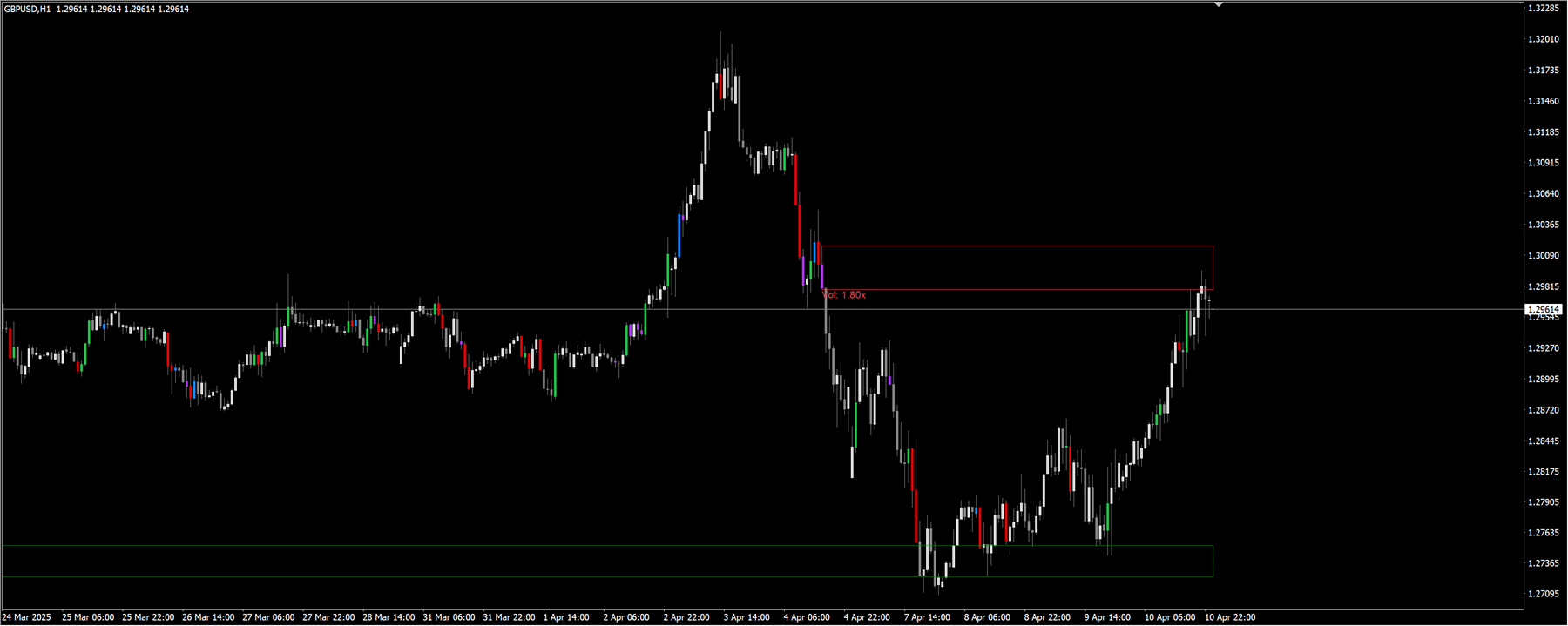
Good volatility sideways market, price will keep closing the gaps between order blocks:
Common Questions
Which blocks should I trade?
Touched vs Broken?
Should I trade every block?
No.
Always check:
-
Trend
-
Structure
-
Confluence
Best timeframe?
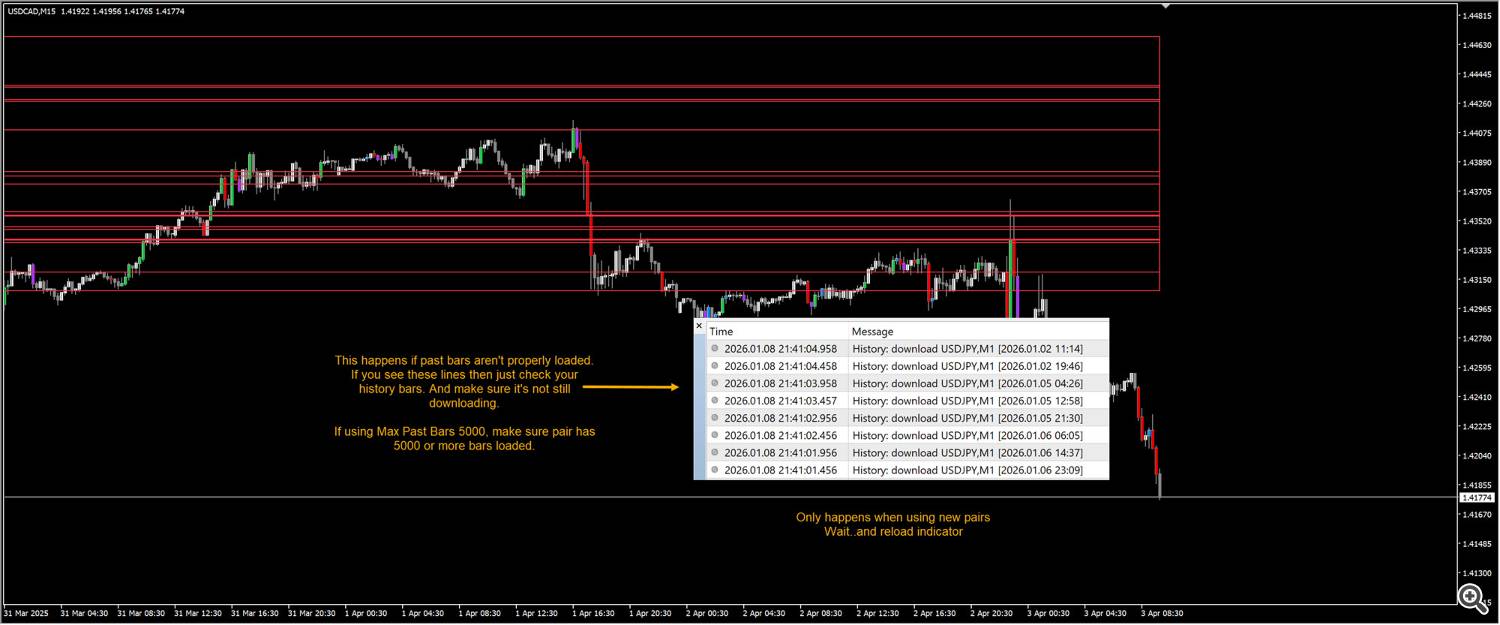
Debugging Known Issues:

Different timeframes/pairs will have different volume multipliers. Like EURUSD will have different volume ranges than somethings less traded like some stocks etc.
All default values are based on forex.
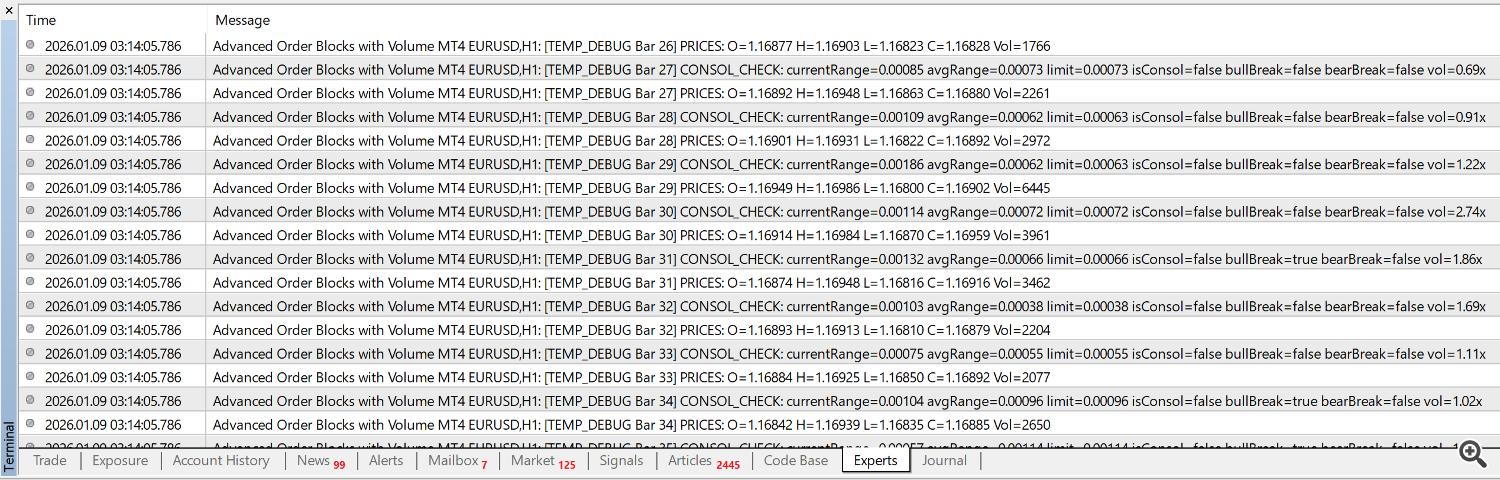
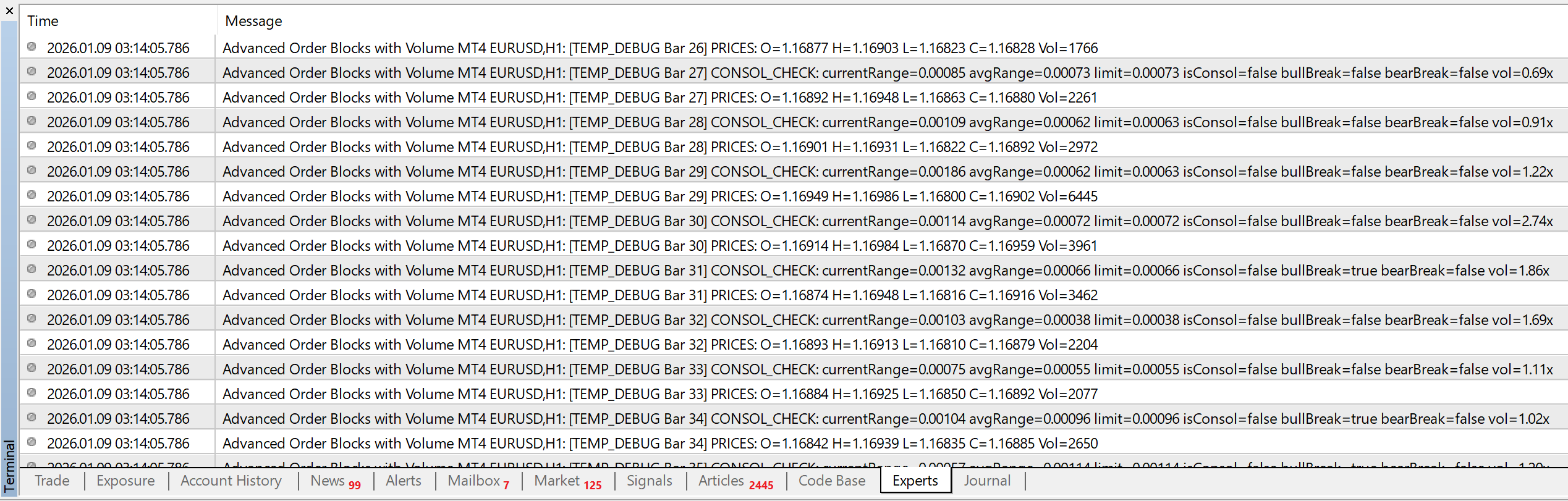
Keep Debug Buffers true. And set debugging bars. Then look at experts tab logs:
Conclusion
Order blocks show you where institutions actually did business.
That’s a massive edge.
But remember:
The money is not in trading every block.
The money is in trading the best blocks.
Start by watching how price reacts to different blocks. Because different pairs work best with different settings.
Even without trading, this will train your eye fast.
And keep making .set files for your best settings. It will be awesome if you shared those right here with everyone.
Trade with structure.
Trade with volume.
Trade with order blocks! 😎
Source link