
SuperScalp Pro v6.4 – Interactive Control Panel (New Feature)
🚀 SuperScalp Pro v6.4 – Interactive Control Panel (New Feature)
SuperScalp Pro v6.4 introduces a powerful upgrade designed to enhance real-time control, strategy flexibility, and execution efficiency.
⚙️ Interactive Control Panel – On-Chart Strategy Control
The new Interactive Control Panel allows traders to manage and toggle filters and system functions directly on the chart in real time.
👉 No need to interrupt your workflow
👉 No need to reopen input settings
👉 Instant response to market conditions
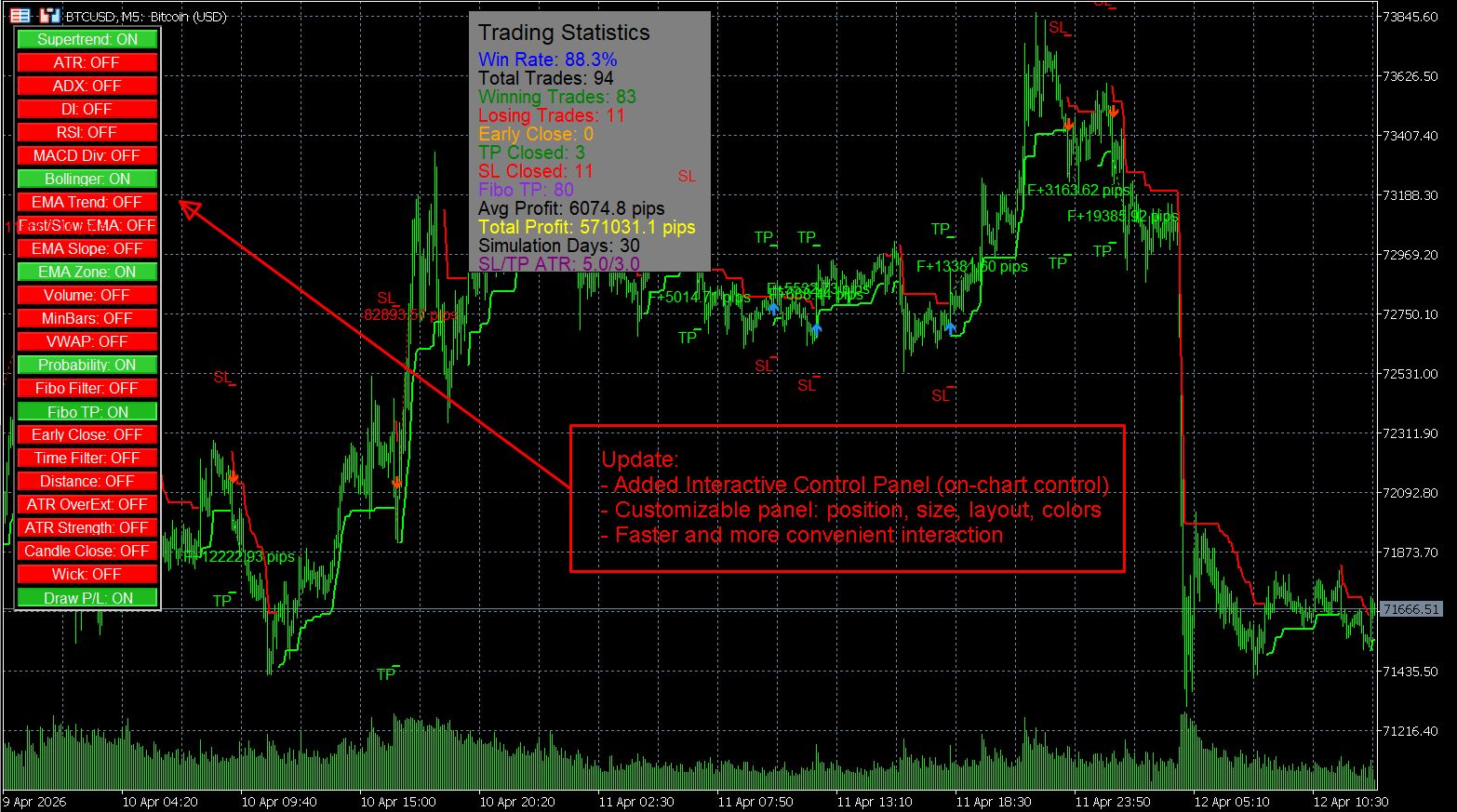
📊 Optimize Strategy Based on Performance Data
With built-in performance statistics (5000+ candles), you can now:
- Analyze win rate and trade distribution
- Adjust filters instantly based on results
- Validate configurations in real time
💡 Transform your workflow into a data-driven process:
Analyze → Adjust → Execute
🧠 Smarter Trading, Faster Decisions
- Adapt strategy to different symbols and timeframes
- Reduce weak signals by controlling filter combinations
- Improve execution speed during scalping conditions
📌 Important Note
The Control Panel works on the active chart with live signals.
Please ensure the chart is running and receiving data for proper updates.
🎯 Why This Matters
This upgrade transforms SuperScalp Pro from a static indicator into a dynamic trading system, giving traders more control, faster reaction time, and better alignment with real market behavior.
👉 Watch the video in the product description to see how the Interactive Control Panel works in real trading conditions.
🔥 Continuous improvement. Smarter tools. Better trading performance.