ProfitPause EA MT4 – Free Download
Introduction
Forex trading is as much about strategy as it is about discipline and risk management. While Expert Advisors (EAs) in MetaTrader 4 (MT4) bring automation to trading, they can sometimes over-trade or take unnecessary risks without human intervention. That’s where ProfitPause EA steps in — a MetaTrader 4 utility designed to control the autotrading function based on daily profit or loss thresholds.
In this article, we dive deep into how this tool works, explore its features, advantages, and limitations, and assess its real-world application in a trader’s arsenal. This is a review, not a recommendation, meant to inform decision-making for traders who prioritize smart automation with built-in risk controls.
Technical Specifications
Version: 2.3
Year of issue: 2025
Working pairs: Any
Recommended timeframe: Any
Minimum Deposit: Any
Average of account: 1:30 To 1:1000
Best Brokers List
ProfitPause EA System works with any broker and any type of account, but we recommend our clients use one of the top forex brokers listed below:
ProfitPause EA Settings
What is ProfitPause EA?
ProfitPause EA is a lightweight Expert Advisor that acts as a gatekeeper for MT4’s AutoTrading function. It automatically disables trading for the day once a set daily profit or daily loss threshold is hit.
This ensures that once your defined risk or reward target is reached, the EA disables the AutoTrading button until the next trading day — essentially preventing additional trades that could jeopardize daily gains or deepen losses.
Core Features of the EA
1. Daily Profit & Loss Targets
-
Set your maximum daily profit and loss (e.g., +10 USD or -100 USD).
-
Once reached, the EA disables AutoTrading and halts all EA activity.
2. Automatic Trade Management
3. Time Window Filtering
-
You can define trading timeframes (like avoiding news hours).
-
Allows time-sensitive control, such as only enabling trading during low-volatility sessions.
4. Simple Interface and Setup
5. Symbol and Timeframe Agnostic
-
Works with any trading symbol (forex, indices, crypto).
-
Effective across all timeframes without custom tuning.
Real-World Application Based on Visual Insights
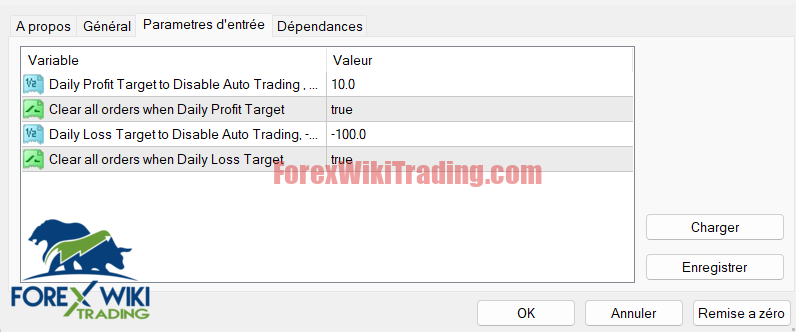
From the trading chart and parameter screenshots provided, we observe a practical setup:
-
A daily profit target of $10 is configured.
-
A maximum loss cap of $100 is in place.
-
Both settings are set to automatically clear all open orders once thresholds are met.
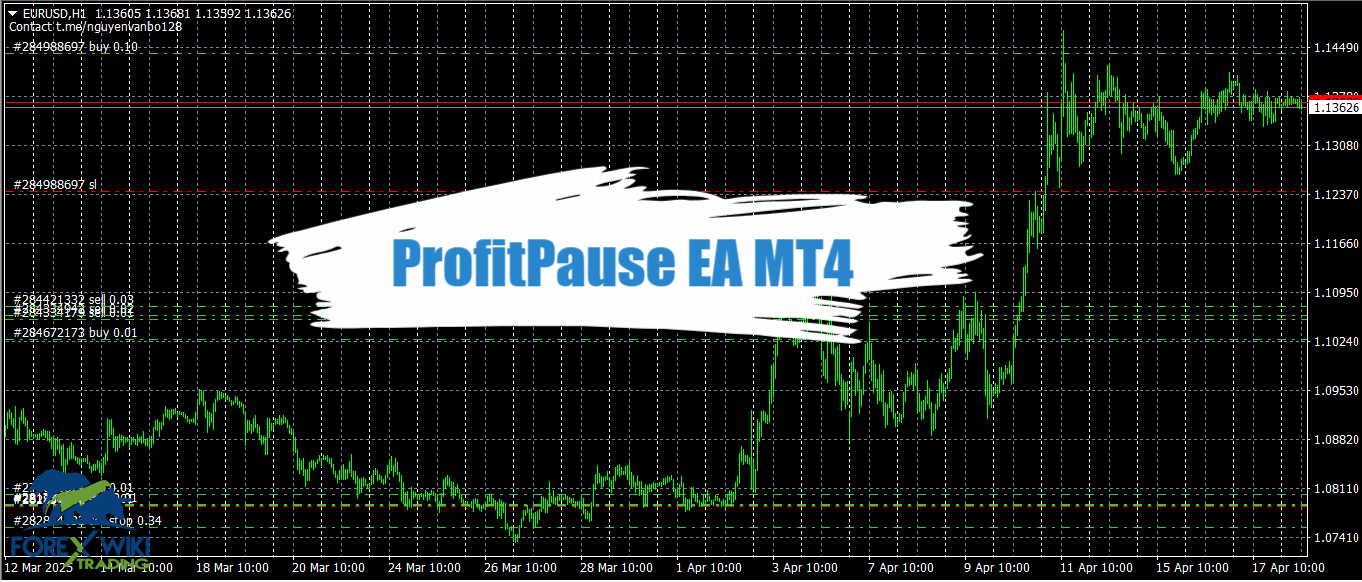
This strategy is evident in the EUR/USD price movements between March 12 and April 17, 2025. During periods of strong volatility, especially post-April 9, this tool could have effectively locked in gains or minimized losses by cutting off trading activity at predefined levels — preventing emotional or excessive trading.
Advantages of ProfitPause EA
✅ Built-in Risk Control
✅ Avoids Overtrading
✅ Protects Profits
✅ Supports Multiple EA Environments
✅ Time-Based Flexibility
Disadvantages and Limitations
❌ No Manual Trade Exception
❌ Hard Thresholds Can Be Limiting
❌ Not Strategy Adaptive
❌ One-size-fits-all Logic
Who Is This Tool For?
This EA is particularly useful for:
-
Day traders who need strict daily limits.
-
Automated strategy users managing multiple bots.
-
Beginner traders who want a safeguard against excessive risk.
-
Traders in volatile markets where emotional discipline is harder to maintain.
Conclusion
ProfitPause EA offers a straightforward yet powerful solution to enforce daily trading rules. While it isn’t a trading strategy on its own, its value lies in discipline automation. It allows traders to stick to pre-defined risk rules and ensure that even their automated systems don’t overstep daily limits.
Its simplicity may be both its greatest strength and its weakness — it does not adapt, but it enforces rules perfectly.
While it’s not a magic bullet, ProfitPause EA is a smart addition for anyone using EAs on MetaTrader 4. It acts as a daily circuit breaker, providing that extra layer of risk control in the dynamic and often unpredictable forex market.