Backtest Simulator | Try Demo Version
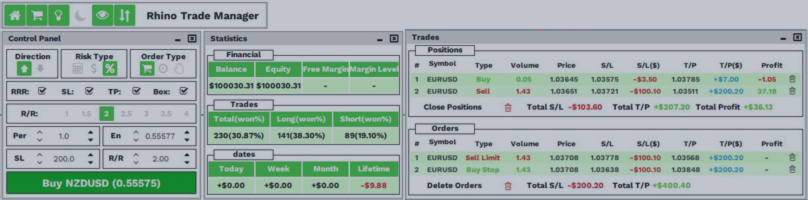
Here is a Demo Version of Backtest Simulator in Strategy Tester MT5, which allow you to test the Product.
(I will update the demo version in small period of time)
Step 1: Download the Demo Version
Step 2: Open the Data Folder
-
Launch your MetaTrader 4 or MetaTrader 5 platform.
-
Click “File” in the top menu.
-
Select “Open Data Folder.”
Step 3: Locate the Experts Folder
-
In the opened window, navigate to the “MQL4” folder for MT4 or “MQL5” folder for MT5.
-
Open the “Experts” folder inside.
Step 4: Install the Demo Version
Step 5: Refresh the Expert Advisors List
-
Go back to your MetaTrader platform.
-
Right-click “Expert Advisors” in the Navigation panel.
-
Click “Refresh.”
-
Your demo file should now appear in the list.
Step 6: Load the Demo on Your Chart
Step 7: Enable Auto Trading
-
Make sure the “Auto Trading” button is enabled in MT4 or the “Algo Trading” button is enabled in MT5.
-
Go to the “Expert Settings” of the demo.
-
Under the “Common” tab, ensure “Allow Live Trading” is checked.
Expiration Date: 2025.06.01