MTB – SETUP MANUAL



MTB – SETUP MANUAL
Step 1: Deployment
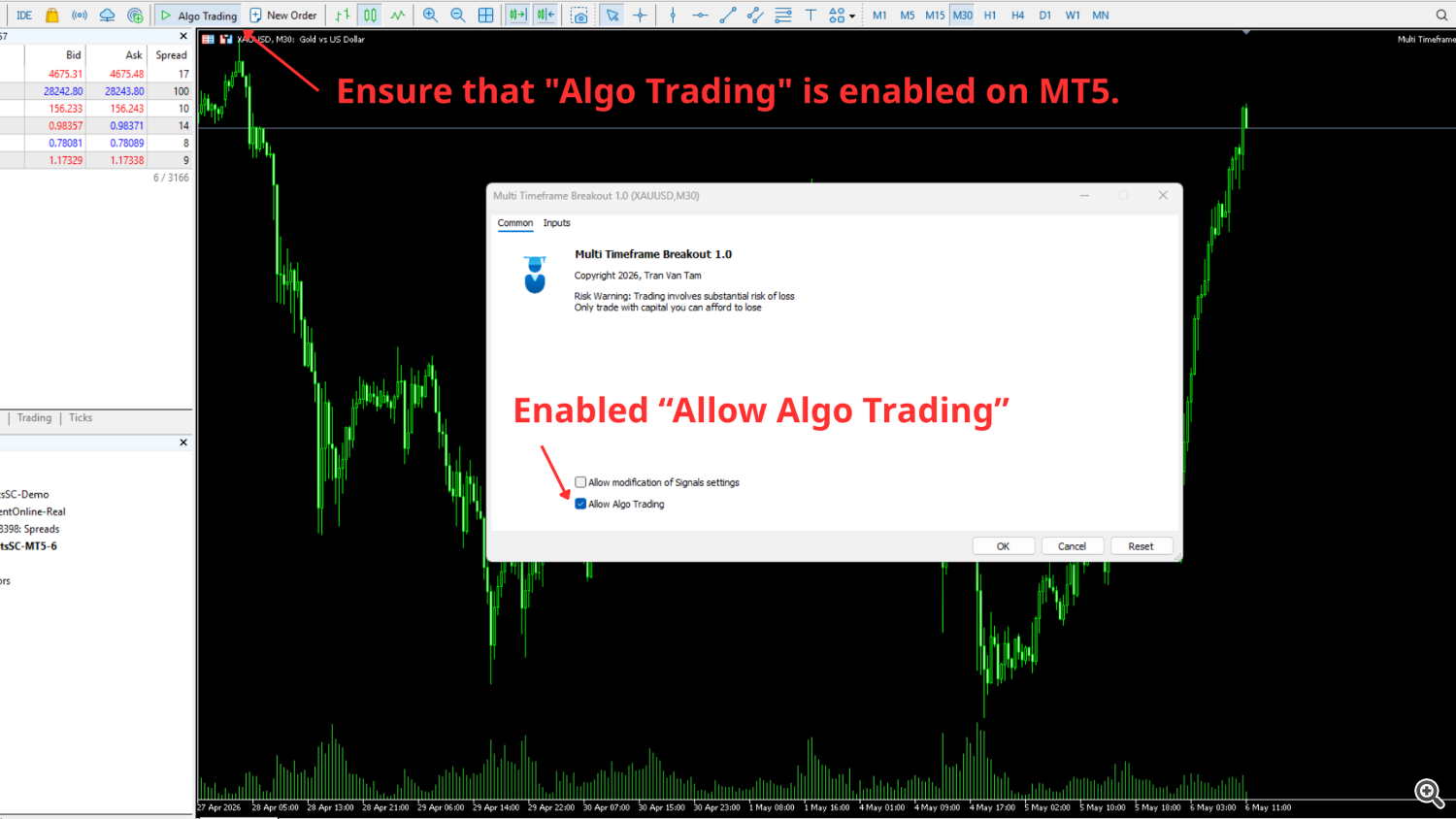
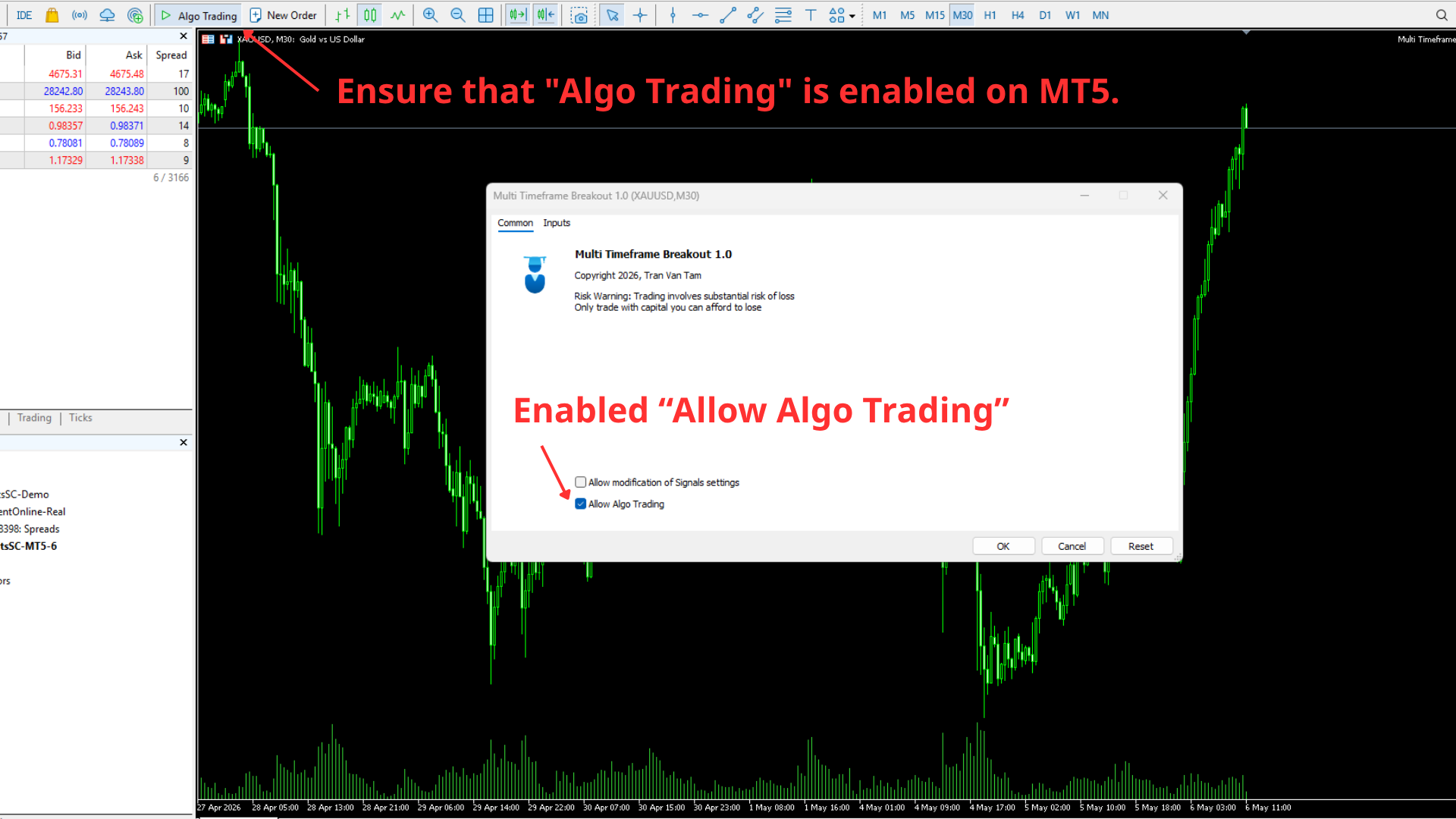
Step 2: Enable Algo Trading
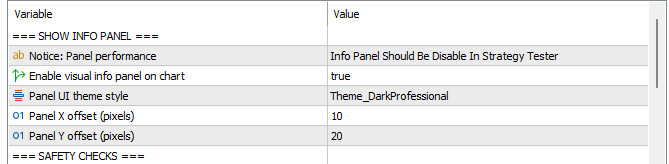
Step 3: Information Panel
Step 4: Risk Management Configuration
-
Lot Size Method: Default is set to FIXED_LOT (0.01 Lot).
-
To risk a percentage of your balance, change the input to RISK_PERCENT .
-
Risk per trade (% Balance): Default is set to 1%.
-
⚠️ Important Note for The5ers Traders: When trading Gold on The5ers with RISK_PERCENT , you must input 0.01 instead of 1 to represent a 1% risk. This is a specific requirement for XAUUSD on this firm only. If you incorrectly input “1”, the order will fail to execute due to insufficient margin, ensuring your account remains safe.
Step 5: News Filter Settings
-
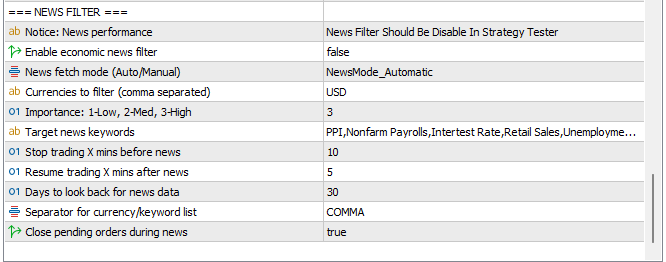
The News Filter is disabled by default to maintain consistency between backtesting and live trading.
-
If enabled, there are two modes:
-
Automatic: Optimized for Prop Firm requirements.
-
Manual: Filters only high-impact events (e.g., Nonfarm Payroll).
-
-
Note: When active, the EA may delete pending orders before news releases and re-enter only if entry conditions are still met after the news.
FOR PROP FIRM TRADERS ONLY
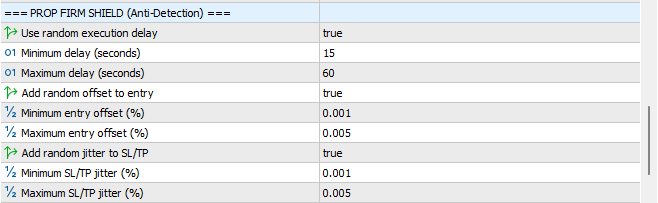
To prevent “Copy Trading” flags from Prop Firms, you must configure the following settings to ensure your trade execution is unique:
Anti-Detection Settings
-
Use random execution delay: Set to true .
-
Add random offset to entry: Set to true .
-
Add random jitter to SL/TP: Set to true .
Personalization (System Group)
-
Unique Magic Number: Change the default 5052026 to any unique random number (e.g., 23233344 ).
-
Order comment label: Change from MTB to your custom identifier or name.
Account Protection Rules
To use these features, set Enable Prop Firm protection rules to true .
Source link