Why Prop Firms Choose Leverate’s Trading Platforms – Leverate
We are pleased to announce several updates across our Broker Portal. These enhancements are designed to streamline operations, improve user communication, and give brokers and prop firms more control and flexibility. Here’s a closer look at what’s new:
Broker Portal: Comprehensive Management Enhancements
- Emails new feature:
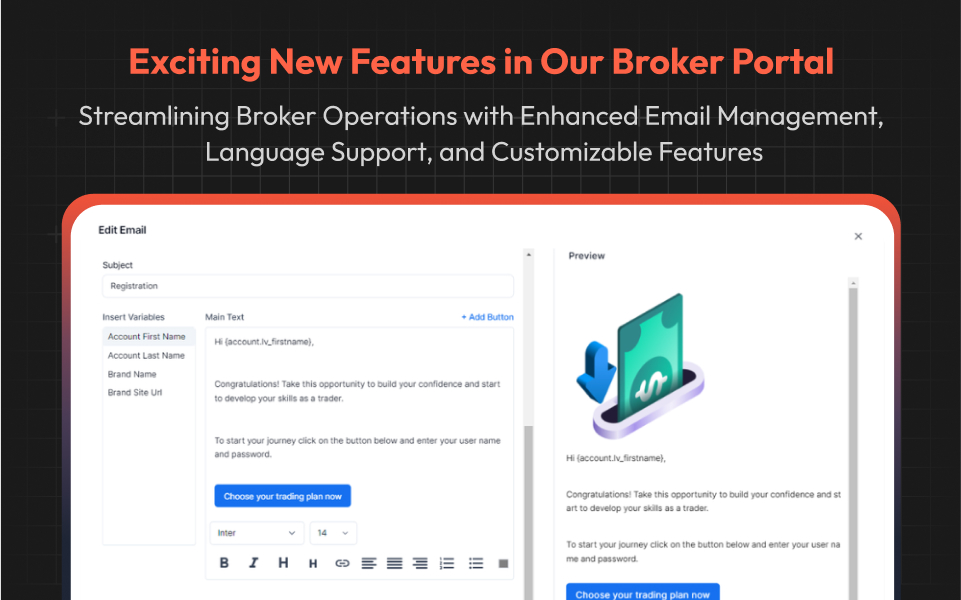
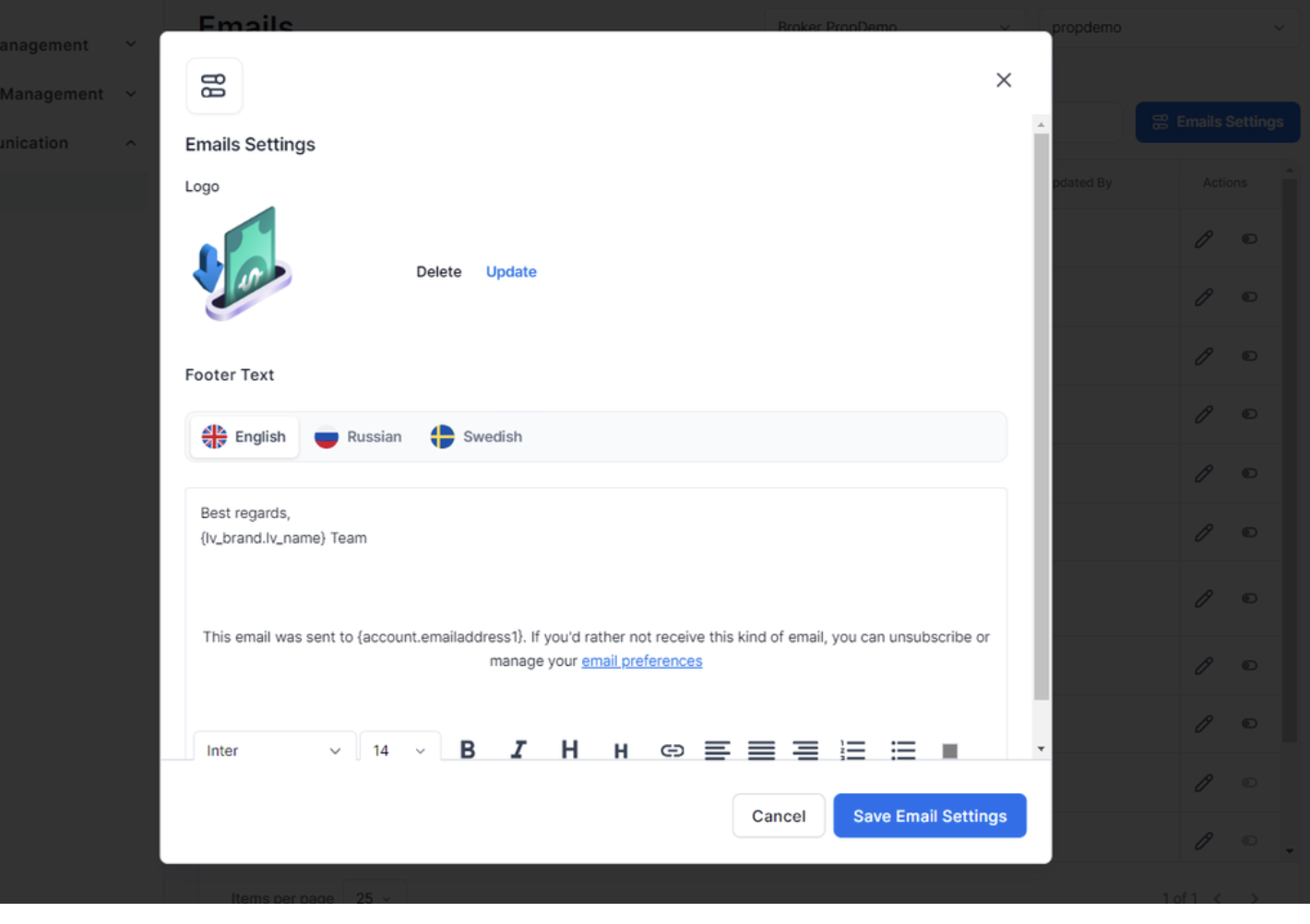
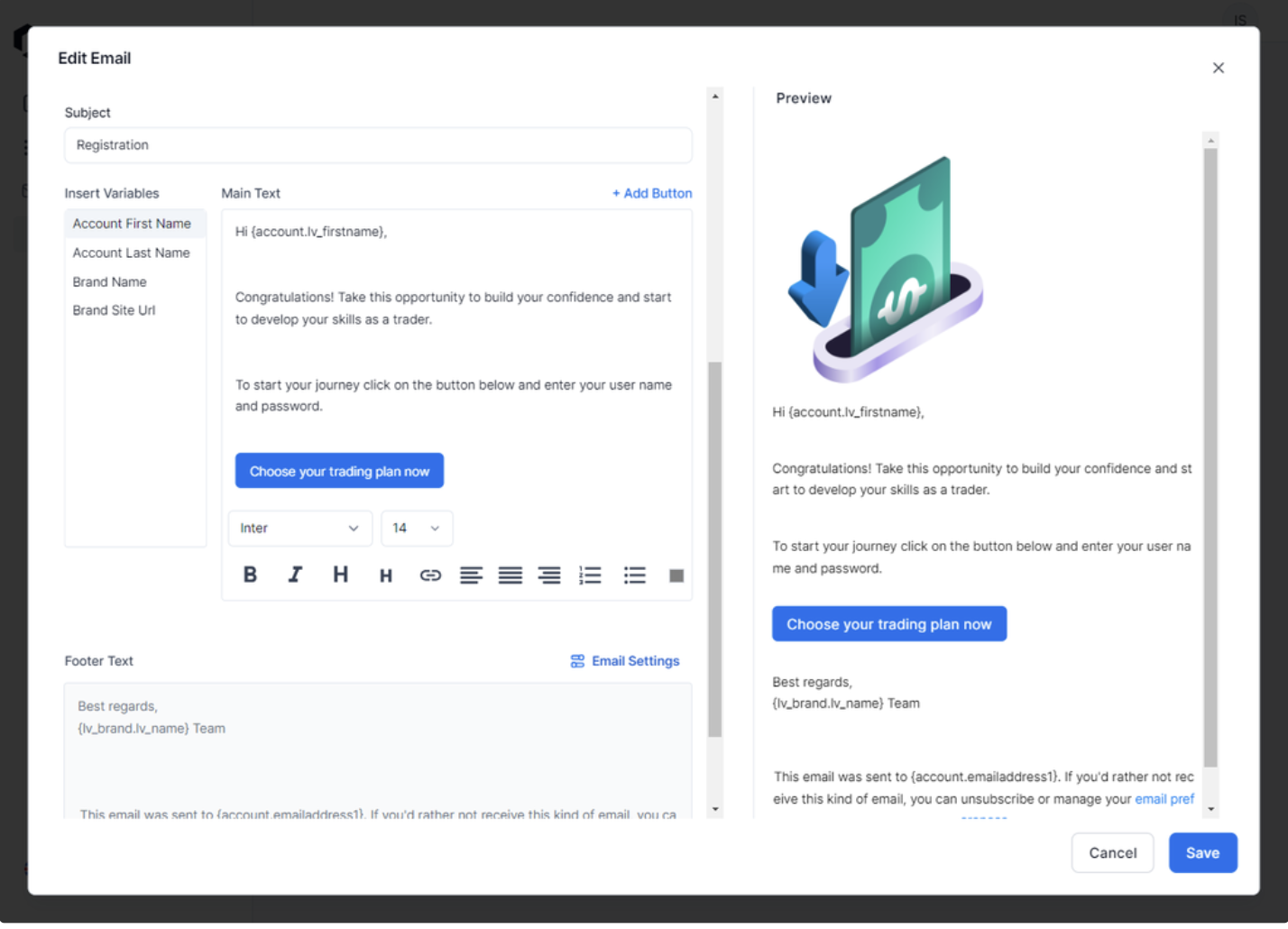
Managing email communication has never been easier. You can now independently edit all existing emails for both Prop and CFD accounts through the new Emails section, located under the Communication tab. Key features include:- Bulk Edits for Efficiency: The Emails Settings button allows brokers to update the logo and email footer across all existing emails in just a few clicks.
- Bulk Edits for Efficiency: The Emails Settings button allows brokers to update the logo and email footer across all existing emails in just a few clicks.
- Detailed Customization: Each email can be tailored by modifying the subject, content, CRM Variables, buttons, and other elements to meet specific communication needs.
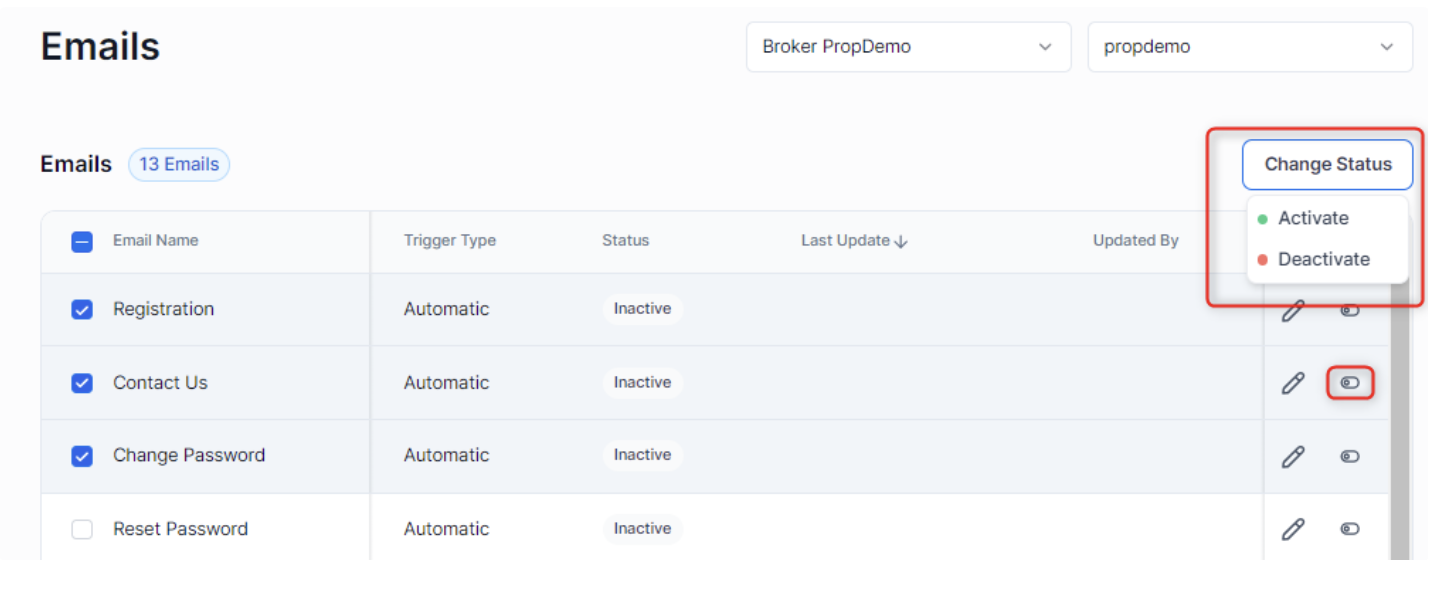
- Activation Simplified: Emails can be activated individually by clicking the Activate button or in bulk through selection. This syncs the emails with the CRM and links them to their respective triggers, ensuring seamless automation.
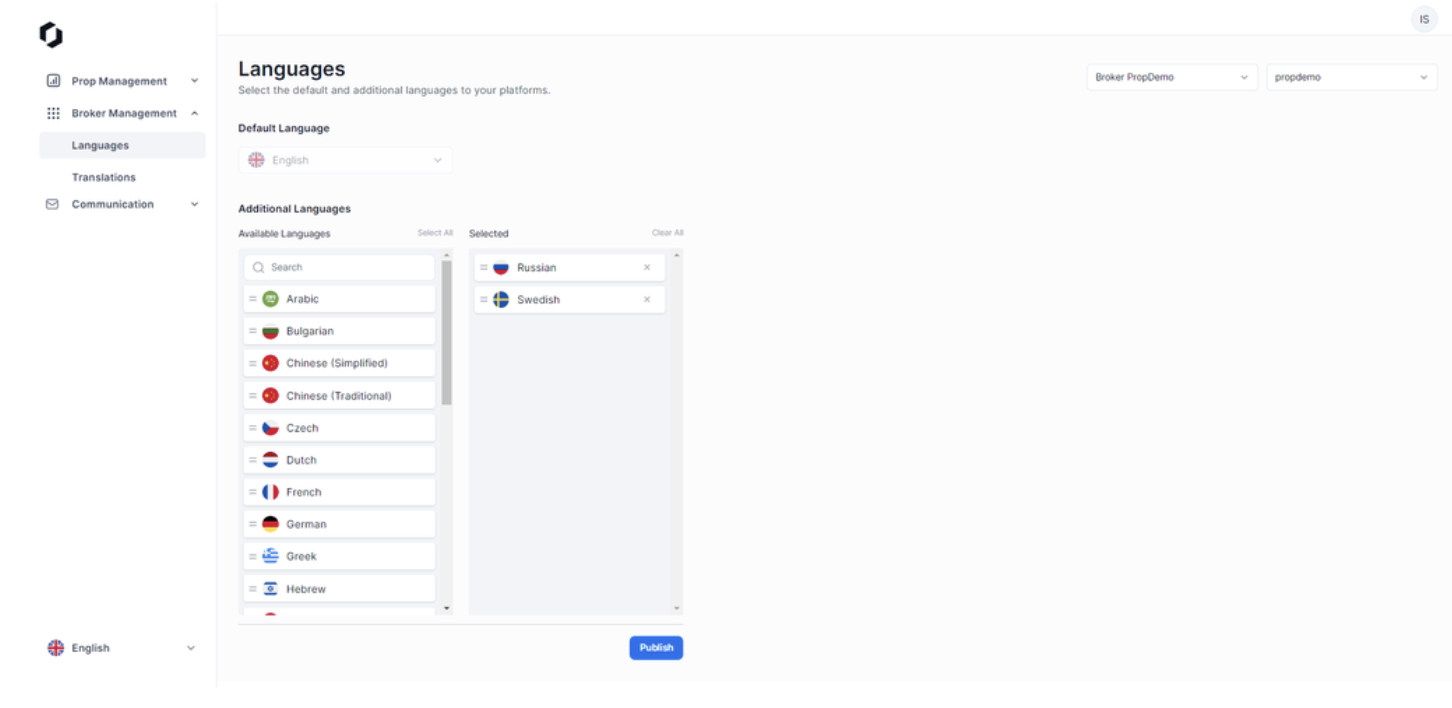
- Languages:
Brokers and prop firms can now enhance the Client Zone by adding or removing additional languages via the Languages feature in the Broker Management section.
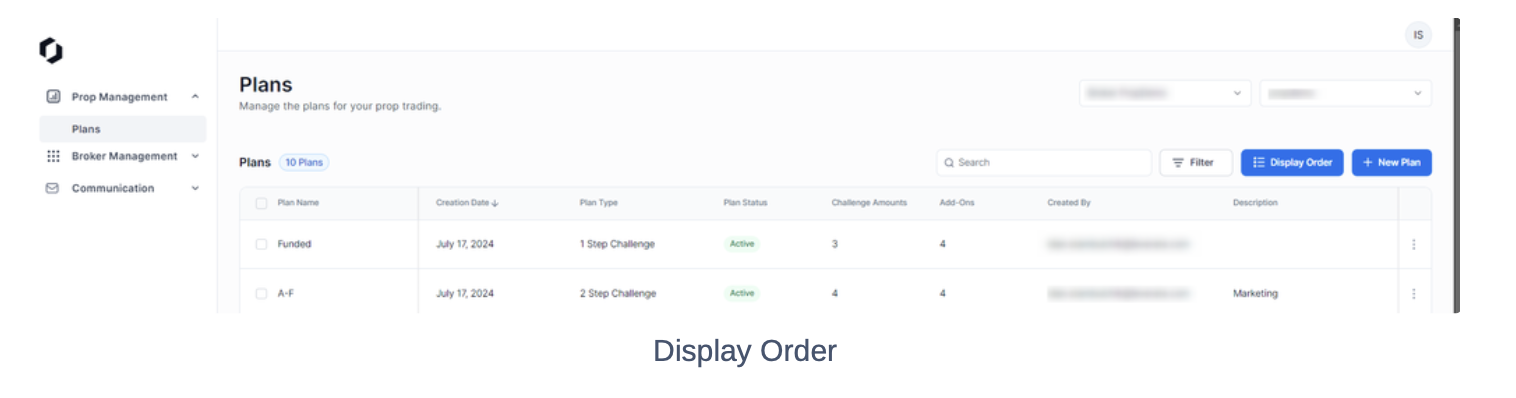
- Plans Display Order:
Organizing plans has been made more intuitive. On the New Challenge page, brokers can now adjust the display order of plans using the Display button.- The Display Plans Order view offers a drag-and-drop functionality to rearrange plans effortlessly. Simply click Save Order to confirm the new arrangement.
- The Display Plans Order view offers a drag-and-drop functionality to rearrange plans effortlessly. Simply click Save Order to confirm the new arrangement.
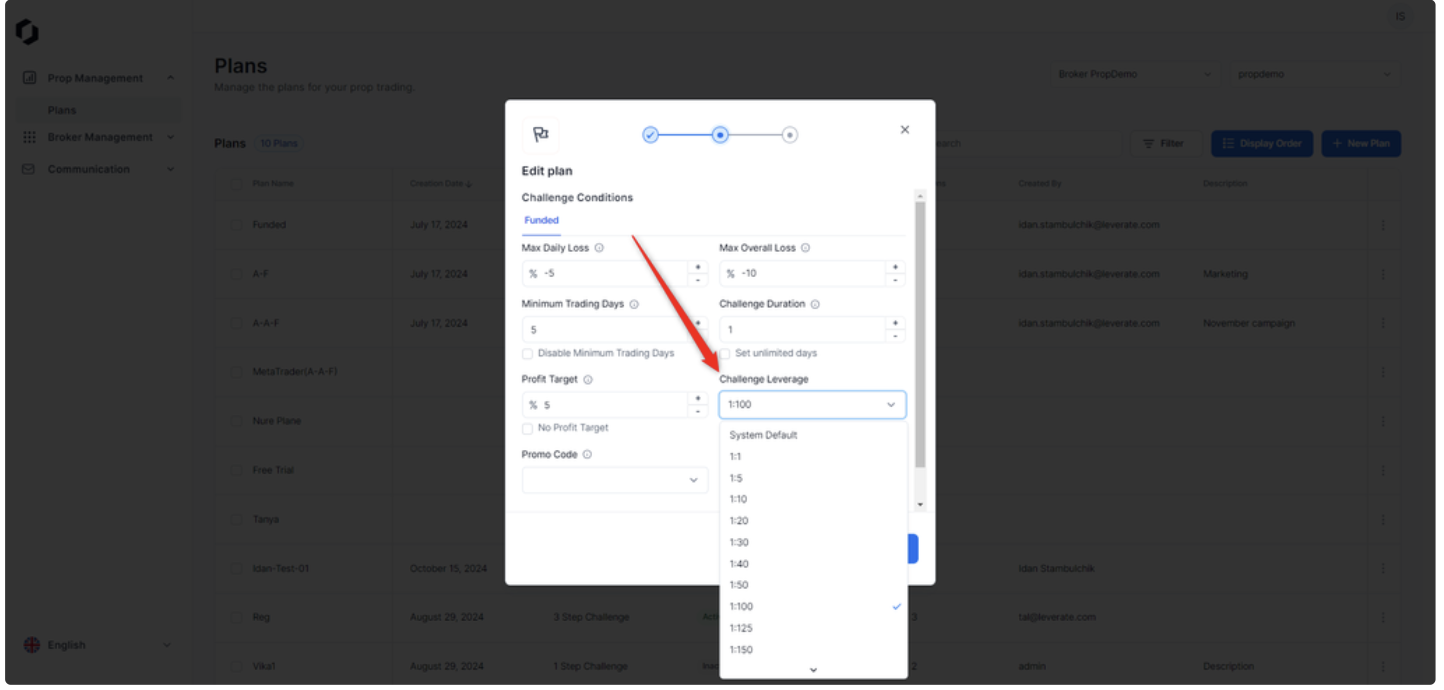
- System Default Leverage:
We provide the flexibility to retain default leverage settings defined through SiRiX Broker, rather than overwriting them in the Broker Portal. To use these settings, brokers and firms can select the System Default option.
These updates reflect our commitment to innovation and operational excellence. By enhancing transparency, improving communication, and supporting brokers and prop firms with customizable tools, we aim to empower you to deliver a superior trading experience.
As always, we remain dedicated to supporting your growth with platforms that evolve alongside your needs.
Stay tuned for future updates as we continue to refine and expand our solutions to serve your business better.
Source link