Five Free Resources to Find Stock Earnings Dates
Many investors and traders closely monitor company earnings announcement dates to review the earnings report before initiating a stock position.
Options traders may look to capitalize on the volatility crush that typically occurs during the announcement.
Others try to trade the run-up beforehand.
Still others wait for the event to pass, then trade the potential gap-up or gap-down that often occurs the next morning.
Because earnings announcements can trigger sharp price swings, traders using iron condors, calendars, or other range-bound strategies should be especially mindful of upcoming earnings dates. In many cases, it’s prudent to close these positions beforehand to avoid exposure to event-driven risk.
We highlight five reliable resources for checking stock earnings dates.
Best of all, each is free, though a few may require account registration to log in.
Contents
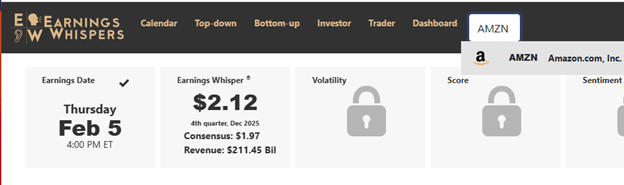
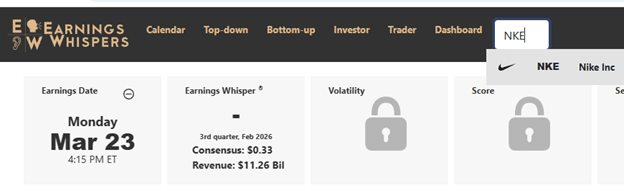
If you just need to see the next upcoming earnings date of a particular stock, the quick and easy way (with no login required) is to type in the ticker symbol into EarningsWhispers.com.
Here we see that Amazon (AMZN) has a confirmed earnings announcement scheduled for February 5 at market close.
The NYSE and Nasdaq normally close at 4 pm Eastern time.
The checkmark icon in the Earnings Date box indicates that the company confirms the date and time.
In contrast, Nike’s (NKE) earnings are unconfirmed, as indicated by the circle slash icon below.
This means the earning date and time can shift by days, potentially altering a trader’s plan.
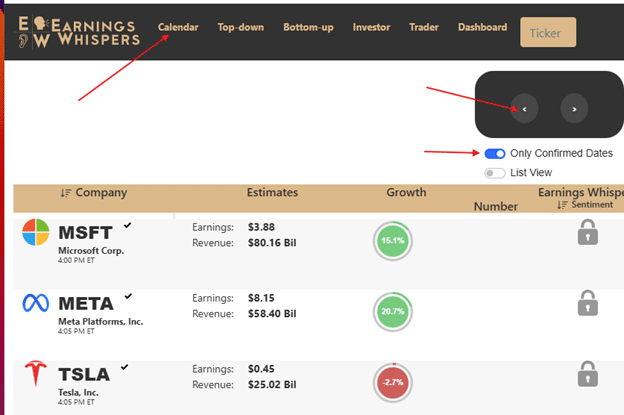
If you want to see only the confirmed earnings announcements, you can select a date from the calendar and enable the “Only Confirmed Dates” switch.
Here are the companies with earnings after the market closes on January 28, 2026.
If you want to see the earnings happening before the market opens, click the left arrow button.
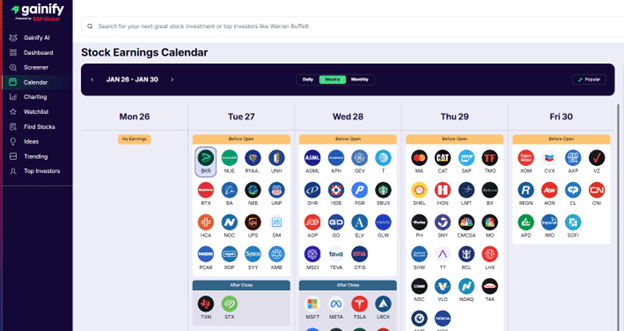
Sometimes it is nice to see a whole week’s worth of earnings at a glance. While EarningsWhispers requires a paid plan for that.
Gainify gives you this view for free.
Source: gainify.io
Here, we see that it is a big earnings week, with many influential players reporting, including Apple, Microsoft, Meta, Visa, Mastercard, UPS, American Express, and Chevron.
Be mindful that the tool only shows earnings for major companies whose earnings announcements may be impactful.
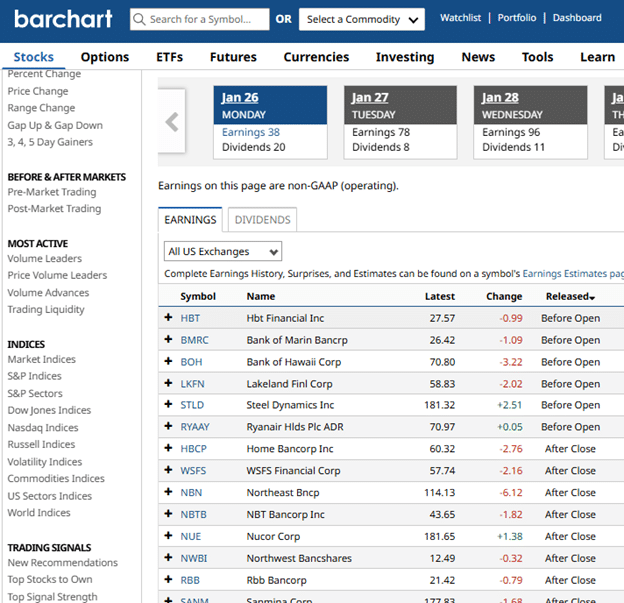
While Gainfiy shows no major company reporting on January 26th, to see a more comprehensive list, go to barchart.com
Here you see that there are actually 38 earnings on Monday, January 26th – six of which are before the market open and the rest happen after the close.
An earnings after the close means the trader can enter or exit a position before earnings on that trading day’s session.
For a morning announcement such as Lakeland Financials (LKFN), the position should be closed on Friday, Jan 23rd if the trader wants to exit before earnings.
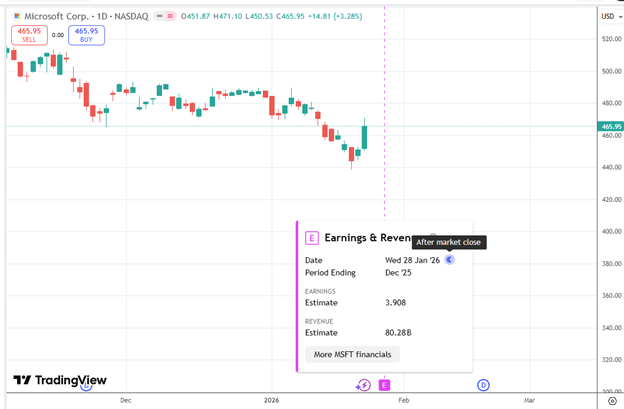
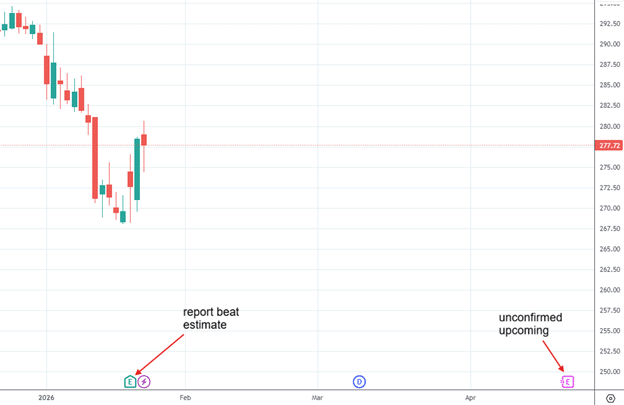
In TradingView, you can see upcoming earnings as you look at the chart.
Microsoft (MSFT) has confirmed its earnings will be released after the market close on January 28th.
You just need to enable the earnings display setting and pan the graph forward enough to see the “E” icon.
If it is an unconfirmed earnings, it will show an E with a squiggly…
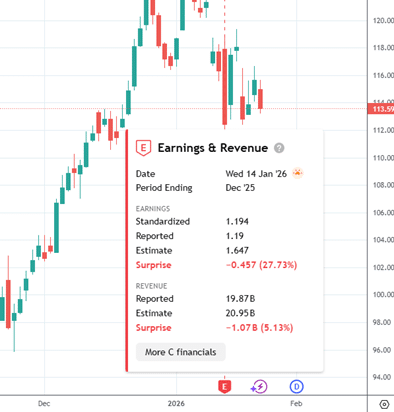
The icon below shows an AM earnings announcement that happened in the past that missed estimates…
Source: ticker C on TradingView
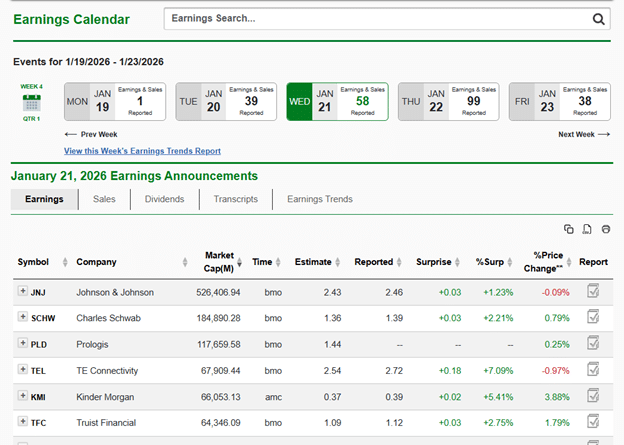
Zacks has an earnings calendar that lists major companies reporting on the future date you select.
It uses the abbreviations “bmo” and “amc” to mean “before market open” and “after market close”.
It lets you sort by market cap and export to a CSV or spreadsheet.
Also, you can simply type in the ticker in the earnings search if you are looking for the earnings date of a particular company.
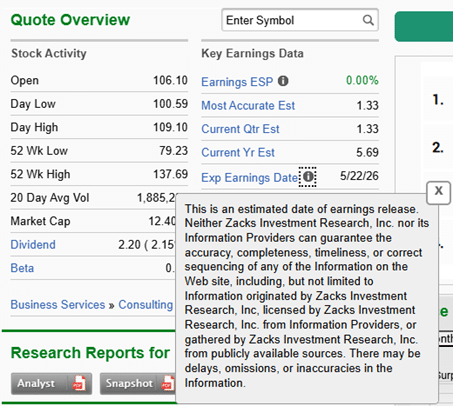
The only inconvenience is that you have to click into the ticker symbol to determine whether the earnings date is confirmed or just an estimate; in that case, it will look like this…
Each tool’s feature set is slightly different, so you can try them to see which one works best for your use case.
To reiterate – it’s all free.
This is by no means an exhaustive list, but it’s enough to get you started with finding earnings announcements.
Perhaps you know of other resources.
We hope you enjoyed this article on resources for finding earning dates.
If you have any questions, please send an email or leave a comment below.
Trade safe!
Disclaimer: The information above is for educational purposes only and should not be treated as investment advice. The strategy presented would not be suitable for investors who are not familiar with exchange traded options. Any readers interested in this strategy should do their own research and seek advice from a licensed financial adviser.

Source link