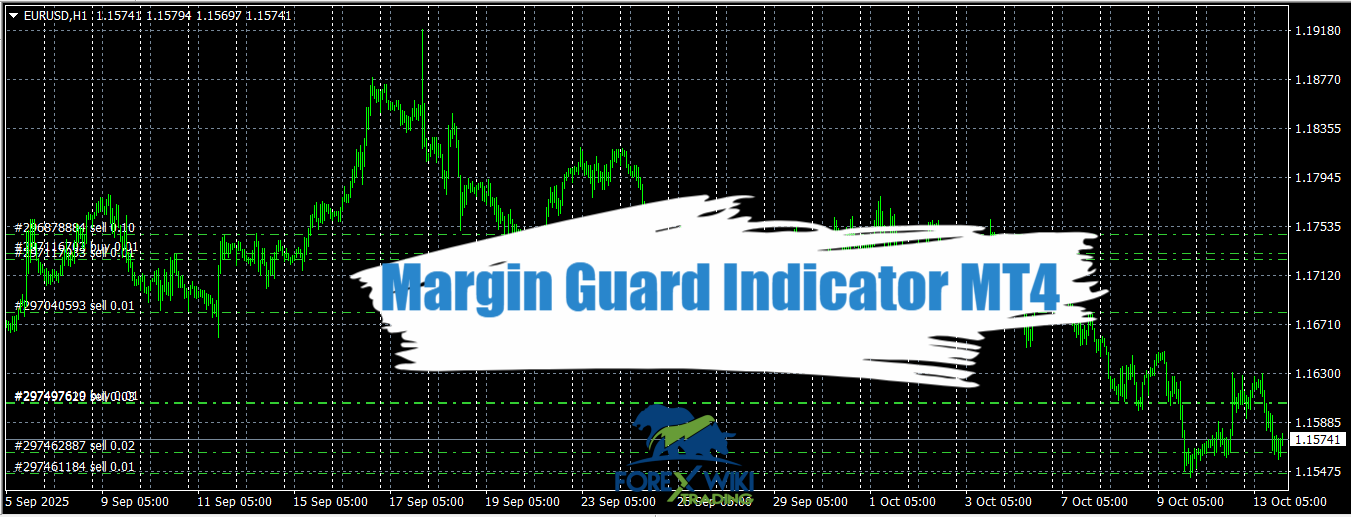
Margin Guard Indicator MT4: Real-Time Stop-Out Protection System
Introduction
This article is a focused, expert review of the Margin Guard indicator specifically for MetaTrader 4 (MT4). It explains what the tool does on MT4, how the stop-out price is estimated in practical terms, installation and configuration on MT4, real-world use cases, and an honest advantages vs disadvantages breakdown — all without recommending whether you should use it. The goal is informational: to help MT4 users evaluate the indicator with confidence.
Technical Specifications
Version: 1.01
Year of issue: 2025
Working pairs: Any
Recommended timeframe: Any
Minimum Deposit: $500
Average of account: 1:30 To 1:1000
Best Brokers List
Margin Guard Indicator System works with any broker and any type of account, but we recommend our clients use one of the top forex brokers listed below:
[ninja_tables id=”26339″]
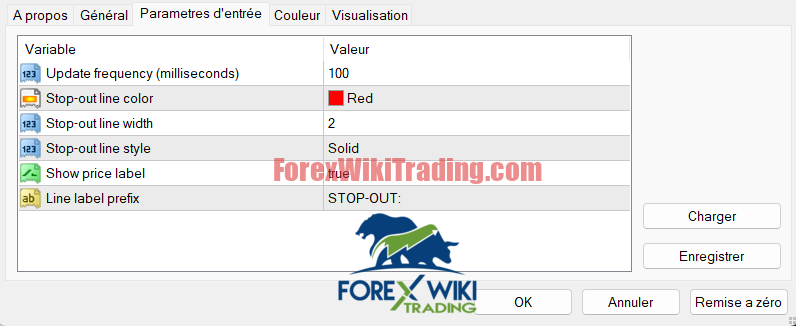
Margin Guard Indicator Settings
What is Margin Guard Indicator (MT4 version)?
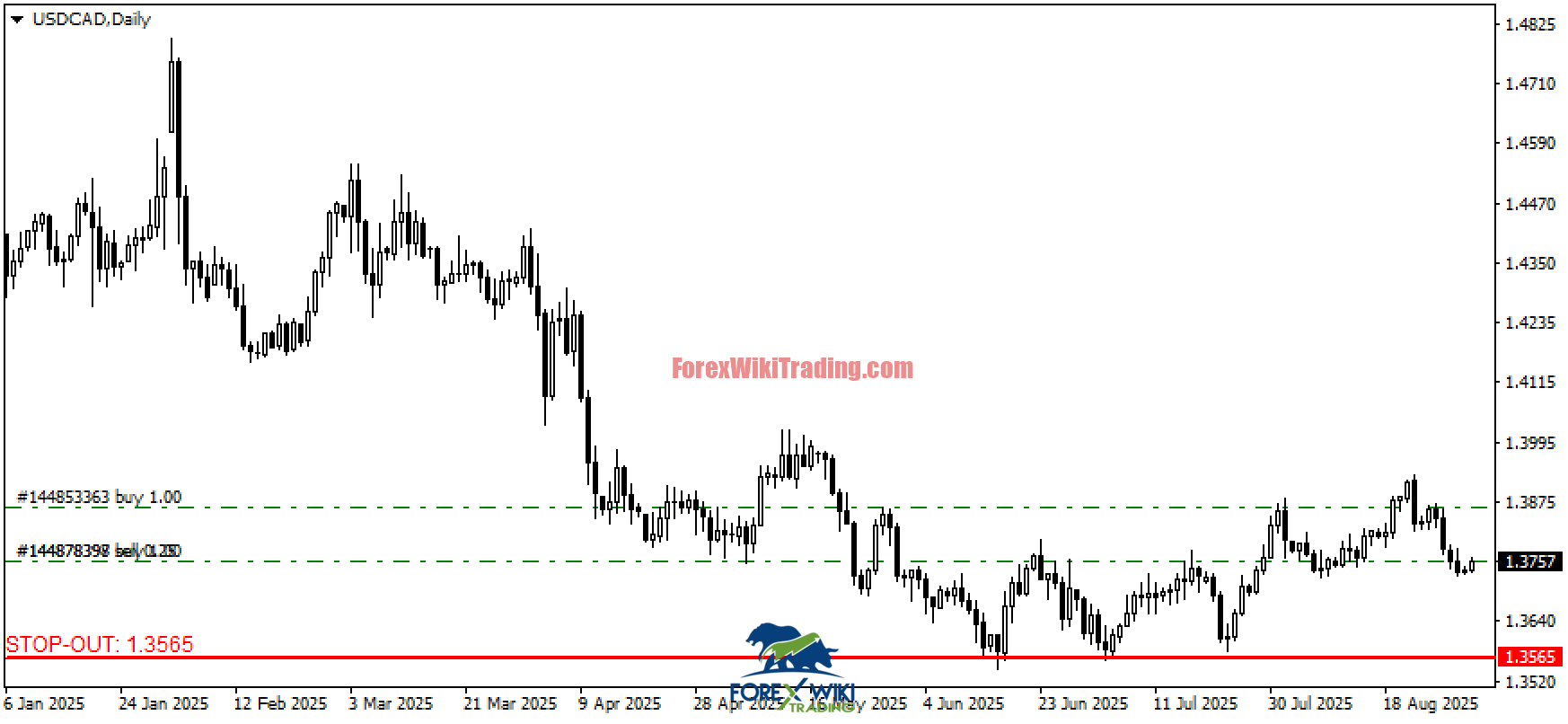
The Margin Guard Indicator is an MT4 indicator that calculates and draws a horizontal line on the chart representing the price at which your open positions (on the same symbol) would theoretically reach your broker’s stop-out threshold and start being forcibly closed. On MT4 it’s distributed as an .mq4 and/or compiled .ex4 file and integrates with standard MT4 account functions to read open trades, margin metrics, and current price.
Key MT4-specific points:
-
Runs as an MT4 indicator (not an EA for auto-trading).
-
Aggregates open trades on the current symbol (MT4 hedging accounts may treat positions differently).
-
Uses MT4 account and order APIs to read balance, equity, margin and positions.
-
Hotkey toggle (Shift+S) and refresh interval are implemented in the MT4 version for chart interaction and performance control.
How the Margin Guard Indicator estimates the stop-out price
Below is a clear, technical but non-API-heavy description of the calculation logic used in MT4 builds of the tool. This explains the concepts without assuming a particular broker behavior.
-
Gather account and order data
-
The indicator reads your current equity, balance, margin used (or required), and all open orders that match the current chart symbol.
-
It totals the lots, direction (long/short), entry prices, and the unrealized P/L for those trades.
-
-
Identify broker stop-out trigger
-
MT4 brokers typically expose a stop-out level as a percent (e.g., stop-out at 20% margin level). The indicator needs the stop-out percentage and your account leverage to translate margin percentages into price movement. On MT4 this value is not always directly queryable from the platform for every broker, so the indicator often requires the user to enter the broker’s stop-out level if it can’t detect it programmatically.
-
-
Compute worst-case margin movement per symbol
-
For the aggregate position on the symbol, the indicator computes how the unrealized P/L changes as price moves. It uses position sizes and pip value (for MT4 this requires symbol tick size and contract specifications) to estimate P/L change per pip.
-
-
Solve for price where equity / margin = stop-out threshold
-
Refresh & display
Important MT4 nuance: many brokers use account-level margin across all symbols; this MT4 indicator typically calculates a symbol-level stop-out price (i.e., assuming other symbols’ positions are unchanged). That difference matters for multi-symbol portfolios.
MT4 behavioral considerations and compatibility
-
Hedging vs netting: On MT4 accounts where hedging is enabled (you can hold both long and short on same symbol), the indicator must explicitly decide how to aggregate those positions. The result differs if netting were used instead.
-
Instrument specs: pip value, contract size, and point size vary by symbol and broker. Accurate margin/P&L per pip calculations require correct symbol parameters (MT4 provides these via MarketInfo-like calls).
-
Leverage & margin model: MT4 accounts can have per-account leverage; the indicator needs correct leverage to convert margin percentages to price levels.
-
Data feeds & partial ticks: MT4’s historical ticks and streaming may cause slight differences in displayed stop-out line if the terminal is delayed.
-
Broker idiosyncrasies: Some brokers adjust margin rules during volatile sessions; MT4 cannot predict discretionary broker actions.
Advantages of Margin Guard Indicator
A focused list of the strengths specific to MT4 users.
-
Native MT4 integration — runs directly in the MT4 UI, using the platform’s account and order APIs.
-
Visual, low-friction display — horizontal line overlays the same chart traders already use for entries/exits.
-
Lightweight — MT4 indicators performing arithmetic and a single drawing are typically low CPU/ memory.
-
User control over stop-out param — MT4 indicator allows manual entry of broker stop-out level where automatic detection is unreliable.
-
Open source (if using the GitHub version) — MT4 users can audit and adapt
.mq4code to their needs (subject to license). -
Hotkey convenience — shift+S toggle minimizes clutter for active MT4 chartists.
Disadvantages of Margin Guard Indicator
Critical limitations MT4 users must know.
-
Symbol-only view — MT4 version typically calculates stop-out for the current symbol only, not full account exposure across all pairs, which can be misleading on a multi-instrument account.
-
Potential need for manual inputs — stop-out percent or some broker details may need manual entry because MT4 doesn’t always expose all broker settings programmatically.
-
Hedging ambiguity — if hedging is enabled, aggregation logic may produce counterintuitive results unless user knows how the indicator treats opposite positions.
-
Broker inconsistency — MT4’s standardized API still can’t capture broker discretionary behavior (e.g., requotes, last-look, slippage, emergency margin changes).
-
Fast markets — in high volatility, price can gap or move faster than indicator refresh intervals, making the theoretical line less actionable.
-
Not an EA — it won’t perform automated margin management (close trades), so it is purely an awareness tool on MT4.
-
User expertise required — interpreting the indicator correctly requires knowledge of MT4 margin math and your broker’s rules.
Practical testing & verification on MT4 (how to validate it works)
If you want to evaluate the MT4 indicator’s accuracy, here are practical steps you can run in a demo account:
Who might find the MT4 version useful? (and who probably won’t)
-
Potentially useful for: MT4 traders who trade multiple entries on the same symbol, scalpers using high leverage on a single pair, traders who want a visual “last-line” margin guard on each chart.
-
Probably not useful for: Portfolio traders who maintain many symbols at once and therefore need account-level liquidation metrics, or fully automated systems that already handle margin by code (EAs that manage account equity).
Conclusion
Margin Guard Indicator is a focused, practical visualization tool that translates margin math into a single graphical cue on a chart. For MT4 users who trade concentrated positions on one symbol or who layer entries frequently, it can improve margin awareness. However, its MT4 implementation is intrinsically limited by MT4/broker constraints: it typically reports a symbol-level stop-out estimate, may require manual broker parameter inputs, and cannot capture account-wide, cross-instrument margin interactions or unforeseen broker behavior.
Bottom line (review stance): the MT4 Margin Guard Indicator is an informative awareness indicator — valuable as a supplement — but it is not a substitute for robust account-level risk management, position sizing discipline, or automated margin control. Treat it as a useful visual gauge on MT4 charts, not an automated protective mechanism.
Source link