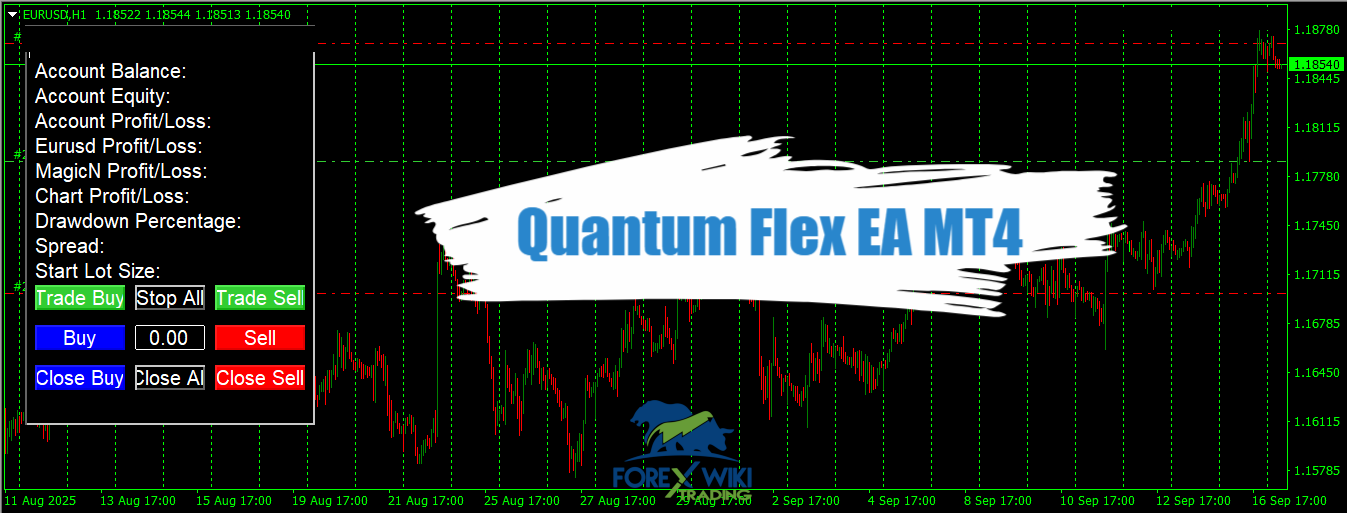
Quantum Flex EA MT4: Trend & Counter-Trend Logic
Introduction: Unveiling the Quantum Flex EA
In the competitive world of automated forex trading, Expert Advisors (EAs) that promise high returns are abundant. Among them, Quantum Flex EA has generated significant attention for its impressive reported performance metrics and unique approach to scalping. Marketed as a fully automated system for trading Gold (XAUUSD), Bitcoin, and major forex pairs like EURUSD and GBPUSD, it positions itself as a highly flexible tool for traders seeking hands-off profitability.
This review will dissect the Quantum Flex EA for MetaTrader 4, examining its core strategy, features, and the verifiable performance data from third-party platforms. Our goal is to provide a neutral, information-rich analysis to help you understand what this tool is, how it claims to work, and the potential benefits and risks involved.
Technical Specifications
Version: 1
Year of issue: 2025
Working pairs: Gold (Xauusd), Bitcoin (Btcusd), EURUSD and GBPUSD
Recommended timeframe: M5, M15, H1
Minimum Deposit: $100
Average of account: 1:30 To 1:1000
Best Brokers List
Quantum Flex EA System works with any broker and any type of account, but we recommend our clients use one of the top forex brokers listed below:
Quantum Flex EA Settings
Core Strategy: The Engine Behind the Trades
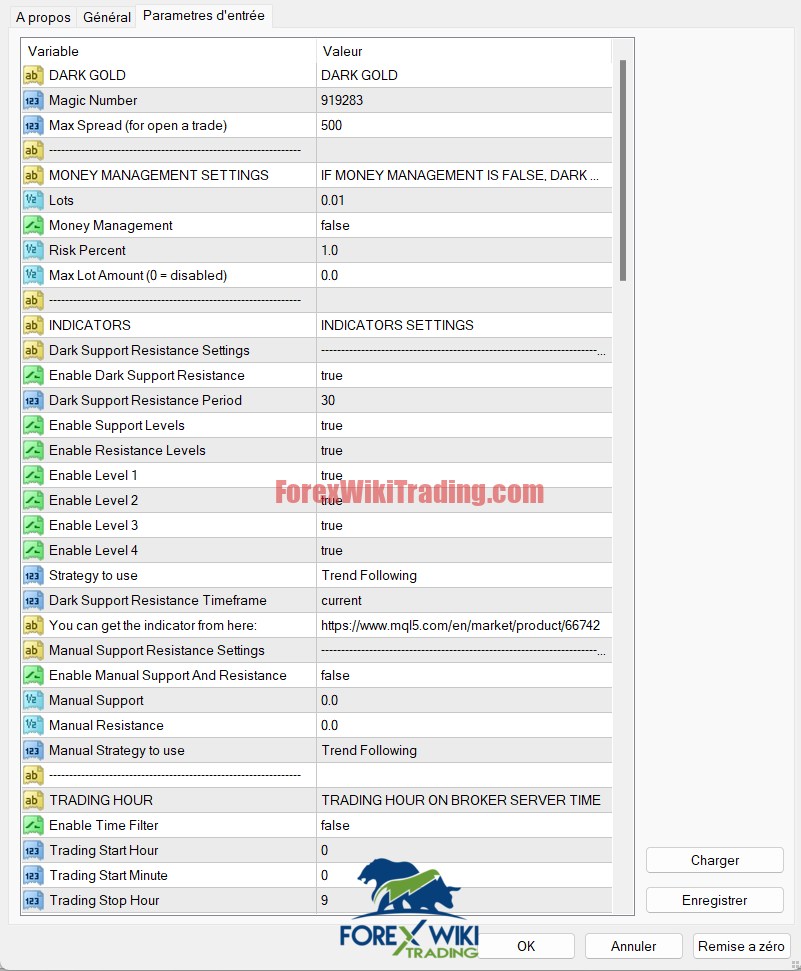
At its heart, the Quantum Flex EA is built upon a Support and Resistance (S&R) based trading logic. Unlike EAs that rely on a complex web of oscillators, its primary driver is the “Dark Support Resistance” indicator.
-
Trend and Counter-Trend Flexibility: The EA’s basic approach is trend-following, aiming to enter trades in the direction of the established market momentum. However, a key feature is its customizability; it can be reconfigured for a counter-trend strategy, allowing it to potentially capitalize on market reversals at key S&R levels.
-
Signal Generation: The EA is triggered when price action interacts with predefined support or resistance levels generated by its proprietary indicator. Traders can enable or disable up to four distinct levels (Level 1 to Level 4), offering granular control over trade entry sensitivity.
Key Features and Customization Capabilities
The Quantum Flex EA distinguishes itself with a suite of customizable features designed to give traders control over risk and strategy.
1. Customizable Scalping Strategy
The EA operates primarily as a scalper, aiming to capture small, frequent profits from short-term price movements. Its ability to switch between trend-following and counter-trend modes makes it adaptable to various market environments.
2. Advanced Risk and Money Management
-
Fixed vs. Dynamic Lot Sizing: Users can opt for a fixed lot size (e.g., 0.01) or enable an automatic money management system. In automatic mode, the EA calculates lot sizes based on a user-defined Risk Percent of the account balance, aligning trade size with account size and risk tolerance.
-
Max Lot Cap: A “Max Lot Amount” parameter provides a safety ceiling, preventing the EA from opening dangerously large positions even during aggressive compounding.
3. Protective Filters for Enhanced Safety
-
Maximum Spread Filter: High spreads can instantly turn a good trade idea into a loss. The EA includes a filter (e.g., Max Spread = 500 points) that prevents it from opening new trades if the broker’s spread exceeds this threshold.
-
Trading Hour Filter: This feature allows traders to restrict trading to specific hours of the day (based on broker server time), potentially avoiding periods of low liquidity or high volatility like major news events. It also includes an option to close all orders at the end of the trading session.
4. Manual S&R Override
For traders with a specific technical outlook, the EA offers the option to disable its indicator and set manual support and resistance levels. This feature is aimed at experienced traders who wish to combine the EA’s execution power with their own market analysis.
Analyzing the Performance:
The most compelling aspect of the Quantum Flex EA is its published performance data. It’s crucial to analyze this data with a critical eye.
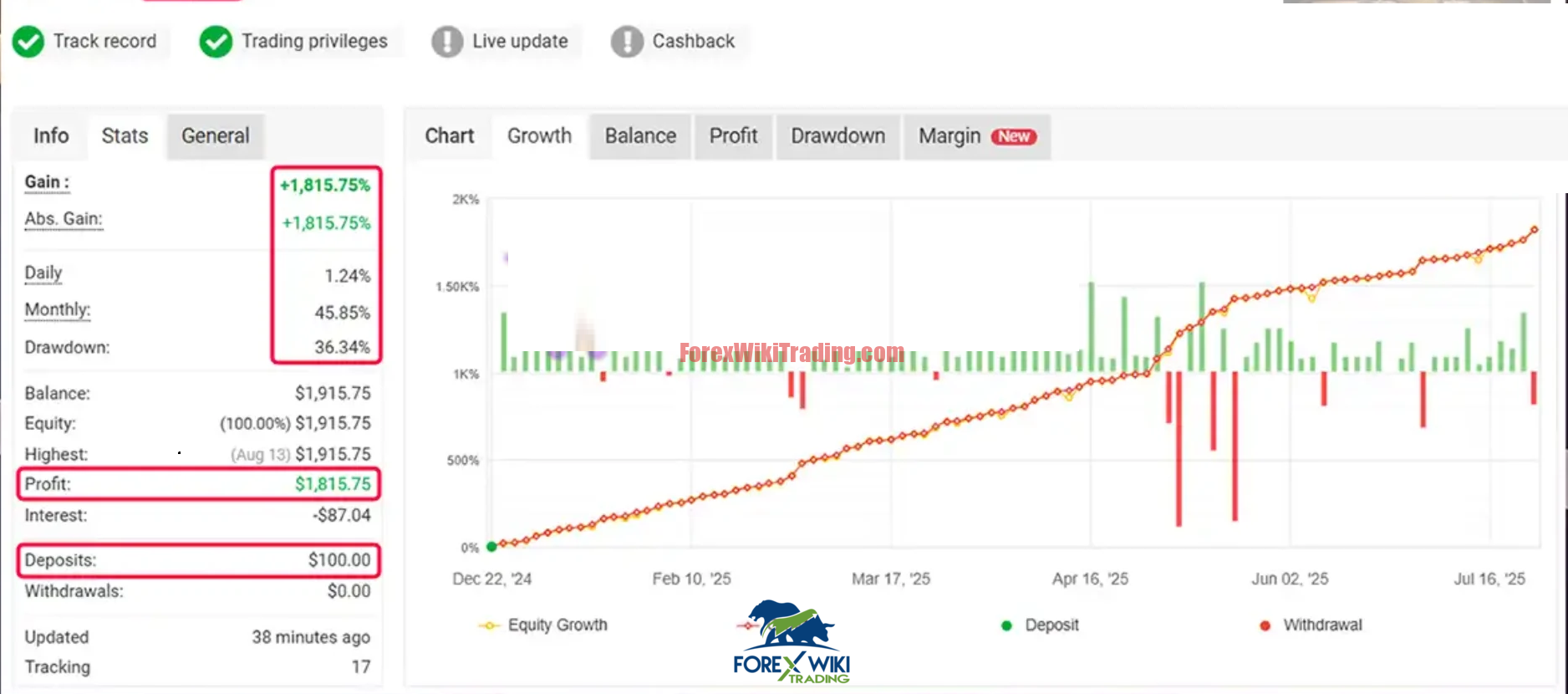
A verified Myfxbook account provides a transparent look at the EA’s historical performance. One reported account shows staggering results:
-
Gain: +1,815.75%
-
Absolute Gain: +1,815.75%
-
Daily Gain: 1.24%
-
Monthly Gain: 45.85%
-
Maximum Drawdown: 36.34%
-
Initial Deposit: $100.00
Analysis: These figures are exceptionally high. The 36.34% drawdown, while significant, is within a range that some aggressive traders might accept for the potential of such high returns. However, this level of drawdown requires a very strong risk tolerance.
Live Signal Results
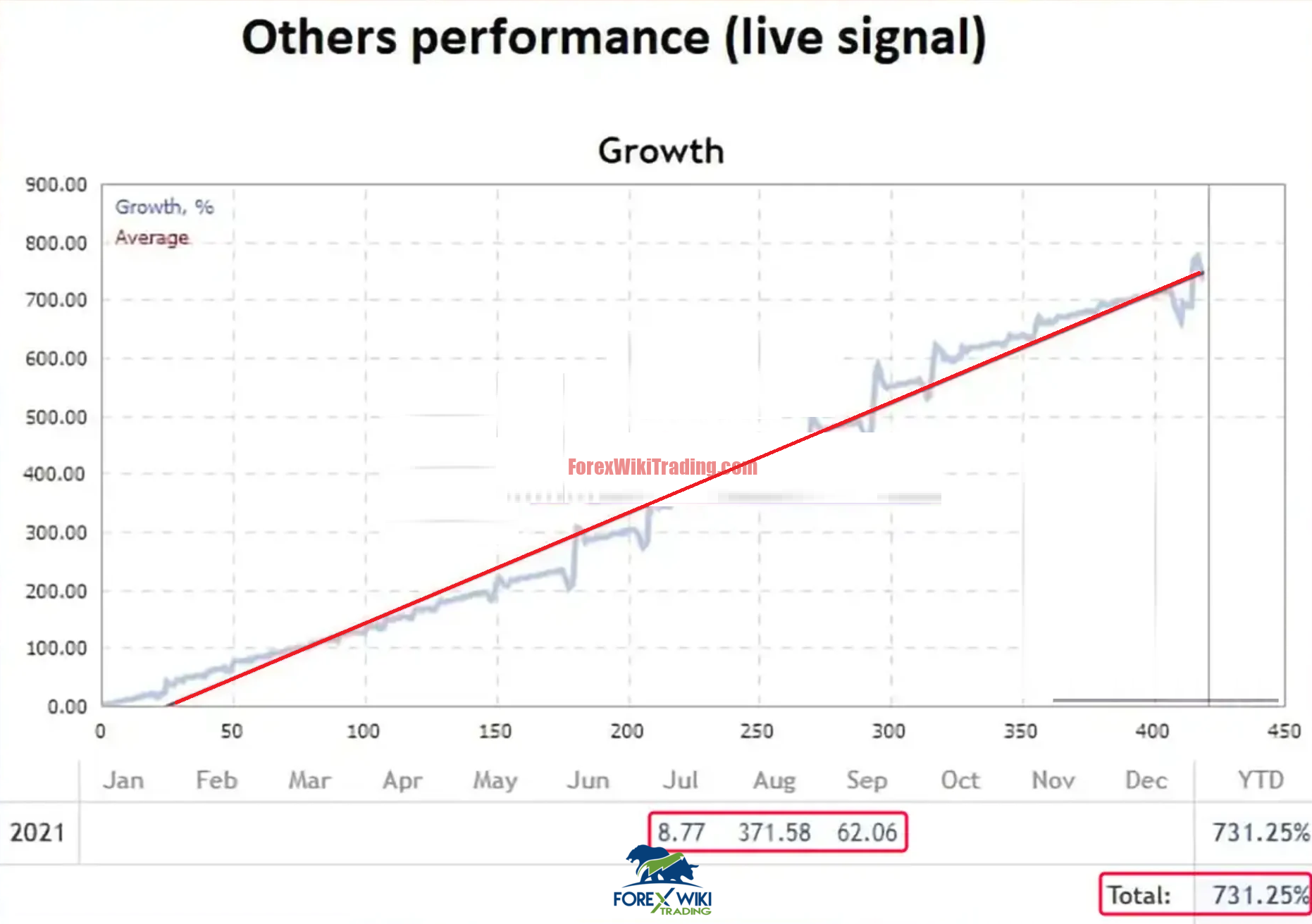
Further performance data from live signal accounts shows consistent high growth:

-
Account A: +1,752.31% growth in under one year.
-
Account B: +731.25% total growth over a one-year timeframe (Jan – Dec 2021).
Important Note: While these results are impressive, they represent past performance, which is not a reliable indicator of future results. The market conditions that enabled these gains may not persist.
Advantages of the Quantum Flex EA
-
✅High Customization: Its greatest strength is the depth of settings, allowing it to be tailored to different risk appetites and market views.
-
✅Verifiable Performance: The availability of Myfxbook and live statement data provides a level of transparency that is not always present with other EAs.
-
✅Multiple Asset Compatibility: While optimized for XAUUSD and BTC, its logic can be applied to other pairs, increasing its utility.
-
✅Integrated Risk Management: Features like spread filtering, lot size caps, and time filters show a design philosophy that prioritizes capital protection.
-
✅Strategy Flexibility: The trend/counter-trend option is a valuable feature for adapting to changing market regimes.
Disadvantages and Potential Risks
-
❌Extremely High Risk Profile: The performance claims come with very high drawdowns (~36%). This is a strategy that can potentially lead to significant losses, especially if market volatility changes.
-
❌Over-Optimization Concerns: Performance this high can sometimes be a result of over-optimizing the EA to past data (curve-fitting), which may fail in live, unseen market conditions.
-
❌Dependency on a Specific Indicator: The core logic relies on the “Dark Support Resistance” indicator. Any issues with the indicator (e.g., repainting) would directly impact the EA’s performance.
-
❌Scalping Drawbacks: Scalping strategies often involve high trade frequency, which can lead to substantial transaction costs (spreads and commissions) that eat into profits.
-
❌Black-Box Element: While the settings are transparent, the exact algorithm and calculation of the proprietary indicator are not public knowledge.
Conclusion
The Quantum Flex EA presents itself as a potent and highly customizable automated scalping solution for MetaTrader 4. Its foundation in support and resistance trading, combined with extensive risk management filters and strategy flexibility, makes it a technically sophisticated product. The third-party verified results from Myfxbook are undoubtedly attention-grabbing and showcase its potential to generate substantial returns under specific conditions.
However, this potential comes with an equally substantial caveat: high risk. The reported drawdown figures indicate a volatile equity curve that is unsuitable for conservative traders or those with a low risk tolerance. The extraordinary profit claims must be balanced against the possibility of similar aggressive losses.
Ultimately, the Quantum Flex EA is not a “set and forget” magic bullet. It is a powerful, high-stakes tool that may appeal to experienced traders who understand the risks of aggressive scalping strategies and have the expertise to fine-tune its numerous parameters continually. As with any EA, thorough testing on a demo account and careful risk management on a live account are absolutely essential.
Source link