Revert Edge EA Settings
Getting Started
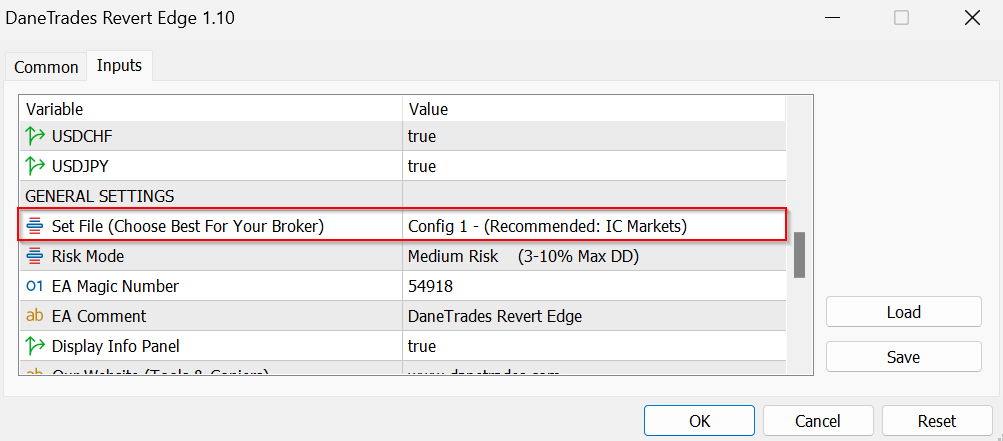
Choose the best settings for your broker
- If you are on the broker IC Markets then use Config 1.
If you are on Darwinex or another broker most likely Config 2 will be best. - Make sure you test both and choose.
- Download Set File depending on Config Selected. Config 1 | Config 2
You need the set files because each config uses a slightly different combination of traded symbols to match the internal config changes!
Risk Settings
Risk has been preset to avoid the ability to blow the account.
Each risk setting will scale for your account balance so you do not need to worry.
Risk can be controlled by selecting one of the following options (Drawdown is approximate only!):
- Very Low Risk – 0.5-2% Max Drawdown
- Low Risk – 2-7% Max Drawdown
- Medium Risk – 3-10% Max Drawdown
- High Risk – 7-15% Max Drawdown
- Very High Risk – 10-25% Max Drawdown
Prop Firm Settings
Revert Edge can be used on prop firms. Before using it on your prop firm the rules must allow the following:
- Holding overnight
- Holding over the weekend
- Holding during news
- Use Risk Medium or Lower!
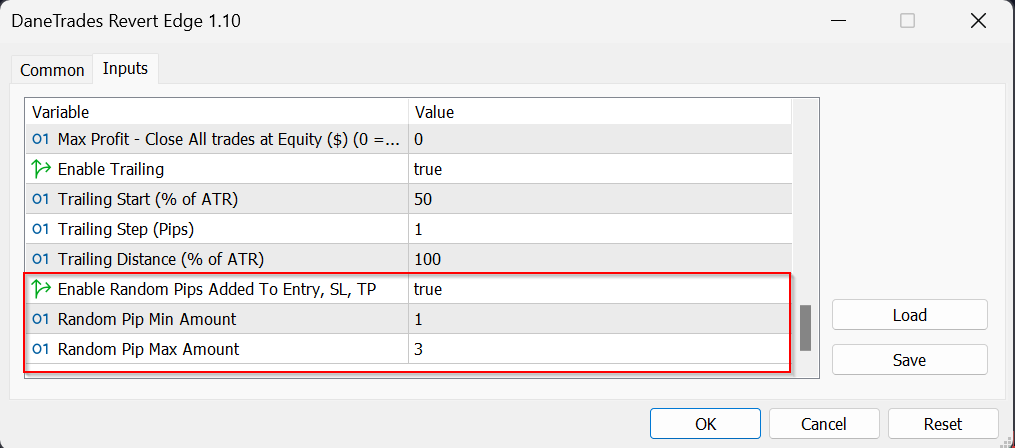
- To make trades unique, enable the Randomize Entry, SL and TP option and set a min and max pip value.
- Trades will be randomised by adding a value generated between min and max
Selecting Symbols
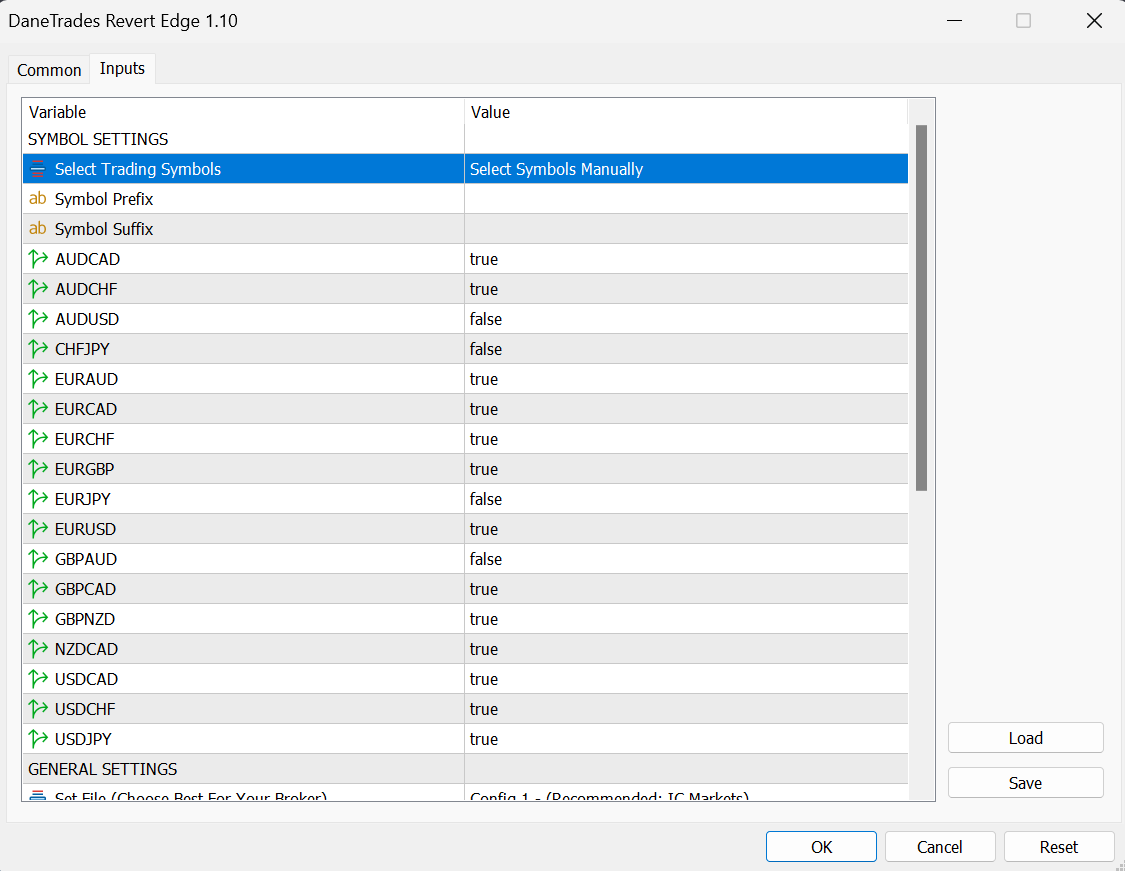
- Revert Edge is a multi currency EA and only needs to be loaded on one 15m chart.
- If you want to you can select which symbol is traded by selected true / false.
- It’s best to use the set files but you can customise this if you want to
Source link