How to Get api from OPENROUTER AI for FREE

Guide to Get api for AITUNE PRO and LIGHT versions
| Step | Action |
|---|---|
| Sign Up | Visit OpenRouter.ai and click “Sign up with email/wallet” |
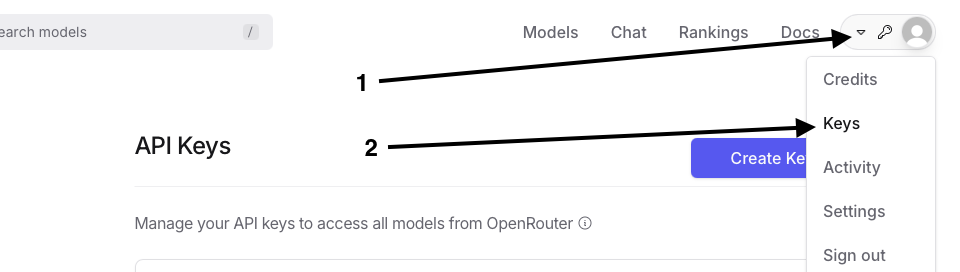
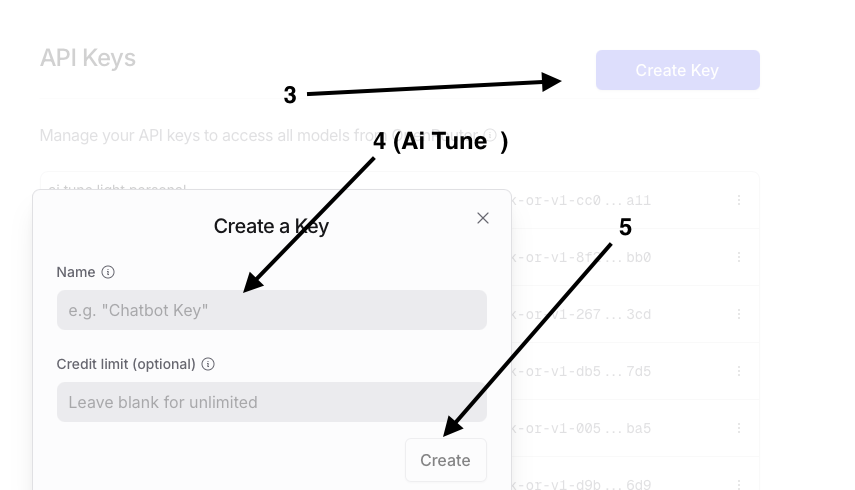
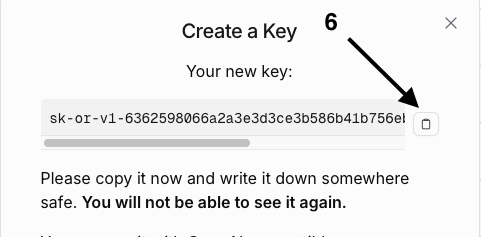
| Obtain API Key | Go to API Keys, create and copy the key |
1; After Signup
Create key with any name
Finally Copy your key and paste in EA setting.
How to use in pur EAs
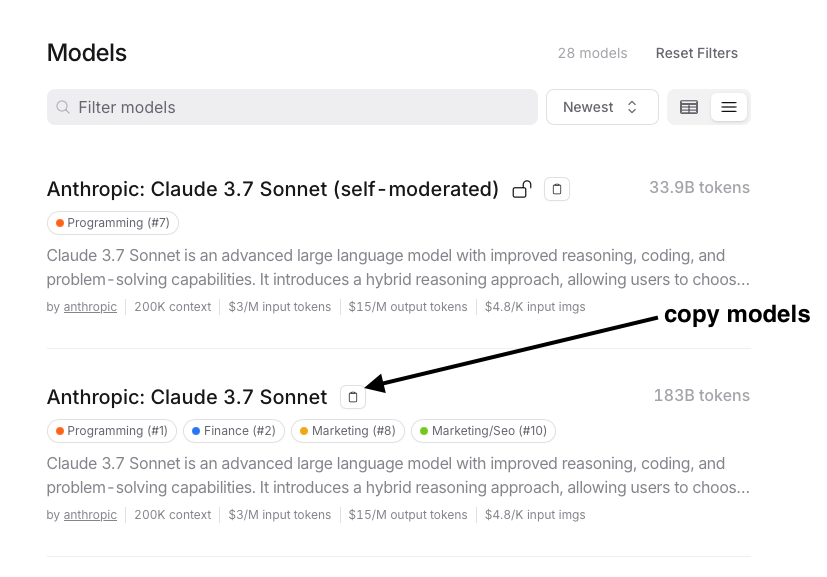
copy models name from https://openrouter.ai/models?arch=Claude
And Then
Click (ok)
Done
Happy trading
Source link