How to Deposit on Stake: Step-by-Step 2025 Guide | BitcoinChaser
I never deposited on Stake before, and I had the real fear that it was going to be difficult. But like most things in life, it turned out to be easier than I first thought. Let me walk you through the steps to deposit crypto on Stake with crypto.
For the example deposit, I will be using Solana (SOL) and blockchain.com‘s default wallet to make the transaction.
Before you begin, you will need a crypto wallet for gambling.
Table of Contents
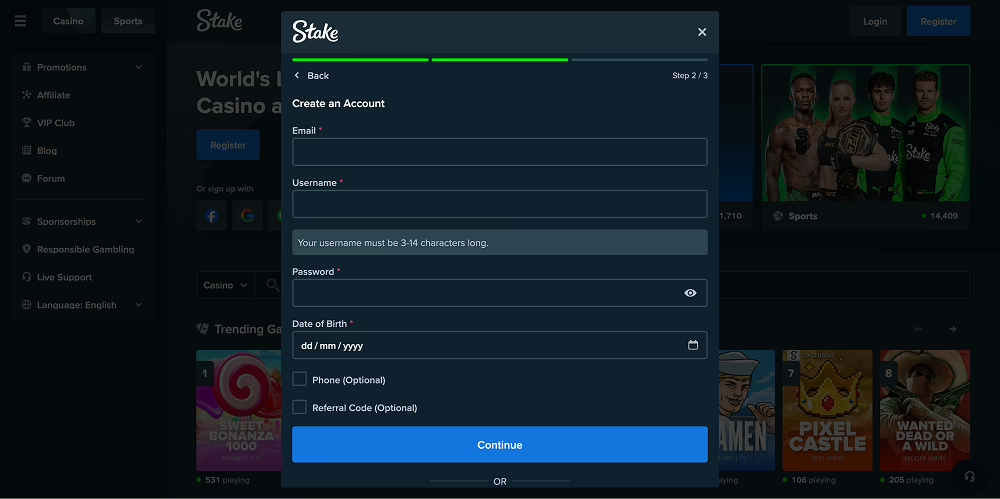
1. Create an Account
The first step to doing anything on Stake is creating an account. Create an account with your details or via Google, Facebook, Twitch, or Line, and agree to the terms and conditions.
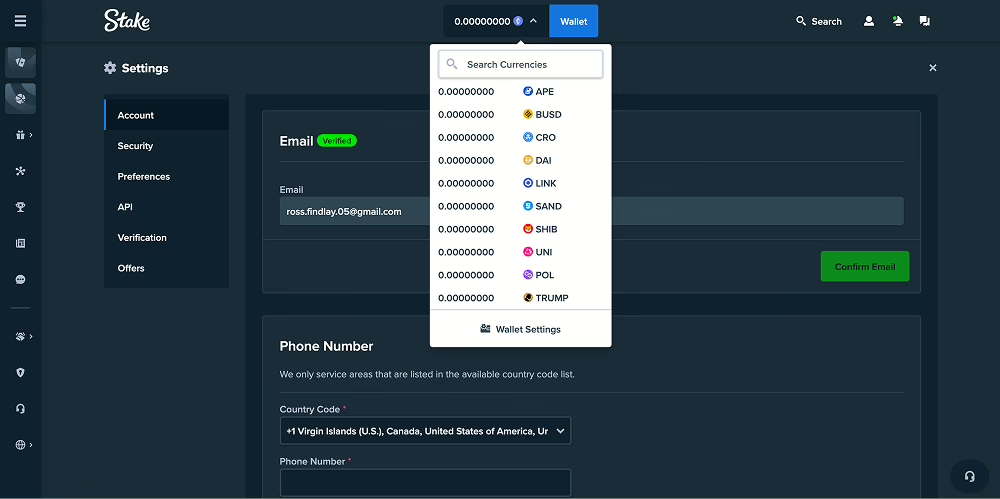
2. Select Cryptocurrency
At the top of the navigation, select the cryptocurrency you wish to deposit with. Stake accepts 20 different cryptocurrencies. You will find the most popular cryptocurrencies like Bitcoin, Ethereum, and Solana all covered.
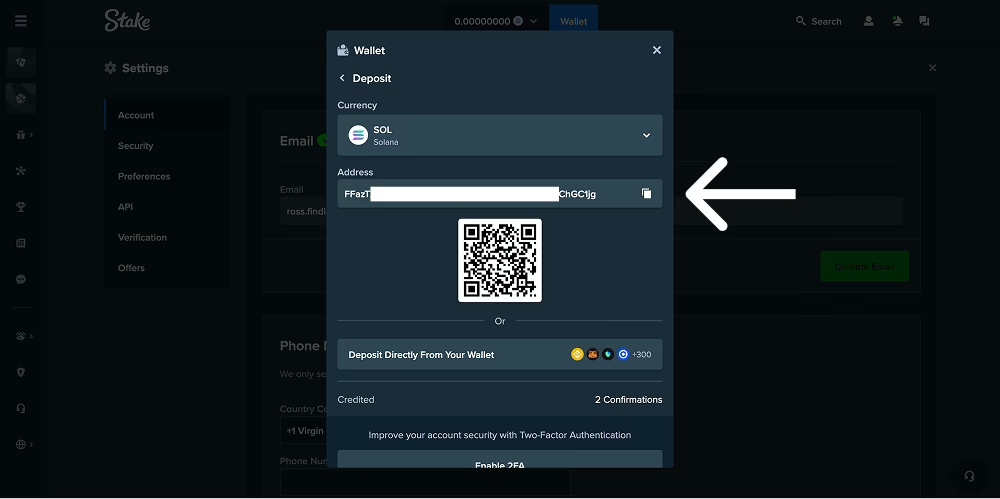
3. Copy Deposit Address
At this stage, I had to provide proof of ID, so I submitted a photo of my driving license. Following this, I navigated to my Stake Solana wallet and copied the wallet address.
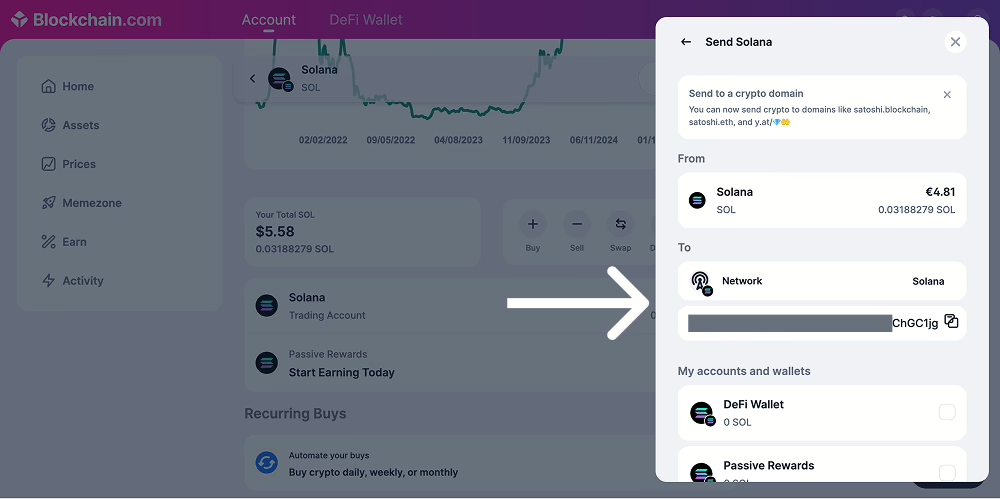
4. Add Deposit Address to Your Wallet
I then navigated to my Blockchain.com account, selected Solana, clicked ‘Send’, and entered my Stake Wallet address into the address field.
At this stage, it is advised to check that you have the correct network selected. Sending to the wrong network can result in cryptocurrency being lost.
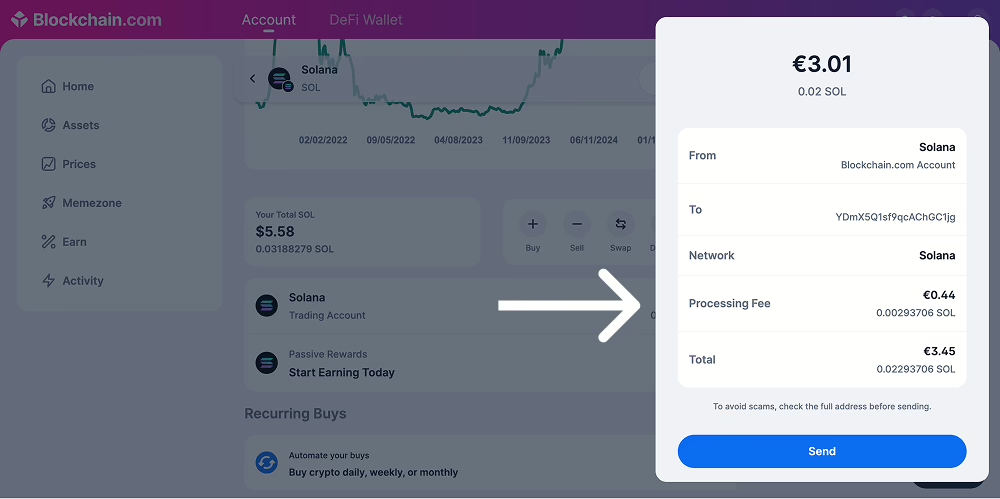
5. Send Cryptocurrency to Stake Wallet
Finally, I just need to confirm that I am happy to pay the ‘processing fee’. On Blockchain.com, this fee ties together the network fee and any fees Blockchain.com adds on top. The network fee is dynamic, so it can fluctuate quite a lot. It is worth trying to make the deposit when you have low network fees. Some cryptocurrencies have lower network fees than others.
How Long Did My Deposit Take?
My deposit took just a couple of minutes to be confirmed on Stake.com. The website was updated with a notification that 0.02 SOL had been added to my account balance.
Other Deposit Options on Stake.com
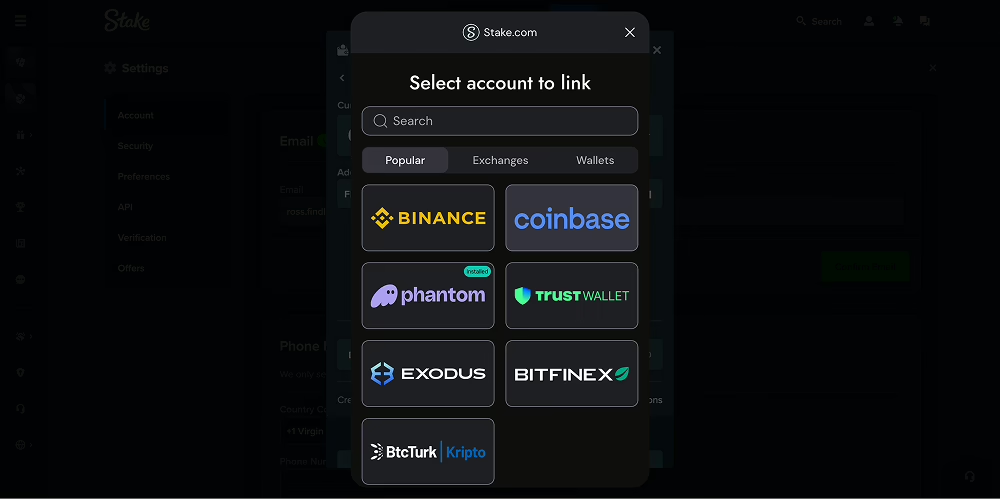
Connect Wallet
On the deposit screen, you also have the option to connect with your wallet or exchange and deposit directly without ever leaving the Stake platform.
Buy Crypto on Stake.com
You can also buy cryptocurrency with a credit or debit card on Stake.com directly. When you select on deposit, just opt for ‘Buy with Crypto’. You can choose from a variety of third-party payment providers. Again, here just watch out for the fees you will pay for the transaction: depending on the time and currency, they could be a little or a lot.
Verification Documents During Deposit
When signing up and depositing on Stake.com, I was only asked for verification documents one time, and that was a proof of ID as I was about to make the deposit. The actual process on the website to submit my document was very straightforward.
It is worth mentioning that you may be asked to provide KYC (Know Your Customer) documents later on at Stake.com, especially when you come to withdraw from your wallet. So keep in mind that verification documents are a necessity at licensed gambling sites.
How is Depositing on Stake?
Overall, I found depositing on Stake very simple. There were slight delays when I was asked to provide some verification documents, but overall, the process was straightforward and relatively quick. Altogether, it took me about 5 minutes.
You cannot deposit cash directly on Stake. Stake is a pure cryptocurrency platform, so if you want to deposit, you need to do so in one of the ways we have mentioned in this article.
Now that the hard part is out of the way, I can finally get onto the good stuff of playing some of the best games on Stake Casino.
Source link